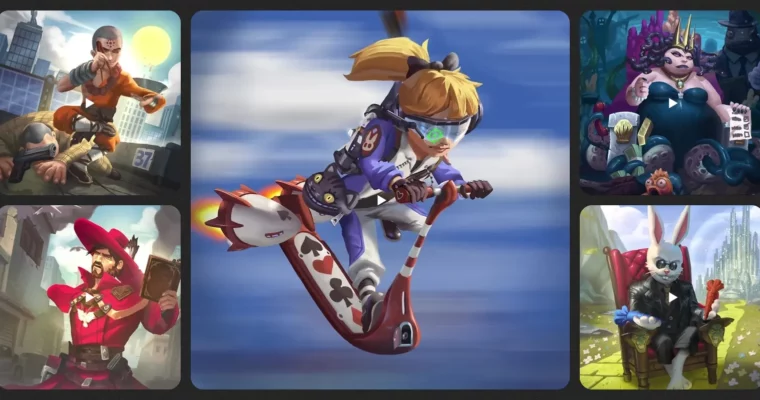
Spine 2D Animation Course by Arman Harutyunyan

Actual Duration:6h 31m
Release date:2024
Publisher:Udemy
Skill level:Intermediate
Language:English
Exercise files:Yes
Software:Spine 2D, Adobe Photoshop, Unity
Course URL:https://www.armanimation.com/challenge-page/spine-2d-animation-course
This course is a straight shot into Spine 2D for anyone who wants to animate characters for games. It skips the fluff and gets you building rigs and creating animations like walk cycles and attacks from day one. You’ll learn the interface, the tools, and the logic behind the software, then apply it all to a real project.
🎯 What you’ll learn
- Master the Spine 2D interface and its essential tools for navigation and asset manipulation.
- Design efficient rigs with optimized meshes, clean bone hierarchies, and smart constraints.
- Create interesting and dynamic animations using posing and the graph view.
- Apply advanced techniques like mesh manipulation and constraints in Spine 2D.
- Integrate Spine 2D animations into Unity, following best practices for exporting and importing assets.
✅ Requirements
- Skills: Familiarity with Adobe Photoshop
- Tools: A drawing tablet is recommended for mesh manipulation
- Hardware: Minimum 8GB RAM, dedicated GPU recommended for Unity integration
📝 Description
This course is a deep dive into the powerful 2D animation and rigging features of Spine 2D. Designed for aspiring animators, it walks you through every essential feature with clarity and practical application. We begin with the user interface, explaining every view and panel so you can customize your workspace and streamline your workflow.
From there, we jump into Spine’s core structure: skeletons, bones, slots, and keyframes. These elements form the backbone of all Spine animations. You’ll learn how to build clean rigs and understand how each component interacts with others.
The tools section breaks down transform, pose, and create tools. You’ll master how they function in different axis modes—Local, Parent, and World—ensuring you can animate with confidence and precision. You’ll also explore all types of attachments and learn when and how to use them efficiently.
Axes are often confusing, but here they’re explained in a simple, visual way that makes complete sense. Finally, we explore constraints—path, transform, IK, and physics—with hands-on demos that show exactly how they work and when to use them. By the end of the course, you’ll be able to rig and animate high-quality characters for games, apps, or animations using Spine 2D.
The course is packed with assignments, quizzes, and tips & tricks. It also offers a certificate upon completion and access to a private group where participants can share their progress. The instructor reviews assignments and provides feedback through video updates.
🧑🎓 Who this course is for
- Artists looking to learn Spine Software for game animation.
- Animators who want to transition from traditional or 3D animation to 2D skeletal animation.
- Game developers who need to understand the rigging and animation pipeline for 2D characters.
🧑🏫 About the Author
Arman Harutyunyan is the CEO of Armanimation Studio and brings over 7 years of experience as a Spine 2D Animator. He runs the #1 Spine YouTube channel and has animated for AAA games. His expertise covers software like Adobe Animate, After Effects, and Unity. He has worked with top clients such as Nickelodeon, SEGA, and Stern Pinball, and now shares his deep knowledge to prepare students for success in the competitive game development industry.
🏁 Final Result
- A fully rigged and animated character with a set of game-ready animations (idle, walk, run, attack).
- A clean, optimized Spine project file ready for export.
- A working integration of your Spine animations into a Unity project.
 Channel