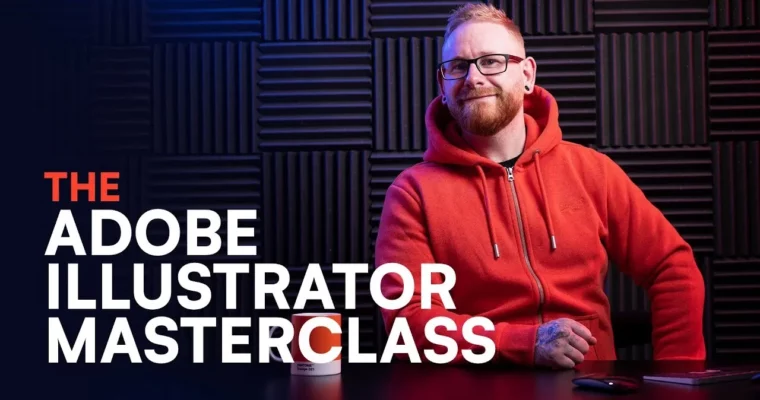
Design at a Professional Level with Illustrator by Dansky

Actual Duration:7h 55m
Release date:2025
Publisher:Dansky
Skill level:Intermediate
Language:English
Exercise files:Yes
Software:Adobe Illustrator, Adobe Dimension, Adobe After Effects
Course URL:https://www.dansky.com/courses/illustrator-master-class
Ready to ditch the guesswork and start creating designs that truly impress? This course is your fast track to mastering Adobe Illustrator like a pro. Forget endless tutorials and frustrating trial-and-error; you’ll learn the exact workflows and precision techniques that seasoned designers use to bring their ideas to life, ensuring every project is intentional, consistent, and polished.
🎯 What you’ll learn
- Create custom lettering and stunning typography.
- Design technical diagrams and pixel-perfect illustrations with precision.
- Design icons and logos that look professional and are scalable.
- Add depth, perspective, and 3D effects to your artwork.
- Use grids and alignment systems to elevate your designs.
- Create superior 3D graphics and integrate with Adobe Dimension.
- Apply stunning effects, textures, and reusable graphic styles.
- Transform complex data into clean visual designs.
- Automate repetitive tasks and animate your designs.
✅ Requirements
- Skills: Familiarity with the basic Adobe Illustrator interface and fundamental tools.
- Tools: A computer capable of running Adobe Illustrator and Adobe Dimension.
- Hardware: A standard computer setup is sufficient; no specialized hardware is strictly required beyond what’s needed for Adobe Creative Suite.
📝 Description
This course is designed to bridge the gap between knowing the basics of Adobe Illustrator and actually designing at a professional level. You’ll move beyond random tool usage and learn structured workflows that lead to cleaner, more intentional, and polished results. We focus on making confident creative decisions, understanding the “why” behind design choices, and building a solid foundation for advanced vector illustration, typography, and logo design. You’ll explore how to add depth, perspective, and even 3D elements, transforming flat designs into compelling visuals. The curriculum also covers essential layout principles using grids and alignment systems, and even touches on data visualization and automation to streamline your workflow.
🧑🎓 Who this course is for
- Designers who know the basics of Illustrator but want to achieve professional-level results.
- Individuals who struggle to translate their ideas into polished, finished designs.
- Creatives looking to make more confident and intentional design decisions.
- Anyone wanting to understand and implement professional vector design workflows.
- Users aiming to create custom typography, logos, icons, and complex illustrations.
🧑🏫 About the Author
The instructor, Dansky, shares a personal journey of overcoming frustration with Adobe Illustrator, realizing that the learning process, not the software itself, was the barrier. After years of trial and error, Dansky developed a clear, efficient path to mastering the tools that truly matter. This course is the culmination of that experience, offering the shortcut Dansky wished they had from day one, enabling students to create pro-level work quickly and confidently.
🏁 Final Result
By the end of this course, you will have a portfolio of sophisticated designs, including custom typography, pixel-perfect illustrations, professional logos, and potentially 3D rendered graphics, all created with a deep understanding of Illustrator’s professional workflows and techniques. You’ll be equipped to tackle complex design challenges with confidence and create work that is both aesthetically pleasing and technically sound.
 Channel