Dynamic Effects Animation for Games (HD) by Antonio Cappiello

Duration:2h 16m 2s
Actual Duration:2h 15m
Release date:2023, November
Publisher:Gnomon
Skill level:Beginner
Language:English
Exercise files:Yes
Software:Houdini, Photoshop, Unreal Engine
Course URL:https://www.thegnomonworkshop.com/workshops/dynamic-effects-animation-for-games
Ready to make characters dramatically dissolve into dust and particles right in Unreal Engine? This workshop with Antonio Cappiello breaks down exactly how to do it, using a killer combo of Houdini and Photoshop. It’s perfect if you’re starting out or already have some real-time VFX chops and want to go beyond basic particle systems. You’ll learn procedural modeling, simulation, and how to pack all your effects into a sprite sheet, making your game visuals pop.
🎯 What you’ll learn
- Create procedural low-poly models and RBD simulations in Houdini.
- Pack flipbooks into optimized sprite sheets for real-time use.
- Make frame-by-frame animations in Photoshop using its Timeline.
- Import and fracture Houdini assets directly into Unreal Engine.
- Develop dissolving materials and advanced Niagara particle systems in Unreal.
- Animate material parameters and build cinematic sequences with camera effects.
✅ Requirements
- Skills: Basic knowledge of Houdini, Photoshop, and Unreal Engine is ideal.
- Tools: Houdini, Photoshop, Unreal Engine.
- Hardware: Not specified, but a capable machine for 3D work is recommended.
📝 Description
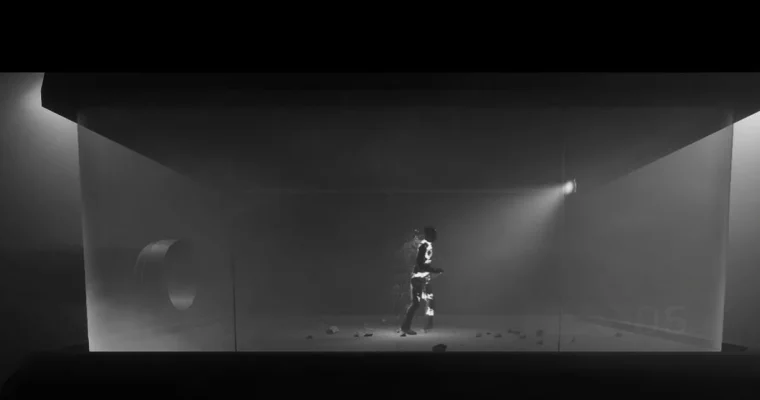
This workshop dives into creating a dynamic dissolving character effect for games, blending Houdini, Photoshop, and Unreal Engine. You’ll start by setting up your scene in Unreal Engine, blocking out lighting to establish mood. Then, you’ll jump into Houdini for some serious procedural modeling, creating environmental assets like chambers, cables, and lamps. The real magic happens when you learn to fracture a character animation in Houdini and export it for Unreal Engine.
Antonio walks you through importing these assets, setting up realistic materials in Unreal, and building atmospheric Niagara particle systems. A major focus is the dissolving material itself, synchronized with custom particle effects. You’ll even get hands-on with Photoshop to draw animated smoke, turning it into a flipbook for your particle systems. Finally, you’ll assemble everything in Unreal Engine’s Level Sequencer, animating parameters and adding those crucial cinematic touches like camera shake and grain to make your effect truly shine.
🧑🎓 Who this course is for
- Beginner to mid-level real-time VFX artists looking to expand their skills in procedural modeling and advanced particle systems.
- Game developers, technical artists, and VFX professionals working in real-time environments.
- Artists familiar with basic Niagara functions who want to push beyond standard particle systems.
🧑🏫 About the Author
Antonio Cappiello is a Principal VFX Artist at Yuga Labs, bringing over a decade of experience in creating dynamic visual effects for games and interactive media. Inspired by his early days with a Commodore 64, Antonio specializes in designing high-impact VFX that boost gameplay and storytelling. He’s worked on VR titles like Theseus and the action game Soulstice, and has contributed to projects at Riot Games (VALORANT) and Elodie Games. His approach masterfully combines technical precision with creative flair, ensuring visually compelling results.
🏁 Final Result
- A portfolio-ready, impressive dissolving character VFX sequence created entirely within Unreal Engine, utilizing Houdini for asset generation and Photoshop for custom animations.
 Channel