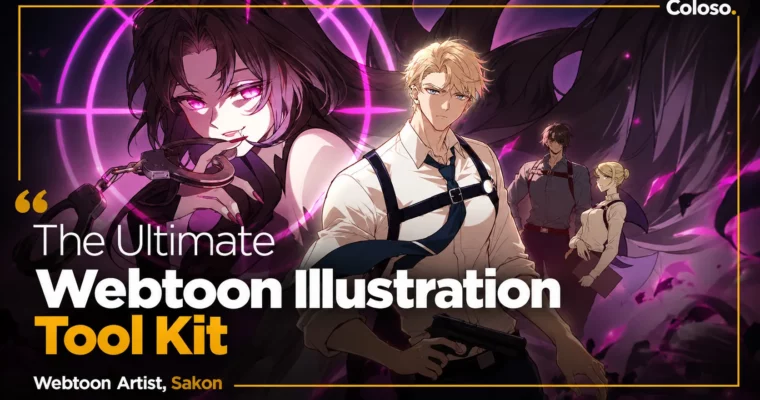
The Ultimate Webtoon Illustration Tool Kit by Sakon

Duration:8Hours 3Minutes
Actual Duration:7h 26m
Release date:2023
Publisher:Coloso
Skill level:Beginner
Language:English
Exercise files:Yes
Software:Adobe Photoshop, SketchUp
Course URL:https://coloso.global/en/products/webtoonartist-sakon-us
If you’ve ever stared at a script and thought “how does this become a webtoon?”, this class is your answer. Sakon breaks down the whole pipeline — from storyboarding and panel flow to 3D assets, rendering, and punchy color — so you can ship episodes without getting stuck or burnt out.
🎯 What you’ll learn
- Turn a written script into a readable, scroll-optimized storyboard
- Plan panel flow, camera angles, and action choreography for vertical reading
- Use 3D assets in SketchUp and Photoshop to beat deadlines
- Sketch, ink, and render characters that sit cleanly on backgrounds
- Use warm vs. cold color and shadow values for drama and emotion
- Add VFX with layer modes, glows, motion blur, and action sets
- Create hand-lettered SFX, slice episodes, and pick thumbnails and cover art
- Navigate publishers, studios, assistants, schedules, and pay structures
✅ Requirements
- Skills: Basic drawing fundamentals, familiarity with Photoshop UI and layers
- Tools: Adobe Photoshop, SketchUp
- Hardware: PC or laptop capable of running Photoshop and SketchUp, drawing tablet recommended
📝 Description
Webtoons aren’t just comics posted online. The vertical scroll changes everything — pacing, dialogue placement, panel size, even how you stage a punch. Sakon starts there, with how readers actually read, then shows you how to set up your canvas, fonts, balloons, and files so you don’t paint yourself into a corner later.
Then it’s script to storyboard. You’ll learn to break down narration, distribute text, and plan the flow with Z-scheme reading, camera shots, transitions, and freeze panels. It’s practical stuff: when to go big, when to hold a beat, how to choreograph action across multiple panels so it feels fast without getting confusing.
Because deadlines in this industry are brutal, there’s a big focus on 3D assets as a shortcut that doesn’t look cheap. You’ll find models, pose them, set shadows and angles, export at the right resolution, and use them as a solid base for sketch and lineart. From there Sakon covers render types, color values, warm vs. cold palettes, and how to blend or separate characters from backgrounds for normal vs. dramatic scenes.
The finish is what sells it. You’ll play with layer modes, masks, outer glow, motion blur, and custom effects for impact frames, plus English onomatopoeia, brush SFX, episode slicing, thumbnails, and cover art. Last section gets real about business: publishers, studios vs. solo, assistants, timelines, and how to make the money part sustainable.
🧑🎓 Who this course is for
- Aspiring webtoon artists who want a clear step-by-step pipeline from script to publish
- Illustrators and comic artists switching from manga or Western comics to vertical scroll
- Assistants, freelancers, and studio hopefuls who want to understand roles, teamwork, and deadlines
🧑🏫 About the Author
Hello! I’m Sakon. Most people know me from my fanart on Twitter, but I’ve spent 5+ years in the webtoon industry as a main artist and assistant before switching back to illustrator. I’ve worked across action, fantasy, drama, and romance, so I keep things broad, simple, and usable no matter your background.
I debuted by winning 3rd place at the Lezhin Comics World Comic Contest in 2017, then learned the technical side the hard way by studying the webtoons I loved. I’ve since been featured in HoyoLAB Magazine and Korean press coverage, and taught private coaching with Kisai Entertainment in Jakarta. For this class I packed in everything I wish someone had told me at the start.
🏁 Final Result
- A complete scroll-ready webtoon episode built from script — storyboarded, rendered, colored, with VFX/SFX, sliced files, thumbnail, and cover art ready for portfolio or publishing pitch.
📢 Guys, this is a Group Buy campaign, check the GBC forum thread to get access
You can find the course preview in the download section below.
 Channel