Animating Logos with After Effects by Martin Perhiniak

Duration:4.5 hours on-demand video
Actual Duration:4h 24m
Release date:2024
Publisher:Udemy
Skill level:Beginner
Language:English
Exercise files:Yes
Software:Adobe After Effects, Adobe Illustrator
Course URL:https://www.udemy.com/course/animating-logos-with-after-effects
Want to charge $1,000+ for a logo animation? This course gets you there by making stuff, not just watching theory. You’ll build three portfolio pieces in After Effects and pick up the workflow graphic designers actually use to get into motion.
🎯 What you’ll learn
- Getting confident in using After Effects for motion design and animation
- Creating eye-catching logo animations for clients
- Produce portfolio-ready animations to market yourself
- Character and mascot animation techniques
- Kinetic typography animation workflow
- Essential motion graphics techniques with Keyframes, Shapes and Transitions
- How to come up with ideas for a logo animation project
- How to use Adobe Illustrator and After Effects in a professional workflow
- How to create smooth loops and logo reveals
✅ Requirements
- Skills: No prior animation or motion design experience required, basic familiarity with Adobe Illustrator and After Effects is helpful
- Tools: Active Adobe Creative Cloud subscription with After Effects and Illustrator installed
- Hardware: Computer capable of running Adobe After Effects smoothly
📝 Description
If you’re a graphic designer, you already have half the skills. You know composition, type, and branding. This course just adds movement. You’ll start with file prep in Adobe Illustrator, proper layer naming, and clean imports into After Effects so you don’t fight a messy project later.
Then you get straight to work. First project is a goofy llama mascot with a bell, collar, blinking eyes, hair bounce, and tongue flick. Sounds silly, but that’s the point — you’ll learn character rigging basics, face animation, easing, and how to make a perfect loop without pops.
Second project switches gears to clean and minimal. You’ll draw simple vector icons and morph them into each other using shape layers and path animation. This is where the 12 principles of animation actually click — squash and stretch, anticipation, follow-through — applied to logo work, not bouncing balls.
Third project is all energy: a kinetic typography reveal. Letter by letter, you’ll time out K-A-S-H with overshoots, motion blur, and effects that give text weight and personality. Plus you get idea-generation lessons, so you’re not just copying, you’re learning how to pitch a concept to a client.
No fluff, short lessons, real project files included. By the end you know how to plan, animate, loop, and export a logo sting you can sell.
🧑🎓 Who this course is for
- Graphic Designers looking to add logo animation to their branding services
- Anyone who wants to get into Motion Design or Animation with fun, practical projects
- Beginners who want to learn Adobe After Effects by building portfolio pieces
- Freelancers who want to offer in-demand animations priced between $1,000-$9,000
🧑🏫 About the Author
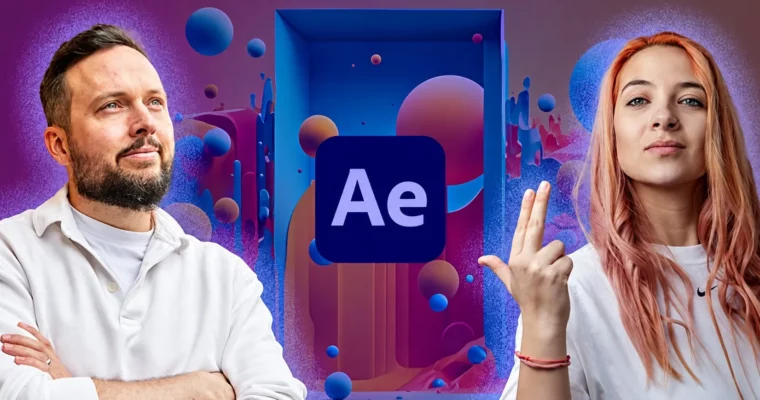
Martin Perhiniak is a designer and Adobe Certified Instructor known for practical, beginner-friendly design and motion courses. For this course he teamed up with Ina Gavazova, a working motion designer and animator with client work for Nissan, Yale and UNICEF. Ina brings that day-to-day studio energy — she explains every click, encourages experimenting with keyframes and transitions, and keeps it fun.
🏁 Final Result
- Three finished, portfolio-ready logo animations: a looping llama mascot logo with text, a minimalist morphing icons logo reveal, and a dynamic kinetic typography sting — all planned, animated, and exported from After Effects.
 Channel