Optimising a mobile game in Unity

Duration:7 hours on-demand video
Actual Duration:6h 44m
Release date:2023, July
Publisher:Udemy
Skill level:Intermediate
Language:English
Exercise files:Yes
Software:Unity
Course URL:https://www.udemy.com/course/optimising-a-mobile-game-in-unity
Ready to make your mobile games run like a dream? This course dives into the nitty-gritty of optimizing your Unity projects, ensuring smooth gameplay and killer frame rates on both Android and iOS devices. Forget laggy experiences; we’re talking about making your games perform brilliantly, even on older hardware.
🎯 What you’ll learn
- How to optimize graphics and code for mobile games
- Strategies for designing for Android and iOS
- Modifying Unity settings for better performance
- Implementing object pooling
- C# scripting for a mobile shooting game
✅ Requirements
- Hardware: A computer capable of running Unity
- Hardware: An Android or iOS mobile phone
📝 Description
Building games for mobile is a whole different ballgame compared to PC development, and it really hinges on smart optimization techniques. This course is your deep dive into those exact tips and tricks, specifically tailored for making games shine on mobile phones and tablets.
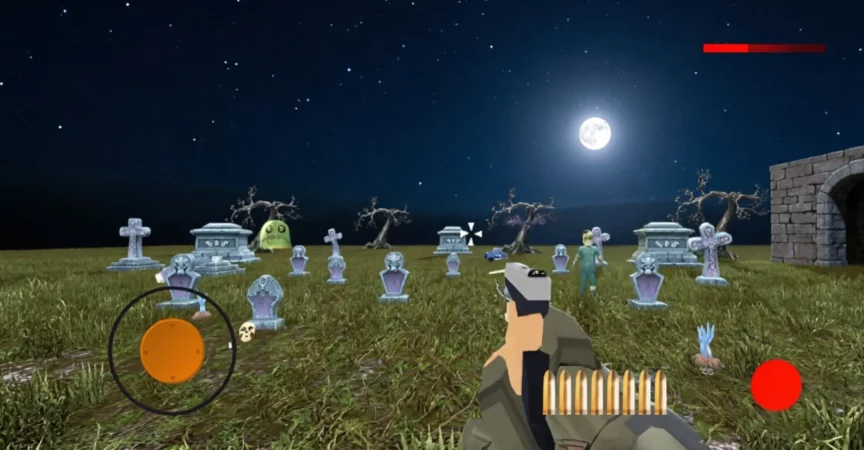
We’ll be building a Halloween-themed shooting game where enemies keep coming in endless waves, getting tougher as you progress. You’ll learn how to set up your Unity project correctly, tweak Unity settings for mobile, and understand what each setting actually does.
As we build, we’ll constantly use the Unity Profiler to check performance and find ways to optimize for buttery-smooth gameplay and rock-solid frame rates. We’ll focus on key areas like draw calls, batching, coroutines, and pooling enemies, among others.
Don’t sweat it if you’re new to coding; I’ll walk you through everything step-by-step, showing you best practices for mobile development. By the end, you’ll have a fully functional game that hits 30 FPS on older phones and 60 FPS on newer ones, for both Android and iOS.
🧑🎓 Who this course is for:
- Do you struggle to get good frame rates in your mobile games? This course will show you how to optimize your games for great FPS.
🧑🏫 About the Author
Pete Jepson is a qualified teacher with over 12 years of experience in game design education. He’s been using Unity since 2013 and has created numerous courses on game and animation development using the engine. With a global student base of over 64,000, Pete is dedicated to supporting learners and is known for his quick and helpful responses to student questions.
🏁 Final Result
- A fully working, optimized mobile shooting game capable of achieving 30-60 frames per second on a wide range of Android and iOS devices.
 Channel