Introduction to Fusion by Kris Turvey

Duration:2h 59m 49s
Actual Duration:2h 59m
Release date:2025, October
Publisher:Gnomon
Skill level:Beginner
Language:English
Exercise files:Yes
Software:Fusion
Course URL:https://www.thegnomonworkshop.com/workshops/introduction-to-fusion
Ready to jump into 3D for film concept art? This workshop dives into Autodesk Fusion, a powerful tool that blends engineering precision with an artist-friendly workflow. Even if you’re totally new to 3D, you’ll learn how to create awesome hard-surface designs, model them up, and even render them for presentations. It’s all about getting practical skills for the film pipeline.
🎯 What you’ll learn
- Navigate the Autodesk Fusion interface and understand its workspaces.
- Create initial design concepts using 2D sketching tools.
- Transform 2D sketches into 3D models using Solids, Surfaces, and Forms.
- Choose the best modeling approach for different design challenges.
- Create motion studies and animatics to test and communicate designs.
- Apply materials and render polished presentation images.
- Export final designs for film production pipelines.
✅ Requirements
- Skills: No prior 3D knowledge required.
- Tools: Autodesk Fusion
- Hardware: A computer capable of running Autodesk Fusion.
📝 Description
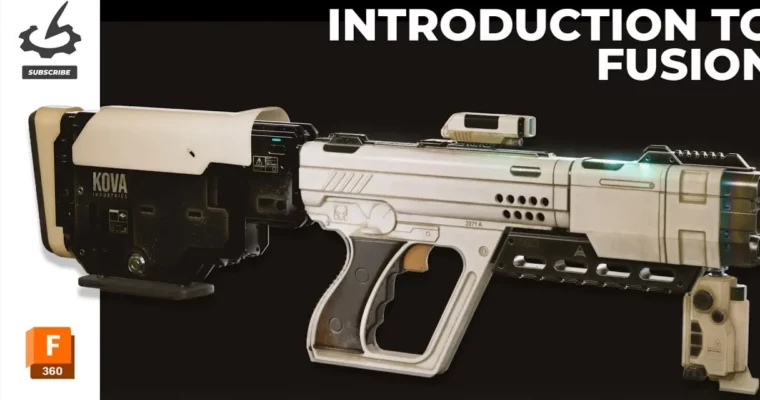
This workshop is your entry point into Autodesk Fusion, a software that’s becoming a go-to for concept artists needing precise hard-surface modeling. Kris Turvey, who worked on films like Dune: Part 2, walks you through everything from the basic interface to advanced techniques. You’ll learn how to sketch, model using solids, surfaces, and forms, and then bring your designs to life with animation, drawing, and rendering. The course culminates in a practical project where you’ll model a sci-fi gun, giving you a solid portfolio piece and the confidence to use Fusion in your own projects.
🧑🎓 Who this course is for
- Complete beginners with no prior experience in Autodesk Fusion or 3D modeling.
- Aspiring concept artists and film industry newcomers.
- Creative professionals looking to add powerful 3D design skills to their toolkit.
- 2D artists transitioning into modern film production workflows.
🧑🏫 About the Author
Kris Turvey is a seasoned Concept Artist, Art Director, and Creative Director with over 15 years of experience in film, television, and games. He’s contributed to major Hollywood productions like Dune: Part Two, Renegade Nell, and Black Doves. Kris is also an active industry figure, a member of BAFTA, and part of the British Film Designers Guild committee, showcasing his deep involvement and expertise in visual storytelling for film.
🏁 Final Result
- A completed, portfolio-ready sci-fi gun model created entirely within Autodesk Fusion.
- Practical experience in hard-surface modeling, design iteration, and presentation rendering.
- The ability to integrate 3D modeling into professional concept art and film production pipelines.
 Channel