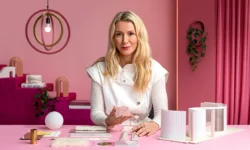
Editorial Design with InDesign – Turning stories in pages by BOB Design

Actual Duration:2h 20m
Release date:2023, May
Publisher:Domestika
Skill level:Beginner
Language:English
Exercise files:Yes
Software:Adobe InDesign
Course URL:https://www.domestika.org/en/courses/3713-editorial-design-with-indesign-turning-stories-in-pages
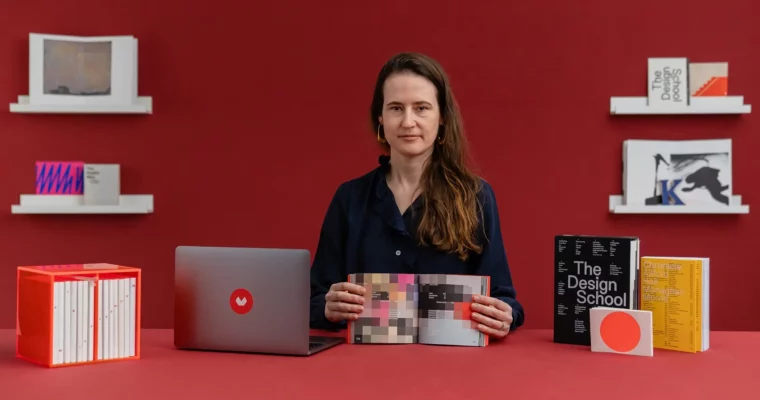
This course is all about turning raw stories into tangible, beautifully designed printed books. You’ll work through the entire editorial process with Mireille Burkhardt of BOB Design, from the initial concept and paper mock-ups to the final InDesign layout, typography, and cover design. It’s a hands-on, practical walkthrough that leaves you with a real, print-ready publication.
🎯 What you’ll learn
- Structure and arrange content to create engaging, memorable publications.
- Use the InDesign grid system to bring order and personality to your layouts.
- Select and pair typography that complements your content and narrative.
- Integrate images and text to create visually appealing, readable pages.
- Design a striking cover that captures the essence of your publication.
- Prepare and export your document for professional printing.
✅ Requirements
- Skills: No prior experience in editorial design is required. A creative mindset and passion for design are helpful.
- Tools: Access to Adobe InDesign, a notebook and pen for sketching ideas.
- Hardware: A computer capable of running Adobe InDesign smoothly.
📝 Description
This isn’t just a software tutorial. It’s a full look at how a professional designer thinks about a book project. Mireille starts with the most important part: the story. You’ll learn how to analyze content, define a concept, and let that drive every design decision that follows. Before you even open InDesign, you’ll build paper mock-ups to feel the physical structure of your book.
Once the concept is solid, you’ll move into the software. Mireille walks you through setting up a flexible grid in InDesign, then shows you how to choose typography that fits the narrative. You’ll learn how to bring images and text together without the layout feeling cluttered or chaotic. The course also covers the often-tricky cover design, making sure the outside of the book matches the quality of the inside.
The final lessons focus on the technical side: setting type properly, checking your document for errors, and exporting it for print. Mireille also shares her own printing techniques and alternative options, so you know what to expect when your file leaves the screen.
🧑🎓 Who this course is for
- Graphic designers looking to expand their skills into print and editorial work.
- Aspiring designers who want a structured, project-based introduction to book design.
- Anyone with a story to tell who wants to learn how to format it into a professional publication.
🧑🏫 About the Author
BOB Design is the studio of Mireille Burkhardt, a graphic designer with deep expertise in book design. Her work focuses on the intersection of storytelling and visual structure, creating publications that are both functional and expressive. Through this course, she shares the practical methods and design philosophy she uses in her own professional practice.
🏁 Final Result
- A printed book adaptation of BOB Design’s Instagram feed, or any story of your choice.
- A complete, print-ready document showcasing your ability to structure content, design layouts, and create a compelling cover.
 Channel