Blender 3D – Your First 3D Character in Blender by Cemal Yağmur

Duration:4.5 hours
Actual Duration:4h 27m
Release date:2026, May 28
Publisher:Udemy
Skill level:Beginner
Language:English
Exercise files:Yes
Software:Blender
Course URL:https://www.udemy.com/course/blender-3d-your-first-3d-character-in-blender/
A complete beginner-friendly walkthrough for creating a 3D character in Blender. You’ll go from a simple box to a fully textured, furred character ready for your portfolio. No prior character modeling experience is needed, just a basic comfort with Blender’s interface.
🎯 What you’ll learn
- Create a complete 3D character from start to finish using Blender.
- Use free addons for retopology, painting, and fur creation.
- Set up materials and textures for a polished final render.
- Understand the full pipeline from blocking out to final presentation.
✅ Requirements
- Skills: Basic familiarity with Blender’s interface and navigation.
- Tools: A 3-button mouse is recommended for efficient navigation.
- Hardware: A computer capable of running Blender 3D.
📝 Description
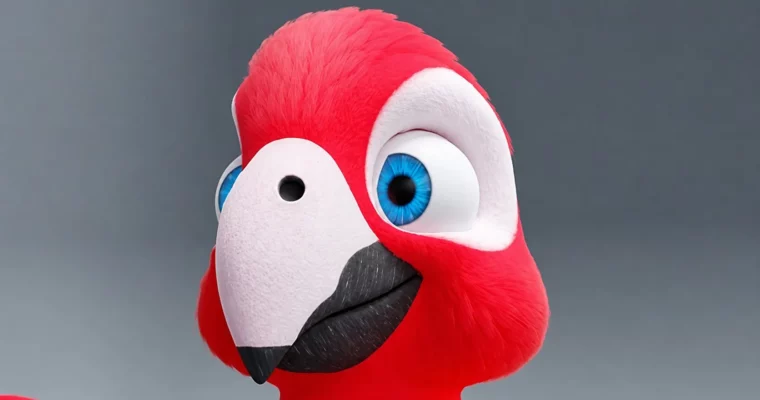
This course is a straight shot to your first finished character. Forget the theory overload—you’ll be modeling from the first lecture. The instructor, Cemal Yağmur, walks you through his exact process for building a stylized bird character.
You’ll start by blocking out the basic shapes for the body, wings, beak, and legs using simple primitives. The focus is on getting the proportions right and establishing a solid base mesh. From there, you’ll move into retopology, where you’ll rebuild the model with clean, animation-friendly topology using free addons. This is a critical skill for any character artist, and the course breaks it down part by part.
Once the mesh is clean, you’ll dive into UV unwrapping and texturing. You’ll learn to paint base colors, add detail to the beak and feet, and set up bump and roughness maps for a more realistic look. The course also covers creating shape keys for facial expressions and using Blender’s particle system to add fur, wings, and a tail. By the end, you’ll have a portfolio-ready render and a solid understanding of the entire character creation pipeline.
🧑🎓 Who this course is for
- Blender beginners who want to create a complete character for games, animations, or their portfolio.
- Folks familiar with Blender but struggling with the practical steps of modeling, retopology, painting, and fur.
🧑🏫 About the Author
Cemal Yağmur is a 3D artist with over 7 years of experience teaching 3D graphics. He has honed his skills through various freelance projects, ranging from product designs to game assets. He has taught hundreds of students worldwide through his online courses, focusing on clear, practical workflows.
🏁 Final Result
- A fully modeled, textured, and furred 3D character ready for your portfolio.
- A solid understanding of the complete character creation pipeline in Blender, from blocking out to final render.
 Channel