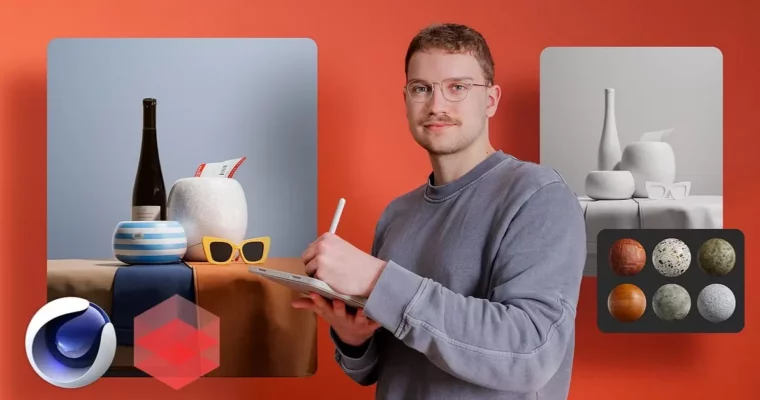
3D Design for Commercials with Cinema 4D and Redshift by Linus Zoll

Actual Duration:4h 1m
Release date:2024, August
Publisher:Domestika
Skill level:Intermediate
Language:English
Exercise files:Yes
Software:Cinema 4D, Redshift Render, PureRef
Course URL:https://www.domestika.org/en/courses/4200-3d-design-for-commercials-with-cinema-4d-and-redshift
This is a practical course on making product shots that actually sell. You’ll build a 3D still life from scratch in Cinema 4D and render it in Redshift — moodboard, modeling, materials, lights, final image.
🎯 What you’ll learn
- Set up a commercial 3D scene and plan a clean, readable composition
- Build realistic materials for glass, plastic and fabric from scratch
- Work with Redshift Shader Graph and the node system
- Use studio lights to shape form, texture and reflections
- Model simple product objects for a still-life setup
- Render a photorealistic final image without photo shoot limits
✅ Requirements
- Skills: Basic understanding of Cinema 4D interface and 3D workflow
- Tools: Cinema 4D installed, Redshift renderer access, PureRef for references
- Hardware: Dedicated GPU with updated drivers for Redshift rendering
📝 Description
This course skips theory overload and gets straight to how commercial images get made. You start with a moodboard in PureRef, lock your reference, then set up your scene in Cinema 4D. Linus shows his own layout and why he works that way — so you spend less time clicking around and more time making decisions.
Then you get into the meat of it: Redshift materials and lights. You’ll build glass, plastic and fabric with the Shader Graph — not presets, but nodes you control. You’ll see how roughness, IOR, subsurface and reflections change the look, and how different light types carve out shape and texture. Small tweaks, big difference on screen.
The last stretch is all applied work. You model simple objects, place them in a still-life composition, light them like a studio shoot, and render. No studio rental, no budget stress. Just you, your machine, and a final image that looks like it came from an ad agency.
Note: this course uses Cinema 4D’s Shader Graph for material creation, not the new Node Editor introduced in 2022.
🧑🎓 Who this course is for
- Cinema 4D users who want to get serious about rendering with Redshift
- Designers, animators and digital artists who need cleaner, more photoreal product visuals for client work
🧑🏫 About the Author
Linus Zoll works in advertising as a 3D designer focused on commercial imagery. He builds photorealistic stills and product visuals day-to-day, mostly in Cinema 4D and Redshift. He teaches the exact setup he uses on jobs — lighting, materials and rendering choices that hold up under client feedback.
🏁 Final Result
- A finished photorealistic 3D still-life scene rendered in Redshift for Cinema 4D, built with custom materials and studio lighting — ready for your portfolio.
 Channel