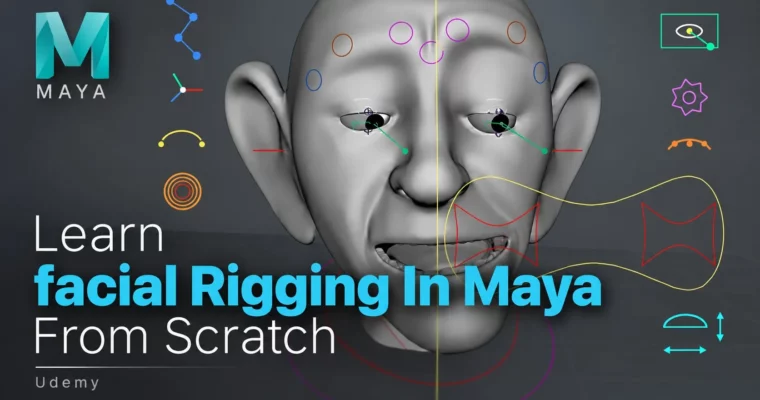
Learn facial Rigging In Maya From Scratch by Jhankar Singh

Duration:4 hours
Actual Duration:3h 48m
Release date:2026
Publisher:Udemy
Skill level:Intermediate
Language:English
Exercise files:Yes
Software:Autodesk Maya
Course URL:https://www.udemy.com/course/learn-facial-rigging-in-maya-from-scratch/
Learn how to build a complete facial rig in Autodesk Maya from absolute scratch. This course walks you through a production-style workflow covering joint placement, blend shapes, wire deformers, skinning, and control systems. No complex scripting required — just clean, native Maya tools and solid logic.
🎯 What you’ll learn
- Apply anatomical principles to place facial joints for realistic movement
- Use blend shapes, wires, and lattices to create believable facial expressions
- Design node-based networks for efficient rig performance
- Build clean control structures using native hierarchies without custom scripting
✅ Requirements
- Skills: Foundational understanding of Autodesk Maya
- Tools: Autodesk Maya installed
- Hardware: Computer capable of running Autodesk Maya smoothly
📝 Description
This course skips the theory-heavy fluff and gets straight into building. You’ll start with joint placement, learning where facial joints actually go and why anatomical accuracy matters for believable deformation. From there, you’ll work through axis orientation, skinning, and painting weights — the stuff that makes or breaks a rig.
The real meat here is the eyebrow rig using wire deformers and the blend shape workflow for corrective shapes. These are the techniques that separate amateur rigs from production-ready ones. You’ll also build eye rigs with aim constraints and space groups, giving animators the control they need without breaking the deformation.
Every lesson explains the why behind the how. You’re not just clicking buttons — you’re understanding the logic of node networks and control hierarchies. By the end, you’ll have a complete facial rig built entirely with native Maya tools. No Python, no complex scripts, just solid rigging fundamentals applied systematically.
The course is structured around 20 focused lectures totaling under 4 hours, so you can work through it in a weekend or spread it out. Each section builds on the previous one, and you’ll finish with a portfolio-ready facial rig that demonstrates real production techniques.
🧑🎓 Who this course is for
- Intermediate 3D artists with foundational Maya skills looking to specialize in character rigging
- 3D generalists and animators who want to understand the technical side of facial deformation
- Students preparing for careers in animation, games, or VFX
- Freelancers wanting to expand their rigging services
🧑🏫 About the Author
Jhankar Singh is an instructor with a 4.7 rating and over 290 students across 3 courses. While his background spans multiple disciplines, this course focuses specifically on his technical approach to facial rigging in Maya. His teaching style emphasizes practical, production-ready techniques over abstract theory, breaking down complex rigging concepts into digestible, actionable steps.
🏁 Final Result
- A complete, animation-ready facial rig built from scratch in Maya
- Clean control hierarchy with intuitive animator-friendly controls
- Functional eye rig with aim constraints and space switching
- Wire deformer-based eyebrow system with proper skinning
- Corrective blend shapes for clean deformations across expressions
 Channel