Ad Clicks : Ad Views : Ad Clicks : Ad Views : Ad Clicks : Ad Views : Ad Clicks : Ad Views :
Oh Snap!

It looks like you're using an adblocker. Adblockers make us sad. We use ads to keep our content happy and free. If you like what we are doing please consider supporting us by whitelisting our website. You can report badly-behaved ads by clicking/tapping the nearby 'Advertisement' X text.

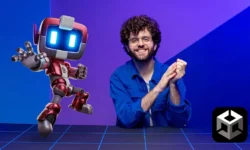
Learn Unity Shaders from Scratch by Nicholas Lever

Learn Unity Shaders from Scratch by Nicholas Lever

Author:Nicholas Lever

Duration:5h 51m

Actual Duration:5h 49m

Release date:2026, May

Publisher:Udemy

Skill level:Beginner

Language:English

Exercise files:Yes

Software:Unity 6, Visual Studio

Course URL:https://www.udemy.com/course/learn-unity-shaders-from-scratch

A complete, hands-on guide to writing custom shaders in Unity 6, covering HLSL, URP, and Shader Graph from the ground up.

This course is your no-fluff entry point into writing custom shaders for Unity 6. You’ll start with the absolute basics—drawing a simple circle on screen—and work your way up to advanced effects like volumetric rendering, stencil buffers, and URP post-processing. No prior shader knowledge is needed, just a willingness to experiment.

🎯 What you’ll learn

  • Write custom shaders using the HLSL shading language from scratch.
  • Create shaders for the Universal Render Pipeline (URP).
  • Use Shader Graph to build shaders without writing code.
  • Implement advanced effects like tessellation, transparency, and post-processing.

✅ Requirements

  • Skills: Basic knowledge of using Unity is assumed. No shader or programming experience required.
  • Tools: A copy of Unity (free for students) and a code editor like Visual Studio.
  • Hardware: A computer capable of running Unity.

📝 Description

This course cuts through the theory and gets you writing shaders immediately. You’ll start with simple 2D fragment shaders—drawing shapes, creating patterns, and manipulating colors. The goal is to build an intuitive feel for how the GPU processes pixels in parallel.

From there, you’ll move into 3D, learning how to work with Unity’s built-in lighting using Surface Shaders. You’ll cover bump mapping, Fresnel effects, and environment mapping, giving your objects realistic material properties. The course then pushes into advanced territory: tessellation, stencil buffers, and volumetric rendering.

A major focus is the Universal Render Pipeline (URP), now the default in Unity 6. You’ll learn to convert existing shaders and build new ones specifically for URP, including a toon shader and custom post-processing effects. For those who prefer a visual approach, the final section covers Shader Graph, where you’ll create rim lighting, reflections, and refractive glass without writing a single line of code.

The teaching style is practical and iterative. Each concept is demonstrated with a working shader, and you’re encouraged to tweak values and experiment. The course includes dozens of starter and completed scenes, so you can always see the expected result.

🧑‍🎓 Who this course is for

  • Unity developers who need custom shaders for a specific game feature.
  • Developers who want to learn the HLSL language for use in other engines like Unreal.
  • Artists who want to create shaders visually using Shader Graph.
  • Anyone who has been intimidated by shaders and wants a gentle, structured introduction.

🧑‍🏫 About the Author

Nicholas Lever has spent the last five years working directly with the team at Unity to create official learning resources, including e-books. He brings that insider knowledge to this course, ensuring you learn best practices and current workflows. His teaching style is clear, encouraging, and focused on practical application, as reflected in the course’s high ratings.

🏁 Final Result

  • A portfolio of dozens of custom shaders, from procedural patterns to URP post-processing effects.
  • The ability to write and adapt HLSL shaders for any Unity project.
  • A solid understanding of the shader pipeline, enabling you to create any visual effect you can imagine.
Curriculum

📋 Course content

  1. Module 1:  Welcome and Introduction
    • Welcome to the course4:03
    • Introduction2:53
    • Parallel Processing1:48
    • Cg is not C#4:42
  2. Module 2:  Your First Shader
    • Your first shader9:28
    • Working with vectors in Cg7:12
    • Using the Properties section6:03
    • Blending colours8:22
    • Using step and smoothstep4:13
  3. Module 3:  Drawing Shapes
    • Drawing a circle2:21
    • Drawing a square10:10
    • Moving our shape4:13
    • Moving the square with the mouse4:25
    • Moving the shape over time2:59
    • Rotating the square8:06
    • Changing the rotation centre and scaling6:28
    • Tiling3:33
    • Drawing circles5:57
    • Drawing lines7:07
    • Combining lines8:38
    • Showing a polygon5:30
    • Creating a brick pattern8:12
  4. Module 4:  Noise and Procedural Textures
    • pragmas (0:12)

    • What’s all that noise?3:30
    • Using noise to create a fire shader6:06
    • Using noise to create wood and marble4:02
  5. Module 5:  Working with Textures
    • A simple use of a texture image7:18
    • Ripple the image4:56
    • Blend between textures5:22
  6. Module 6:  3D Shaders and Lighting
    • Turning a box into a sphere4:11
    • Using the Unity lighting – Lambert4:16
    • Creating a ball of lava5:13
  7. Module 7:  Surface Shaders
    • ShaderLab Surface Shaders – an introduction5:01
    • Bump mapping3:33
    • Fresnel shading2:09
    • Environment mapping2:55
    • Adding a bump map to a reflective surface3:13
    • Blinn Phong lighting4:31
    • Custom lighting6:28
    • Standard lighting4:23
    • Adding a vertex function to a surface shader3:05
  8. Module 8:  Advanced Techniques
    • Lighting in a vertex, fragment shader5:33
    • A position location shader4:29
    • Drawing a cross on the floor0:19
    • Tessellation6:23
    • Using the stencil buffer6:27
    • Clipping the output3:07
  9. Module 9:  Transparency and Volumetric Effects
    • Alpha transparency in a surface shader3:51
    • Space Pirate turns to glass7:30
    • Volumetric Rendering6:32
    • Using textures in the render5:55
    • Preparing for post processing5:06
    • Night goggles effect3:30
  10. Module 10:  URP Shaders
    • Migrating to URP5:22
    • Converting a custom unlit shader to URP9:21
    • Working with Properties and includes8:12
    • More tips when updating shaders for URP4:45
    • A Toon Shader6:14
    • Using URP Lighting in a Shader6:39
    • Post Processing using Renderer Features6:56
    • Stencils4:55
  11. Module 11:  Shader Graph
    • A first example7:40
    • Rim lighting6:29
    • Reflections4:12
    • Custom Functions7:39
    • Refractive Glass5:03
  12. Module 12:  Conclusion
    • Summary1:21
    • Useful links0:09
    • Bonus lecture1:07
Watch online or Download for Free
Learn Unity Shaders from Scratch by Nicholas Lever
NAME
SIZEDURATION
01 – Introduction
19.9 MB13m
09 – Transparent shaders
15.7 MB11m
10 – Volumetric Shaders
16.7 MB12m
11 – Post Processing
13.9 MB8m
13 – Shader Graph
45.3 MB31m
14 – Conclusion
6.7 MB1m
001 Summary
6.7 MB1m

Download all Videos (65)
511.1 MB5h 49m

Project Files (Assets, Resources)
41.3 MB

Download all

Join us on
  Channel    and      Group

Leave a Comment

Your email address will not be published. Required fields are marked *