Design a Multiplayer Hero Shooter Map in UE5 by Daniel Kim

Duration:3 hours
Actual Duration:2h 54m
Release date:2024, November
Publisher:Udemy
Skill level:Beginner
Language:English
Exercise files:Yes
Software:Unreal Engine 5
Course URL:https://www.udemy.com/course/design-a-multiplayer-hero-shooter-map-in-ue5
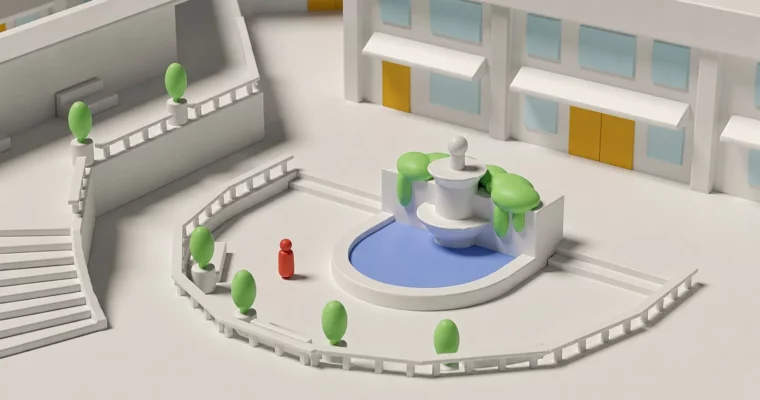
This course cuts the fluff and gets straight to building. You’ll use UE5’s built-in modeling tools to block out a complete multiplayer hero shooter map, focusing on layout, flow, and verticality—no Maya or Blender required.
🎯 What you’ll learn
- Use UE5’s built-in modeling tools to rapidly generate level blockout geometry
- Understand the basic structure of a multiplayer shooter map
- Identify opportunities to integrate verticality for dynamic gameplay
- Check the map design for tight sightlines, optimum cover spaces, and good flow of movement
✅ Requirements
- Skills: Basic familiarity with the Unreal Engine 5 interface is encouraged but not required.
- Tools: Installation of Unreal Engine 5.
- Hardware: A computer capable of running Unreal Engine 5.
📝 Description
This course is a straight shot into practical level design. Forget the back-and-forth of exporting from Maya or Blender—UE5’s modeling tools let you stay in the editor and iterate fast. You’ll start with a rough sketch and a theme, then jump straight into blocking out the map’s boundaries, main structures, and individual sections (North, South, East, West, and Center).
The focus is on gameplay flow: you’ll learn to check for tight sightlines, place cover effectively, and weave in verticality to keep matches dynamic. Each lecture is a hands-on walkthrough, so you’re building alongside the instructor. By the end, you’ll have a solid first-pass blockout ready for playtesting.
🧑🎓 Who this course is for
- Beginner Unreal Engine users with an interest in building worlds through level design
- Aspiring level designers, game designers, modders, or indie developers looking to improve their multiplayer map skills
🧑🏫 About the Author
Daniel Kim is a 3D Artist and Game Designer with a background in Film and Architecture. He’s worked on projects ranging from indie to AAA, published on PC, VR, mobile, and PlayStation consoles. His roles have spanned both 3D Art and Level Design, and he also creates animated short films on the side.
🏁 Final Result
- A complete, playable blockout of a multiplayer hero shooter map, built entirely within Unreal Engine 5.
 Channel