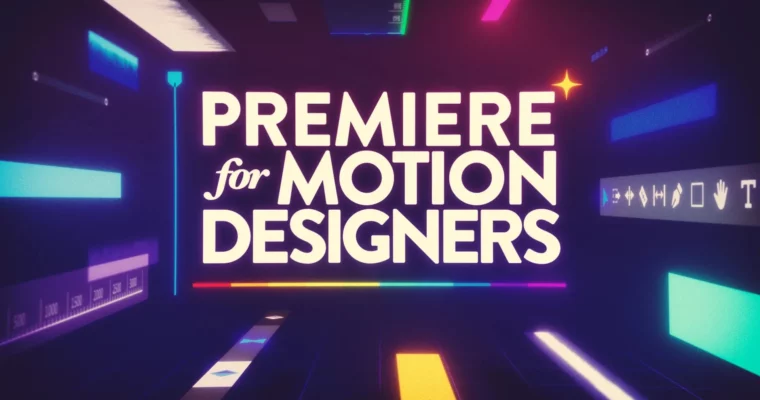
Premiere for Motion Designers by Kyle Hamrick

Duration:7+ hours
Actual Duration:6h 28m
Release date:2025, June
Publisher:School of Motion
Skill level:Beginner
Language:English
Exercise files:Yes
Software:Adobe Premiere Pro, Adobe After Effects
Course URL:https://www.schoolofmotion.com/courses/premiere-for-motion-designers
This course is all about adding serious video editing chops to your motion design toolkit using Adobe Premiere Pro. You’ll learn how to make your animatics pop, handle audio like a pro, and seamlessly integrate footage into your motion projects, making you a more versatile and efficient creative. Plus, you’ll finally ditch the idea of editing video directly in After Effects.
🎯 What you’ll learn
- Navigate the Premiere Pro interface efficiently for motion design tasks.
- Streamline your workflow using the most relevant editing tools.
- Create effective animatics and pre-visualization sequences.
- Master audio editing for voiceovers, sound effects, and music.
- Understand the strategy behind effective video editing.
- Integrate Premiere Pro and After Effects for maximum impact.
- Implement essential finishing skills like color correction and export.
✅ Requirements
- Skills: No prior experience with Premiere Pro is necessary.
- Tools: A computer capable of running Adobe Premiere Pro.
- Hardware: A computer that can handle video editing software.
📝 Description
This course is designed to get you comfortable with Adobe Premiere Pro, focusing specifically on how motion designers can leverage its power. You’ll go beyond basic editing, learning to use the software to enhance your creative process, speed up your workflow, and produce more polished final pieces. Kyle Hamrick guides you through practical applications, from creating quick animatics to mastering audio and integrating footage. The course emphasizes real-world application, teaching you the “how, when, and why” of using Premiere Pro effectively, especially in conjunction with After Effects. You’ll also cover crucial finishing touches like color correction and proper export settings, ensuring your projects look and sound professional.
🧑🎓 Who this course is for
- Motion designers who want to add video editing skills to their repertoire.
- Creatives looking to streamline their workflow by using the right tool for the job.
- Anyone who needs to edit audio and music for their motion projects.
- Designers who want to stop editing video in After Effects and use a dedicated NLE.
🧑🏫 About the Author
Kyle Hamrick is an instructor at School of Motion, bringing his expertise in motion design and editing to students. He has a strong background in the industry, understanding the practical needs of designers and animators. His teaching style focuses on demystifying complex software and workflows, making them accessible and actionable for students aiming to level up their skills.
🏁 Final Result
- You will have a portfolio-ready understanding of video editing within Premiere Pro, enabling you to create more dynamic and professional motion design projects. You’ll be equipped to handle everything from initial animatics to final exports, with a solid grasp of audio and integration with After Effects.
 Channel