Mastering Game Feel in Unity. Where Code Meets Fun! by Stephen Hubbard

Actual Duration:7h 47m
Release date:2025
Publisher:GameDev.tv
Skill level:Intermediate
Language:English
Exercise files:Yes
Software:Unity, C#
Course URL:https://gamedev.tv/courses/unity-game-feel
Ready to make your Unity games feel truly awesome? This course dives into the nitty-gritty of game feel, transforming your projects from basic to brilliant. You’ll learn to implement those small but crucial details that make players keep coming back for more, all built on a solid foundation of C# and Unity knowledge.
🎯 What you’ll learn
- Enhance your C# skills with structs, inputs, and interfaces.
- Implement impactful screen shakes and slick visual effects in Unity.
- Master 2D lighting and particle systems for dynamic scenes.
- Build a robust Audio Manager for immersive soundscapes.
- Code a responsive and smooth player controller.
- Design satisfying gunplay with impactful feedback.
- Utilize Unity’s tilemaps and events for engaging gameplay.
- Refactor code for cleaner, more scalable game architecture.
✅ Requirements
- Skills: Familiarity with C# programming and the Unity engine.
- Tools: Unity editor, Visual Studio Code (or similar IDE).
- Hardware: A computer capable of running Unity smoothly.
📝 Description
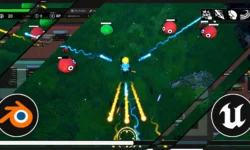
Ever feel like your game is missing that certain oomph? This course is all about injecting that magic into your Unity projects. We’ll go beyond the basics, focusing on practical systems and effects that directly impact how a player experiences your game. You’ll dive deeper into C#, exploring concepts like structs, interfaces, and design patterns to write cleaner, more efficient code. On the Unity side, get ready to master screen shakes, post-processing, advanced 2D lighting, particle effects, and more. We’ll build an expandable Audio Manager and work with a 2D side-scroller shooter template to implement a snappy player controller, satisfying gunplay, and impactful visual and audio feedback. This course is designed to take your existing Unity knowledge and polish it to a professional sheen.
🧑🎓 Who this course is for
- Unity developers looking to significantly improve the “feel” of their games.
- Programmers wanting to deepen their C# skills with practical game development applications.
- Anyone who has completed beginner Unity courses and wants to tackle more advanced polish and systems.
- Game jam participants aiming to elevate their project’s quality and player engagement.
🧑🏫 About the Author
Stephen Hubbard is an indie game developer with a passion for making games feel just right. He’s obsessed with the entire game dev process, from coding and VFX in Unity to art creation in tools like Asprite and Blender. Stephen’s background in creating custom rules for childhood games has evolved into a professional drive to learn and implement the best practices in modern game development. When he’s not coding, he enjoys hiking with his family and discovering new video games.
🏁 Final Result
- A portfolio-ready 2D game project demonstrating polished player controls, satisfying combat mechanics, impactful visual and audio feedback, and advanced Unity features like dynamic lighting and particle effects.
 Channel