Ad Clicks : Ad Views : Ad Clicks : Ad Views : Ad Clicks : Ad Views : Ad Clicks : Ad Views :
Oh Snap!

It looks like you're using an adblocker. Adblockers make us sad. We use ads to keep our content happy and free. If you like what we are doing please consider supporting us by whitelisting our website. You can report badly-behaved ads by clicking/tapping the nearby 'Advertisement' X text.

Unreal Engine 5 C++ The Ultimate Game Developer Course (02.2026) by Stephen Ulibarri

Unreal Engine 5 C++ The Ultimate Game Developer Course (02.2026) by Stephen Ulibarri

/

Author:Stephen Ulibarri

Duration:53 hours 7 minutes

Release date:2026, February

Publisher:Udemy

Skill level:Beginner

Language:English

Exercise files:Yes

Software:Unreal Engine 5

Course URL:https://www.udemy.com/course/unreal-engine-5-the-ultimate-game-developer-course/

Build a full action-RPG open world game from scratch in Unreal Engine 5, learning C++ and the engine's newest systems along the way.

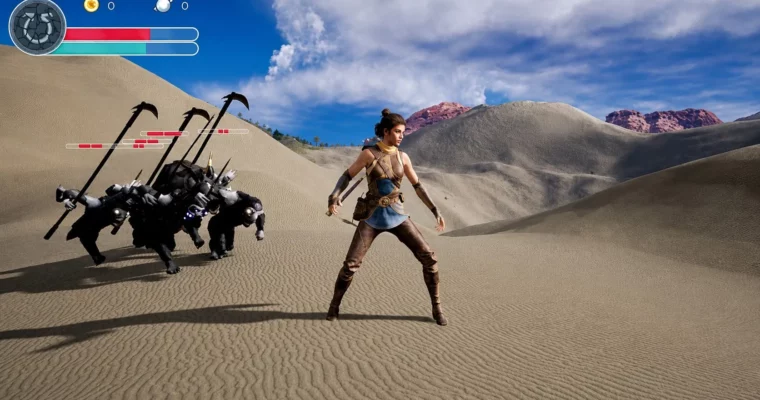
Build a complete action-RPG open world game in Unreal Engine 5 using C++. This course walks you through creating everything from scratch, including combat, enemy AI, and a beautiful environment.

🎯 What you’ll learn

  • Code games in Unreal Engine 5 using C++
  • Build an RPG action game with a third-person character
  • Implement melee combat with swords and other weapons
  • Create enemies that patrol, chase, and attack the player
  • Design health bars, player stats, and a HUD
  • Use Unreal Engine 5’s Open World system and Quasc
  • Apply Motion Warping for customized root motion animations
  • Add particle effects like blood splatter and weapon trails
  • Work with MetaSounds for high-quality game audio
  • Use data structures, algorithms, and design patterns for games

✅ Requirements

  • Skills: Basic understanding of C++ or a similar programming language.
    Tools: A code editor like Visual Studio or JetBrains Rider.
  • Hardware: A PC capable of running Unreal Engine 5 (minimum 16GB RAM, dedicated GPU).

📝 Description

This isn’t a “make a cube move” tutorial. You’re building a, playable action-RPG from the ground up. The course starts with an empty level and ends with a full open world where you can fight enemies, collect loot, and explore.

The teaching method is hands-on and practical. You’ll write C++ code for everything, from player movement to enemy AI. The instructor, Stephen Ulibarri, has been teaching Unreal Engine for years, and it shows. He explains the “why” behind each decision, not just the “how.” You’ll learn about vectors, dot products, and trigonometry in a dedicated section, then immediately apply them to gameplay systems.

The project uses Unreal Engine 5’s newest features. You’ll work with Motion Warping to make enemy attacks feel responsive, MetaSounds for high-quality audio, and Niagara for visual effects like soul pickups and weapon. The environment is built with Quixel Megascans, giving the forest and dungeon levels a realistic look.

The course is structured to build complexity gradually. You start with basic Actors and Pawns, then move to the Character class, implement combat, and finally create a reusable enemy system using Animation Blueprint Templates. By the end, you’ll have a solid foundation for any Unreal Engine 5 game project.

🧑‍🎓 Who this course is for

  • Beginners to Unreal Engine who know some C++ basics.
  • Game developers wanting to learn Unreal Engine5’s new systems.
  • Anyone interested in building an RPG or open world game.
  • Developers who want to understand Souls-like combat mechanics.

🧑‍🏫 About the Author

Stephen Ulibarri is a game developer and instructor with professional experience in surgical simulations. He holds a degree in Chemical Engineering, where he discovered his passion for programming. He has authored a book on Unreal Engine C++ and runs the Druid Mechanics online community. With over 490,000 students and a 4.7 instructor rating, he is known for clear, project-based teaching.

🏁 Final Result

  • A fully playable action-RPG prototype with a third-person character, melee combat, and enemy AI.
  • An open world environment with a forest and dungeon level.
  • A reusable enemy system that can be adapted for different creature types.
  • A functional HUD showing health, stamina, and gold.
Curriculum

📋 Course content

  1. Module 1: Introduction & Environment Setup
    • Introduction9:54
    • How to Get Help6:34
    • Installing Unreal Engine 516:59
    • The Level Editor Viewport9:44
    • View Modes12:36
    • Object Manipulation11:45
    • Panels10:43
    • Section 1 Challenge7:33
    • New Assets for Students!0:41
    • Quixel Bridge9:53
    • Open World3:51
    • Lighting and Atmosphere18:04
    • Landscape22:26
    • Where is my Landscape?4:00
    • Landscape Material21:37
    • Landscape Layer Painting in 5.78:15
    • Landscape Painting13:18
    • Tiling in Landscape Textures0:12
    • Foliage Painting18:47
    • More Foliage Painting27:36
    • Post Process Volume8:53
    • Forest Polish Up25:11
    • If You Get This Popup While Migrating…0:11
    • Packed Level Actors15:32
    • Mountains16:58
    • Level Instances25:42
    • Section 2 Challenge3:44
  2. Module 2: Math for Game Development
    • Coordinates5:48
    • Vectors6:23
    • Vector Examples12:34
    • Vector Operations10:36
    • Vector Operations Examples14:18
    • Vector Magnitude7:24
    • Vector Magnitude Examples16:17
    • Vector Normalization6:08
    • Rotators5:06
    • Section 3 Challenge1:27
  3. Module 3: C++ Setup & Refresher
    • Integrated Development Environment (IDE)2:34
    • Jetbrains Rider is now Free for non-commercial use0:25
    • Setting up Visual Studio14:38
    • C++ Refresher15:17
    • Reflection and Garbage Collection4:42
    • Section 4 Challenge2:19
  4. Module 4: Actors & Debugging
    • Actor Creation15:24
    • Blueprint Creation20:52
    • Onscreen Debug Messages15:26
    • How to Properly Compile7:22
    • Formatting Strings17:26
    • Drawing Debug Spheres19:23
    • Drawing Debug Lines13:43
    • Drawing Debug Points9:47
    • Custom Header Files5:24
    • Section 5 Challenge1:51
  5. Module 5: Actor Transform & Blueprint Communication
    • SetActorLocation4:17
    • SetActorRotation4:10
    • Actor World Offset16:19
    • Trig Functions13:39
    • The Sine Function15:23
    • Exposing Variables to Blueprint9:51
    • Visible But Not Editable6:05
    • Exposing Variables to the Event Graph11:26
    • Exposing Functions to Blueprint13:45
    • Template Functions11:15
    • Components15:31
    • Components in C++15:28
    • Section 6 Challenge1:34
  6. Module 6: The Pawn Class & Input
    • The Pawn Class8:29
    • Capsule Component14:39
    • Forward Declaration18:24
    • Skeletal Mesh Components15:00
    • Enhanced Input1:03
    • Binding Inputs20:49
    • Enhanced Input for Movement0:12
    • Adding Movement Input10:01
    • Camera and Spring Arm15:34
    • Enhanced Input for Controller Input0:12
    • Adding Controller Input23:04
    • Setting the Default Pawn8:59
    • Section 7 Challenge1:08
  7. Module 7: The Character Class
    • The Character Class11:29
    • Enhanced Input for the Character0:26
    • Character Inputs11:30
    • Character Camera and SpringArm20:19
    • The Rotation Matrix10:11
    • Controller Directions16:12
    • Hair and Eyebrows14:20
    • Custom Hair Color3:17
    • Section 8 Challenge2:30
  8. Module 8: Animation & Inverse Kinematics
    • The Animation Blueprint30:01
    • The Anim Instance22:43
    • Jumping7:20
    • Jump Animations13:45
    • Inverse Kinematics51:21
    • Section 9 Challenge1:46
  9. Module 9: Collision & Delegates
    • Collision Presets25:56
    • Overlap Events12:32
    • Delegates9:52
    • On Component Begin Overlap20:10
    • On Component End Overlap10:04
    • Section 10 Challenge1:42
  10. Module 10: Weapons & Equipment
    • The Weapon Class11:50
    • Sockets4:53
    • Downloading Animations12:18
    • Retargeting is now Easier in 5.4!0:30
    • IK Rig18:32
    • IK Retargeter8:46
    • Attaching the Sword19:30
    • Picking Up Items17:14
    • Enum for Character State22:32
    • Switching Animation Poses10:01
    • Equipped Animations8:15
    • Multiple Animation Blueprints17:45
    • Section 11 Challenge1:07
  11. Module 11: Combat & Animation Montages
    • Animation Montages18:56
    • Playing Montages from C++12:22
    • Attacking State13:07
    • Resetting the Action State18:25
    • Item State9:47
    • Sound Notifies and Meta Sounds27:14
    • Meta Sounds for Footsteps21:50
    • Fixing Foot Placement5:49
    • Putting the Sword Away21:22
    • Playing Arm and Disarm Animations3:04
    • Attaching the Sword to the Back19:17
    • Equip and Unequip Sounds20:16
    • Editing Animations10:42
    • Section 12 Challenge: Option A1:57
    • Section 12 Challenge: Option B1:35
  12. Module 12: Hit Detection & Enemies
    • Collision Box7:38
    • Tracing19:43
    • Box Trace in C++30:58
    • Dynamic Arrays8:43
    • Disabling Weapon Box Collision14:08
    • Unreal Interfaces7:25
    • Enemies13:20
    • Notes on the Blender Addon0:14
    • Root Motion Animations22:40
    • Implementing Interfaces16:07
    • Hit React Montage5:07
    • Playing the Hit React Montage11:47
    • Dot Product22:33
    • Cross Product8:05
    • Directional Hit Reactions5:49
    • One Hit Per Swing9:21
    • Hit Sounds20:37
    • Hit Particles24:01
    • Weapon Trails16:09
    • Section 13 Challenge1:15
  13. Module 13: Destructibles & Chaos Physics
    • Destructible Meshes7:45
    • Field System Actors14:59
    • Creating Fields with Weapons12:16
    • Breakable Actor11:30
    • Blueprint Native Event9:25
    • Breaking Sounds10:07
    • Section 14 Challenge1:07
  14. Module 14: Treasure, Spawning & Niagara
    • Treasure18:09
    • Spawning Actors7:38
    • Spawning Actors from C++22:59
    • Different Types of Treasure29:26
    • Different Types of Breakables28:06
    • Niagara Effects18:42
    • Niagara Components10:37
    • Section 15 Challenge0:55
  15. Module 15: Health, Damage & Death
    • Actor Components14:54
    • Widget Components13:56
    • User Widget Class9:41
    • Setting the Health Percent13:06
    • Damage24:59
    • Custom Health Bars8:04
    • Enemy Death Animations11:19
    • Enemy Death10:17
    • Death Poses24:15
    • Polishing Enemy Death13:42
    • Section 16 Challenge3:14
  16. Module 16: Enemy AI & Behavior
    • Making Enemies Move27:44
    • Enemy Movement Anims9:07
    • Blendspaces14:40
    • Patrol Targets17:51
    • Selecting Patrol Targets18:43
    • Patrol Wait Time20:21
    • Pawn Sensing Component16:21
    • Enemy States12:29
    • Enemies Losing Interest3:12
    • Attack Radius8:54
    • Agro When Hit4:48
    • Weapon Alterations35:10
    • Section 17 Challenge1:12
  17. Module 17: Inheritance & Enemy Refactoring
    • Using Inheritance47:03
    • Enemy Base Blueprint11:54
    • Enemy Weapon19:13
    • Enemy Attack Montage17:55
    • Enemy Attack Timer46:17
    • Refactoring Montage Functions35:21
    • Engaged State11:06
    • Finishing Refactoring48:14
    • Hitting the Character35:05
    • Section 18 Challenge1:25
  18. Module 18: Player Hit Reactions & Motion Warping
    • IK Rig for the Paladin23:36
    • Echo Hit React Montage8:41
    • Echo Gets Hit7:05
    • Hit Reaction State14:47
    • Improving Directional Hit React11:09
    • Root Motion Attacks17:47
    • Motion Warping32:28
    • Fixing Warp Targets29:49
    • Section 19 Challenge2:03
  19. Module 19: Player HUD & Death
    • Echo’s Health3:29
    • Echo Health Bar22:22
    • Slash Overlay15:32
    • SlashHUD14:49
    • Setting the HUD from C++13:33
    • Updating HUD Health9:09
    • Echo’s Death Montage9:42
    • Playing Echo’s Death Montage25:52
    • Stop Enemy Attacks8:59
    • Section 20 Challenge0:56
  20. Module 20: Souls, Attributes & Dodge
    • Souls Niagara System21:25
    • Soul Class12:40
    • Pickup Interface12:44
    • Soul Pickup Effects17:05
    • Soul and Gold Attributes11:58
    • Enemies Spawning Souls11:23
    • Dodge Animation6:32
    • Dodge Montage12:27
    • Stamina14:44
    • Section 21 Challenge2:22
  21. Module 21: Advanced Enemies & Templates
    • Animation Blueprint Templates (22:35 * Raptor15:33
    • Raptor Attacks10:34
    • Raptor Attack Montage26:13
    • Raptor Hit React18:13
    • Raptor Sound Effects12:11
    • Insect32:01
    • Soul Drift33:03
    • Assignment – New Enemies10:25
    • Section 21 Challenge5:42
  22. Module 22: Conclusion
    • My Level and Course Conclusion8:18
    • Bonus Lecture – Congratulations!!!0:27
Watch online or Download for Free
Unreal Engine 5 C++ The Ultimate Game Developer Course (02.2026) by Stephen Ulibarri
NAME
SIZEDURATION

Download all Videos (227)
64.7 GB


Download all

Join us on
  Channel    and      Group

Leave a Comment

Your email address will not be published. Required fields are marked *