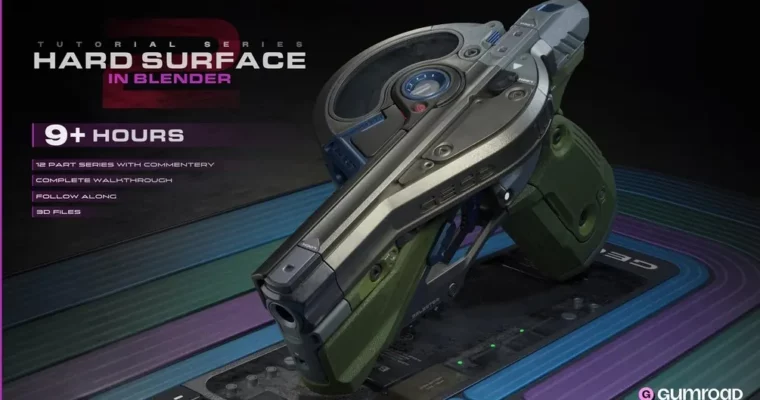
Hard Surface In Blender (Part 1 & 2) by Cane T

Duration:3+ hours (Part 1), 9+ hours (Part 2)
Actual Duration:12h 46m
Release date:2025, August
Publisher:Gumroad
Skill level:Intermediate
Language:English
Exercise files:Yes
Software:Blender
Course URL:https://cane.gumroad.com/l/HardSurfaceInBlender2
Ready to ditch tedious topology work and embrace a faster, more flexible way to create hard surface models? This course dives deep into Blender’s Live Boolean system, transforming how you approach design. Forget worrying about perfect quads; focus on creative iteration and achieve professional results with ease.
🎯 What you’ll learn
- Creative and fast methods using booleans for editable results.
- Effective use of essential Blender addons for increased speed and flexibility.
- Strategic decisions on when to use booleans versus traditional mesh editing.
- How to approach hard surface design with a focus on editability.
- Techniques for blocking out designs effectively.
- Understanding when and how to add detail to your models.
✅ Requirements
- Skills: Basic understanding of poly modeling in Blender.
- Tools: Blender (addons are optional for Part 2 but used in some sections).
- Hardware: A computer capable of running Blender smoothly.
📝 Description
This comprehensive course, split into two parts, revolutionizes your hard surface modeling workflow in Blender. Part 1 introduces the power of Live Booleans, a feature that allows for unprecedented design control without the usual topology constraints. You’ll learn how to iterate rapidly, change designs on the fly, and maintain maximum creative freedom. Part 2 applies these principles through an in-depth, 9+ hour project creating a detailed pistol. You’ll follow along with real-time demonstrations, expert commentary, and provided starter files, gaining practical experience in blocking out designs, adding detail strategically, and mastering the blend between boolean operations and traditional mesh editing. This course is designed for those who want efficiency and editability in their 3D design process.
🧑🎓 Who this course is for
- 3D artists looking for a faster, more iterative approach to hard surface modeling.
- Designers who find traditional poly modeling restrictive and want more creative freedom.
- Blender users who want to leverage the power of Live Booleans for complex designs.
- Anyone aiming to create portfolio-ready hard surface assets efficiently.
🧑🏫 About the Author
Cane T is a practitioner who has explored various modeling techniques over the years. Frustrated by the limitations of traditional poly modeling, Cane discovered the immense potential of Blender’s Live Boolean feature. This discovery led to the development of a unique workflow that combines the flexibility of boolean operations with the simplicity of CAD-like design, enabling rapid iteration and highly editable results. Cane is passionate about sharing this efficient and creative approach to 3D modeling.
🏁 Final Result
- A portfolio-ready, highly detailed hard surface model (a pistol in Part 2), created using an efficient and editable workflow.
- The ability to confidently use Blender’s Live Boolean tools for rapid design iteration and complex asset creation.
- A deeper understanding of strategic design blocking and detail application in 3D modeling.
 Channel