Creating Peeling Wood in Substance Designer by Christian Tammekand

Actual Duration:1h 44m
Release date:2020, May
Publisher:Artstation
Skill level:Intermediate
Language:English
Exercise files:Yes
Software:Substance Designer
Course URL:https://www.artstation.com/artwork/YaA50b
Ready to make your 3D models look like they’ve weathered the elements? This course dives into creating super realistic peeling wood textures using Substance Designer. You’ll go from a basic wood material to a fully detailed, flaking surface that adds serious character to any project. It’s all about understanding the nodes and how to push them to get that authentic, worn-down look.
🎯 What you’ll learn
- Building a base wood material with accurate color and roughness.
- Generating convincing wood grain patterns using noise and warping.
- Simulating a realistic peeling paint or surface effect.
- Adding intricate details like flaking paint and edge damage.
- Finalizing textures with ambient occlusion for depth and realism.
✅ Requirements
- Skills: Basic understanding of Substance Designer‘s node-based workflow.
- Tools: Substance Designer software.
- Hardware: A computer capable of running Substance Designer smoothly.
📝 Description
This tutorial breaks down the process of creating a realistic peeling wood texture in Substance Designer. You’ll start by establishing a solid base wood material, focusing on getting the core color and roughness right. Then, we’ll dive into generating organic wood grain by cleverly combining different noise patterns and warping them to mimic nature’s imperfections.
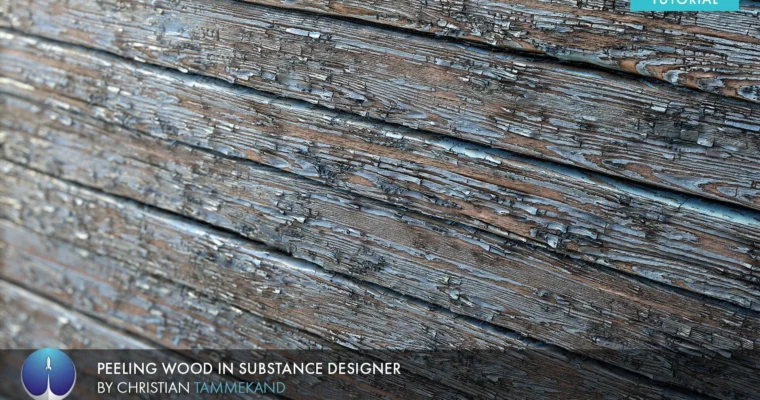
The real magic happens when we simulate the peeling effect. We’ll use a mask and specialized filters like Matte FX Peeling Paint to make surfaces flake away realistically. To push the detail further, we’ll employ nodes like Flood Fill to Gradient and Flood Fill to Random Grayscale to add variations to individual flakes and edges, making them look naturally chipped and worn. Finally, we’ll tie it all together with ambient occlusion for added depth and tweak the final color and roughness maps to achieve that perfect, weathered look.
🧑🎓 Who this course is for
- 3D artists looking to enhance their texturing skills.
- Environment artists aiming to create realistic props and surfaces.
- Game developers needing authentic-looking weathered materials.
- Anyone interested in mastering procedural texturing in Substance Designer.
🧑🏫 About the Author
Christian Tammekand is a skilled 3D artist known for his exceptional work in texturing and material creation. He has a strong presence on platforms like ArtStation, showcasing his ability to produce high-quality, realistic assets. Christian’s tutorials are valued for their clear, step-by-step approach, making complex techniques accessible to a wider audience.
🏁 Final Result
By the end of this course, you’ll have a portfolio-ready, highly realistic peeling wood texture created entirely in Substance Designer. This texture will be fully customizable, allowing you to generate numerous variations for different projects, from game environments to architectural visualizations.
 Channel