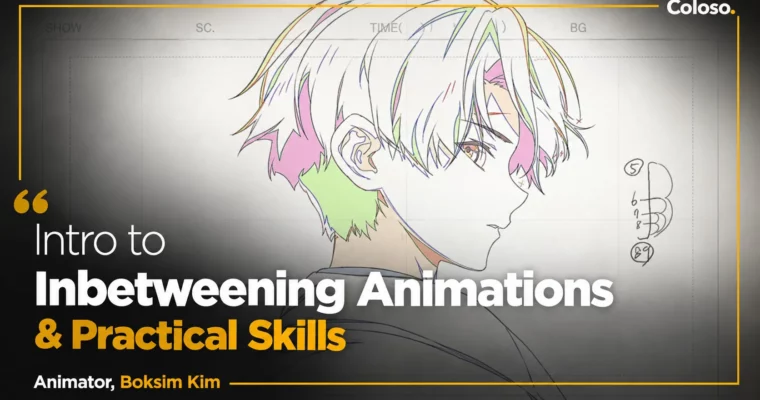
Intro to Inbetweening Animations & Practical Skills by Boksim Kim

Duration:10Hours 13Minutes
Actual Duration:20h 26m
Release date:2023
Publisher:Coloso
Skill level:Beginner
Language:English
Exercise files:Yes
Software:TVPaint Animation, Clip Studio Paint
Course URL:https://coloso.global/en/products/animator-boksimkim-us
If you can draw but your animation still feels stiff, this is probably the missing piece. Boksim Kim breaks down real studio inbetweening so you can connect keyframes into motion that actually flows.
🎯 What you’ll learn
- How the real 2D animation pipeline works from keyframes to inbetweens
- How to read and fill out Korean, Japanese, and American exposure sheets
- How to use TVPaint interface, shortcuts, and layer setup for fast inbetween work
- How to trace and clean up key animation without killing the original feel
- How to inbetween facial rotation, walking, running, hair, and cloaks
- How to animate natural effects like smoke, fire, wind, and water
- How to spot common mistakes, check matchmoving, and fix timing
✅ Requirements
- Skills: Basic drawing ability, understanding of keyframes vs inbetweens is helpful but not required
- Tools: TVPaint Animation 11.0.8 Pro (Clip Studio Paint can be used as alternative)
📝 Description
This isn’t theory. It’s how Studio Ppuri actually does inbetweens on real TV and film jobs. Boksim Kim walks you through the full order of work – terminology, exposure sheets, tracing, dividing, middle inbetweens – so you stop guessing and start working like an assistant animator.
You’ll spend a lot of time in TVPaint. Interface basics, shortcut setup, layer organization, line cleanup, color division. Small stuff that saves you hours when you have 50+ cuts to finish. He also shows what goes wrong all the time: collapsed faces on rotation, floaty walks, stiff hair, bad timing numbers. Then how to fix it fast.
The second half is all patterns. Front-to-side facial rotation, walk cycles, 4-frame and 7-frame runs, flowing cloak and hair animation, plus smoke, fire, wind, and water effects. You get 12 hands-on exercises, two full final demos, and a self-check pass so you can review your own work the way a checker would.
🧑🎓 Who this course is for
- Beginners and animation students who want a solid base in 2D inbetweening for studio jobs
- Aspiring key animators who keep getting told their motion feels off and want to fix timing and spacing
- Anyone curious about digital production with TVPaint and looking for a faster, cleaner workflow
🧑🏫 About the Author
Boksim Kim is an inbetween animation director with over 25 years in the field, long-time lead of cel and digital teams at Studio Ppuri. He started in traditional paper animation back in 1996 and moved into digital with TVPaint, working on Japanese and US TV series, films, and Korean productions.
His credits include Your Name, The Girl Who Leapt Through Time, Steamboy, One-Punch Man, Gintama, Detective Conan, MapleStory, and Dungeon & Fighter. He also spent about 3 years in China as a supervisor. He teaches the stuff studios expect you to already know – reading sheets, separating cells, keeping character detail – but nobody really explains.
🏁 Final Result
- A set of finished inbetween exercises including facial rotation, walk and run cycles, hair/cloak motion, and effects shots, plus two polished demo cuts traced, cleaned, and timed in TVPaint ready for a junior animator portfolio.
📢 Guys, this is a Group Buy campaign, check the GBC forum thread to get access
You can find the course preview in the download section below.
 Channel