

Hand-Painted Icons for Games by Randall Mackey

Actual Duration:1h 36m
Release date:2020, March
Publisher:Artstation
Skill level:Beginner
Language:English
Exercise files:Yes
Software:Photoshop
Course URL:https://www.artstation.com/learning/series/AM/hand-painted-icons-for-games
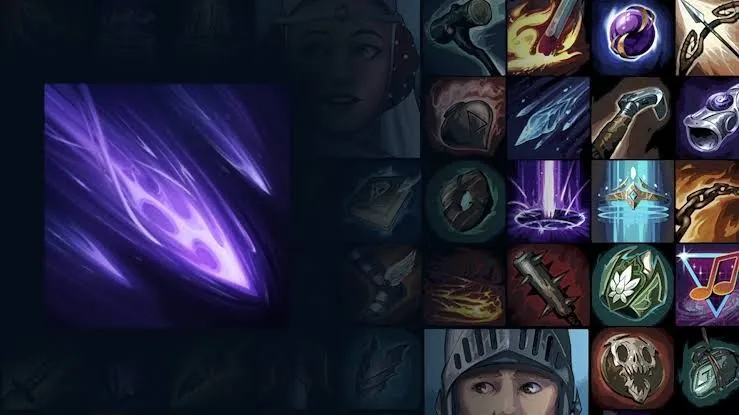
This short, practical series is all about making hand-painted icons that players actually understand in-game. Randall Mackey breaks down gameplay readability, simple value and color rules, and then paints a spell icon from scratch so you can see the whole process.
🎯 What you’ll learn
- How to design legible icons that read at small sizes
- Using value and contrast to support gameplay
- Basic color conventions for game abilities
- How to think of icons as part of an ability kit
- Painting a simple spell effect icon from start to finish
✅ Requirements
- Skills: Basic drawing fundamentals, familiarity with any digital painting app
- Tools: Photoshop or similar painting software, drawing tablet recommended
- Hardware: Any modern PC or Mac capable of running 2D painting software
📝 Description
Game icons live tiny on screen and have like half a second to do their job. Randall starts with that reality. He shows what kills readability — muddy values, noisy silhouette, too much detail — and how to fix it with a clear value structure and simple shapes.
Then it’s color. Not theory-heavy stuff, just working conventions players already expect. What reads as fire, frost, poison, buff, debuff. How to keep an ability kit feeling like a family without making every icon look the same. It’s super useful if your icons look fine zoomed in but turn to mush in the UI.
The second half is all demo. Randall paints a spell effect icon from blank canvas to finished piece in Photoshop. Sketch, block-in, rendering the glow and forms, then a final pass for edge control and contrast. Short, direct, no fluff — you can follow along and apply the same steps to your own set.
🧑🎓 Who this course is for
- 2D and UI artists who want cleaner, more readable game icons
- Beginners in stylized hand-painted art looking for a solid workflow
🧑🏫 About the Author
Randall Mackey is a game artist focused on stylized hand-painted work and real-time-friendly assets. Through ArtStation Learning he teaches practical fundamentals for production — clear shapes, smart color use, and icons built for actual gameplay.
🏁 Final Result
- A finished hand-painted spell effect icon, painted start to finish and readable at game UI size
 Channel