Extending the Unity Editor with Custom Tools – Crash Course

Duration:1.5 hours on-demand video
Release date:2026, April 12
Publisher:Udemy
Skill level:Intermediate
Language:English
Exercise files:Yes
Software:Unity, C#
Course URL:https://www.udemy.com/course/unity-editor
Ready to supercharge your Unity workflow? This course dives into creating custom tools and extensions right inside the Unity Editor. You’ll learn practical techniques to modify how you interact with your projects, making repetitive tasks a thing of the past and unlocking new levels of efficiency.
🎯 What you’ll learn
- Create your very first Editor Extension in Unity.
- Implement and utilize MenuItems for custom editor actions.
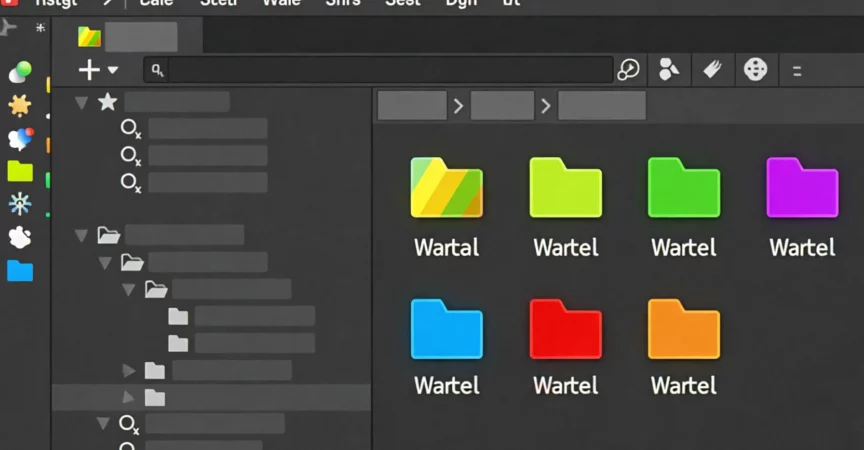
- Personalize your project’s folder icons for better organization.
- Programmatically access and modify any file or folder within your project.
✅ Requirements
- Skills: Basic C# knowledge is essential.
- Tools: A willingness to explore the inner workings of Unity.
- Hardware: A computer capable of running Unity.
📝 Description
This course is all about getting hands-on with Unity Editor extensions. Forget generic tutorials; this is a practical deep dive into making your editor work for you. You’ll see how a tool like “Mineral,” which customizes folder appearance, is built from the ground up.
You’ll learn to manipulate the Unity GUI, work with MenuItems, and even customize folder icons and colors. The techniques shown here go beyond just folders; they unlock a world of possibilities for creating your own Unity Tools. We’ll cover using GUIDs, the AssetDatabase class, editing Editor Preferences, and saving data with JSON. If you’re looking to save time and improve your development workflow, this is the place to start.
🧑🎓 Who this course is for:
- Developers who want a deeper understanding of the Unity environment.
- Developers aiming to build their own custom Unity Tools or packages.
- Anyone curious about the development process behind Unity extensions like “Mineral.”
🧑🏫 About the Author
Tabsil Makes Games brings over 8 years of mobile game dev experience to the table. With a background in engineering, Tabsil transitioned to game development, mastering Unity and C#. Known for teaching complex topics step-by-step, Tabsil aims to share practical knowledge on game creation, optimization, architecture, and publishing, making game development accessible.
🏁 Final Result
By the end of this course, you’ll have the skills to create custom Unity Editor extensions, including the ability to change folder icons and colors, and a solid understanding of how to build more complex tools to enhance your development workflow.
 Channel