

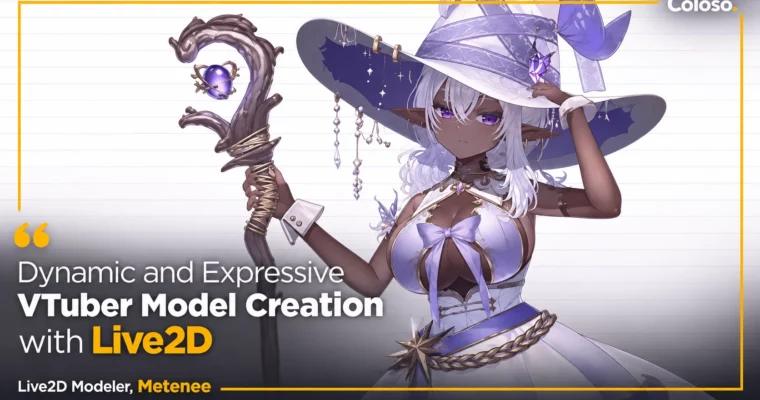
Dynamic and Expressive VTuber Model Creation with Live2D by Metenee
Duration:30 lessons, 20Hours 42Minutes
Actual Duration:41h 22m
Release date:2026, July 3
Publisher:Coloso
Skill level:Advanced
Language:English
Exercise files:Yes
Software:Live2D Cubism, VTube Studio, Vbridger
Course URL:https://coloso.global/en/products/live2dmodeler-metenee-us
Create VTuber models that move as dynamically as 3D with Live2D modeler Metenee — a creator whose work meets the quality bar of major VTuber agencies, including popular VTubers Amatsuka Eru and NoriPro’s Mikami Renge. Across 30 lessons in 11 sections (20h 42m) you go from illustration data check to a stage-ready model: reviewing and editing layered artwork, building rich facial expression systems with Vbridger, implementing physics so hair, bust and clothing sway naturally, controlling head and body along the X, Y and Z axes, exporting clean model data, setting everything up in VTube Studio — and finally the business side: freelance basics, client meetings and post-delivery support.
🎯 What you’ll learn
- Prepare illustration data like a pro — predict movement and deformation, audit huge layer stacks, fix common problems before rigging
- Master Live2D Cubism modeling functions and presets that decide final quality
- Build expressive faces — eye/eyebrow parameters, blinking, mouth shapes, MouthX, Vbridger expression systems
- Rig heads in every orientation — X, Y, diagonal XY and tilt rotation Z with gravity in mind
- Rig bodies in every orientation — body X/Y, leaning Z positions, rotation Z, leg modeling with center of gravity
- Simulate physics — hair, bust, clothing and skirt sway, body swing Z, delay implementation
- Add presentation parts — extra arm shapes and multi-parameter animations
- Export production-ready data — texture atlases and model output settings
- Go live in VTube Studio — import, per-camera tracking settings, shortcuts, quality check
- Work as a freelancer — finding work, reassuring clients, business meeting etiquette, manuals and trust
✅ Requirements
- Skills: Advanced — comfortable with drawing software and layered illustration files; Live2D basics helpful but the class rebuilds foundations from the prep stage
- Tools: Live2D Cubism, VTube Studio and Vbridger — installed separately, not provided with the class; class materials included (EN)
- Languages: Two branches —
Metenee English: studio EN dub (original Japanese voice kept low in the background), subtitles EN;Metenee Eng Sub: original Japanese audio, publisher EN subtitles; 50 videos each, 20h 42m per branch - Extras with class: 21 lesson material packs — Live2D .cmo3 working model files, physics presets, presentation slides and course PDFs
📝 Description
Everything about creating fluidly animated VTuber Live2D models. Live2D Modeler Metenee draws from his extensive experience creating VTuber models at a quality recognized by major VTuber agencies, including popular VTubers Amatsuka Eru and NoriPro’s Mikami Renge. In this class, he’ll reveal the latest production techniques that shatter the misconception that Live2D is limited when it comes to movement. Learn how to create VTuber models that move as dynamically as 3D models, all while preserving the charm of the original illustrations.
Start with the basic controls of Live2D and the process of reviewing and editing illustration data. Build a solid foundation by mastering this crucial preparatory stage, which determines the quality of the final outcome. In the next step, practice modeling the character’s face and body. Learn techniques to maximize the character’s expressiveness, including how to create rich facial expressions using Vbridger, implementation of physics to realistically sway bodies and clothing, and controlling movement along the X, Y and Z axes. Finally, acquire the practical expertise needed to work as a professional — from freelancer must-knows like creating additional arm parts for production and providing post-delivery revisions to mastering business meeting etiquette.
The A to Z of MeteneeCraft’s Live2D model production process revealed in its entirety: basics to application, professional know-how in deciding where to focus effort and where to ease up, and even the reasons behind Metenee’s current art style. Maximizing the strength of the concept art: develop expertise on enhancing the appeal of the original illustration while adding the depth of 3D — modeling techniques that preserve artistic quality while achieving dynamic movement and a high level of polish.
Card built from browser-rendered manufacturer page (coloso-gbc-publish, rendered DOM ~890K bytes, 11 sections / 30 lessons).
🧑🎓 Who this course is for
- Aspiring VTuber Riggers — learn the full agency-grade pipeline from illustration prep to a live VTube Studio model
- Illustrators Moving into Live2D — turn static character art into expressive, physics-driven avatars without losing its charm
- Working Freelancers — add outsourcing-proof workflow: manuals, revision support, client communication and meeting etiquette
🧑🏫 About the Author
Metenee (MeteneeCraft) is a Live2D modeler whose VTuber work clears the quality bar of major VTuber agencies — his credits include popular VTubers Amatsuka Eru and NoriPro’s Mikami Renge. His teaching thesis: Live2D is not a limited-movement compromise — with correct prep, expression systems and physics, 2D models move with 3D-like freedom while keeping the soul of the original illustration.
🏁 Final Result
- A complete agency-grade VTuber model built with guidance: prepped illustration data → Vbridger expression set → physics-driven head and body in X/Y/Z → texture atlas and exported model data → live VTube Studio setup
- A freelancer toolkit: quality-check routine, post-delivery revision manual and client-meeting playbook
📢 Guys, this is a Group Buy campaign, check the GBC forum thread to get access
You can find the course preview in the download section below.
 Channel