


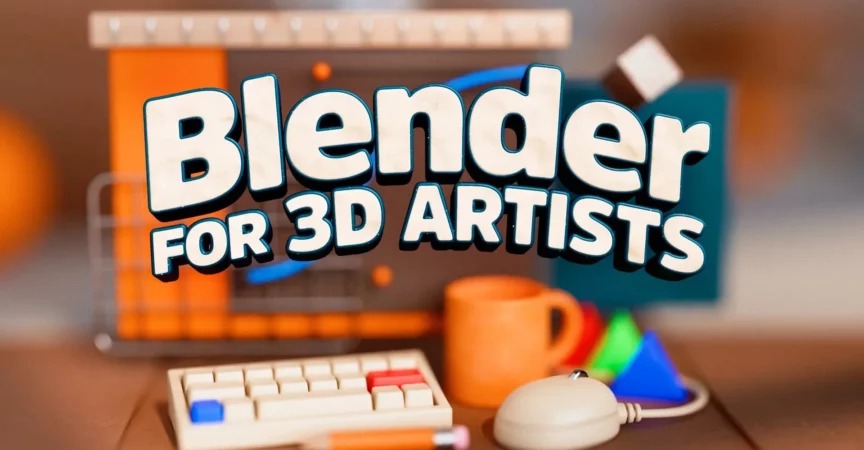
Blender for 3D Artists

Duration:6+ Hours
Actual Duration:6h 6m
Release date:2025, February
Publisher:School of Motion
Skill level:Intermediate
Language:English
Exercise files:Yes
Software:Blender
Course URL:https://www.schoolofmotion.com/courses/blender-for-3d-artists
Ready to level up your 3D game? This course is your express ticket to becoming a Blender pro. If you’ve already got some 3D experience under your belt, this is the perfect way to integrate Blender‘s powerful features into your workflow. You’ll go from understanding the basics of its interface to tackling advanced techniques like Geometry Nodes and Grease Pencil, all while preparing for real-world production demands. By the end, you’ll be confident using Blender for client work and pushing your 3D skills further than ever.
🎯 What you’ll learn
- Master the Blender interface and core workflows.
- Create professional 3D models and scenes.
- Implement lighting and material setups for stunning renders.
- Animate characters and objects using Blender‘s animation tools.
- Explore advanced features like Geometry Nodes and Grease Pencil.
- Integrate Blender seamlessly with other industry-standard software.
- Develop a portfolio-ready animation project.
✅ Requirements
- Skills: Experience with 3D software and general 3D concepts.
- Tools: A computer capable of running Blender (check official Blender system requirements).
- Hardware: A 3-button mouse is highly recommended.
📝 Description
This course is designed as a rapid immersion into Blender, specifically for artists who already have a foundation in 3D. You won’t be starting from scratch; instead, you’ll learn how to leverage your existing knowledge and adapt it to Blender‘s unique environment. The curriculum is structured around practical application, moving from fundamental interface navigation to complex procedural workflows and animation techniques. You’ll gain hands-on experience through multiple projects, ensuring you can confidently apply what you learn to professional scenarios. The course emphasizes not just learning the software, but also how to integrate it effectively into a broader 3D production pipeline.
🧑🎓 Who this course is for
- Experienced 3D artists looking to add Blender to their toolkit.
- Motion designers seeking to expand their software capabilities.
- CG artists wanting to transition to or supplement their workflow with Blender.
- Anyone aiming to create professional-grade 3D assets and animations.
🧑🏫 About the Author
Elijah Sheffield, also known as SweetBoy, is a Motion Artist and Blender Educator with a passion for creating playful and colorful animations. He’s dedicated himself to mastering Blender for professional use and sharing his workflows. Elijah’s work often features whimsical and absurd elements, reflecting his background in comedy writing, and he uses his animations as a medium to explore new skills and aesthetics.
🏁 Final Result
By the end of this course, you’ll have completed a portfolio-ready animation project, showcasing your proficiency in Blender and your ability to integrate it into a professional 3D workflow. You’ll also have a solid understanding of Blender‘s core features, from modeling and animation to advanced techniques, making you ready for real-world production challenges.
 Channel


DEV is back with Blast
‘Basic Local Alignment Search Tool’ super accurate term, haha