

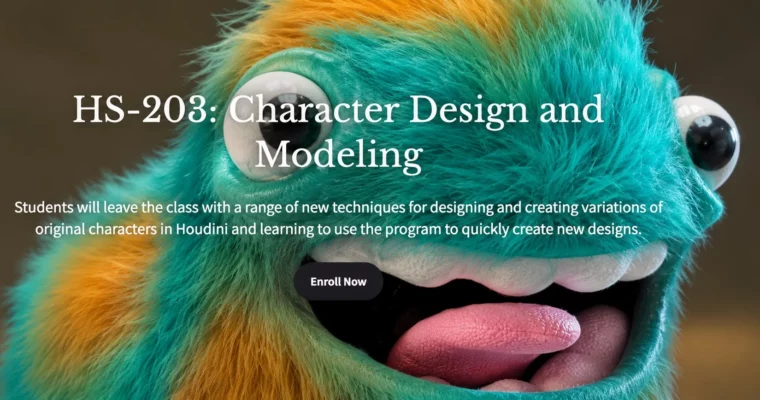
HS-203 – Character Design and Modeling by Christopher Rutledge
Duration:1.5 hours
Release date:2024
Publisher:Houdini School
Skill level:Intermediate
Language:English
Exercise files:Yes
Software:Houdini
Course URL:https://www.houdini.school/courses/hs-203-character-design-and-modeling
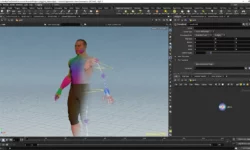
If you want to stop fighting topology and start designing characters, this class is a solid shortcut. Chris Rutledge shows how to sketch and build floppy, original characters directly in Houdini, using VDB and boolean workflows to iterate fast and land on a clean model ready for rig and render.
🎯 What you’ll learn
- Sketch character concepts directly inside Houdini and iterate on designs quickly
- Set up and use custom HDAs, radial menu, and hotkeys for a faster modeling flow
- Use Draw Curve vs Stroke SOP for sketch-based blocking
- Build characters with semi-procedural VDB and boolean operations
- Block out forms, refine shapes, and create design variations
- Paint attributes and prep the model for shading, rigging, and rendering
✅ Requirements
- Skills: Basic familiarity with Houdini interface and SOP networks
- Tools: Houdini installed (Apprentice, Indie or FX), drawing tablet recommended for sketching
- Hardware: Workstation capable of running Houdini, 16GB+ RAM recommended for VDB work
📝 Description
This isn’t a sculpt-every-pore kind of class. It’s about getting ideas out fast. Chris walks you through his full process, from loose sketches to a full 3D character model that can actually be used downstream for rigging, animation, and lighting.
You’ll work mostly with VDBs, booleans, and SOP-based modeling. That combo lets you smash shapes together, carve them up, smooth them out, and try ten variations without rebuilding everything. Perfect for floppy, cartoony, weird designs where personality matters more than perfect edge flow.
He also covers the practical setup stuff people skip. Installing HDAs, building a radial menu, setting hotkeys, and choosing between Draw Curve and Stroke SOP. Small things, but they save you hours when you’re iterating on concepts.
🧑🎓 Who this course is for
- Houdini users who want a faster, more playful way to design original characters
- 3D artists, illustrators, and filmmakers who want rig-ready models without getting stuck in traditional box modeling
🧑🏫 About the Author
Chris Rutledge is a CG Artist and filmmaker based in the USA who makes floppy characters. His shorts and music videos have screened at festivals, aired on Adult Swim, and picked up Vimeo Staff Picks, plus freelance work in commercials.
He switched his whole toolkit over to Houdini and now teaches it through YouTube, Gumroad, and his free resources site at houdininerd.com. He teaches like a working artist, not a manual — lots of tricks, lots of iteration, zero fluff.
🏁 Final Result
- An original stylized character designed, modeled, and prepped in Houdini — blocked with procedural VDB/boolean techniques, with painted attributes, ready for rigging, lighting, and rendering, plus a reusable creating fast design variations.
 Channel