It looks like you're using an adblocker.
Adblockers make us sad. We use ads to keep our content happy and free. If you like what we are doing please consider supporting us by whitelisting our website. You can report badly-behaved ads by clicking/tapping the nearby 'Advertisement' X text.
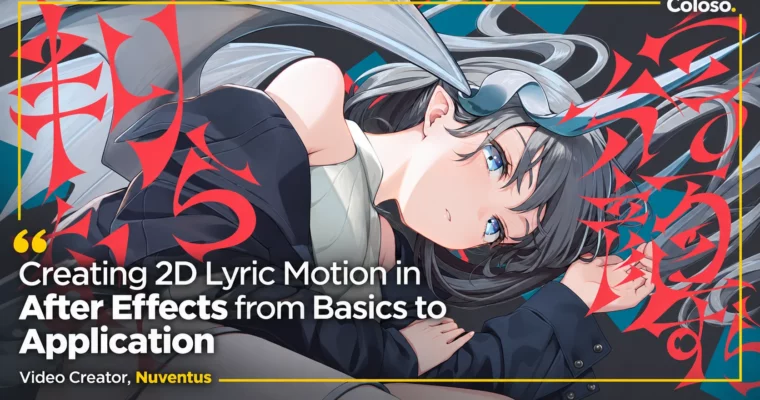
Creating 2D Lyric Motion in After Effects from Basics to Application by Nuventus
From After Effects basics to full lyric videos - design in Illustrator, animate in After Effects and Cinema 4D Lite, then composite like a working motion creator.
Build lyric videos that move with the music – from After Effects basics and Illustrator design through kinetic type animation, Cinema 4D Lite accents and final compositing, ending on real past-project work sessions.
🎯 What you’ll learn
After Effects from zero – interface, key tools and project setup for lyric work
Lyric-ready design in Illustrator – typography, layouts and kinetic type built for motion
Kinetic type animation in After Effects – ten applied motion builds plus compositing
3D accents in Cinema 4D Lite – five motion builds blended back into After Effects
Working faster – efficiency habits plus two full real-project work sessions
✅ Requirements
Skills: None – starts from what After Effects even is, ends at finished lyric videos
Tools: After Effects, Illustrator, Cinema 4D Lite
Hardware: A setup able to run motion graphics and light 3D software
📝 Description
Coloso online course by video creator Nuventus. 51 VOD lessons, about 24 hours. Section 1-2 covers the instructor intro plus After Effects basics and setup. Section 3 builds one full lyric video with existing fonts: Illustrator design, ten applied motion builds in After Effects and final compositing. Section 4 repeats the pipeline with a self-designed font: typography and design in Illustrator, five Cinema 4D Lite motion builds, then compositing in After Effects. Section 5 closes with two real past-project work sessions on efficiency. The Coloso curriculum page lists 27 grouped lessons; the VOD delivery splits longer lessons into numbered parts (51 files), which this GBC release keeps 1:1.
Original language Korean, 51 lessons. This GBC release is the English-dubbed version.
🧑🎓 Who this course is for
Beginners who want to make lyric videos and need the full pipeline, not isolated effects
Editors and designers whose type doesn’t move with the music yet
🧑🏫 About the Author
Nuventus – video creator teaching 2D lyric motion on Coloso, from Illustrator typography through After Effects and Cinema 4D Lite animation to final compositing.
🏁 Final Result
Finished lyric videos built end to end – designed type, kinetic motion, 3D accents and composite – plus the reusable pipeline for the next song.
Curriculum
📋 Course content
Section 01. Instructor Introduction (Lesson 01)
Instructor Introduction
Section 02. Basic Usage and Setup (Lessons 02-03)
After Effects Basics
Setting Up After Effects
Section 03. Creating a Lyric Video with Existing Fonts (Lessons 04-16)
Designing in Illustrator 1
Designing in Illustrator 2 – Part 1
Designing in Illustrator 2 – Part 2
Creating Motions in After Effects 1
Creating Motions in After Effects 2 – Part 1
Creating Motions in After Effects 2 – Part 2
Creating Motions in After Effects 2 – Part 3
Creating Motions in After Effects 3 – Part 1
Creating Motions in After Effects 3 – Part 2
Creating Motions in After Effects 4 – Part 1
Creating Motions in After Effects 4 – Part 2
Creating Motions in After Effects 5 – Part 1
Creating Motions in After Effects 5 – Part 2
Creating Motions in After Effects 6
Creating Motions in After Effects 7 – Part 1
Creating Motions in After Effects 7 – Part 2
Creating Motions in After Effects 8 – Part 1
Creating Motions in After Effects 8 – Part 2
Creating Motions in After Effects 9 – Part 1
Creating Motions in After Effects 9 – Part 2
Creating Motions in After Effects 10 – Part 1
Creating Motions in After Effects 10 – Part 2
Compositing in After Effects – Part 1
Compositing in After Effects – Part 2
Compositing in After Effects – Part 3
Compositing in After Effects – Part 4
Section 04. Creating a Lyric Video with a Font You Designed (Lessons 17-26)
Creating Typography and Designs in Illustrator 1 – Part 1
Creating Typography and Designs in Illustrator 1 – Part 2
Creating Typography and Designs in Illustrator 2
Creating Motions in Cinema 4D Lite 1
Creating Motions in Cinema 4D Lite 2 – Part 1
Creating Motions in Cinema 4D Lite 2 – Part 2
Creating Motions in Cinema 4D Lite 3 – Part 1
Creating Motions in Cinema 4D Lite 3 – Part 2
Creating Motions in Cinema 4D Lite 4 – Part 1
Creating Motions in Cinema 4D Lite 4 – Part 2
Creating Motions in Cinema 4D Lite 5 – Part 1
Creating Motions in Cinema 4D Lite 5 – Part 2
Creating Motions in Cinema 4D Lite 5 – Part 3
Compositing in After Effects 1 – Part 1
Compositing in After Effects 1 – Part 2
Compositing in After Effects 2
Compositing in After Effects 3 – Part 1
Compositing in After Effects 3 – Part 2
Compositing in After Effects 3 – Part 3
Compositing in After Effects 3 – Part 4
Section 05. What It Means to Improve Work Efficiency (Lesson 27)



 Channel