Character Design from Beginner to Advanced by Frank Calico

Duration:8 Hours 20 minutes
Release date:2024, November 10
Publisher:BMA Academy
Skill level:Beginner
Language:English
Exercise files:Yes
Software:Clip Studio Pro
Course URL:https://www.painters-academy.com/Character-Design-From-Beginner-to-Advanced
Frank Calico walks you through his full character workflow, from setting up Clip Studio Pro to delivering a clean, colored final. You get short, practical exercises on sketching, anatomy, inking, and color so you actually retain it and can use it for games, comics, or animation right away.
🎯 What you’ll learn
- Set up and work fast in Clip Studio Pro for character work
- Sketch loose and clean up ideas without getting stuck
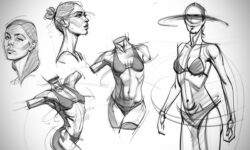
- Draw faces and basic anatomy that looks right in stylized work
- Ink with confidence and control line weight with vector tools
- Build a strong color palette for your character
- Light and shade with cel shading and inverted shading
- Pose your character for personality and readability
- Use 3D models as a base to speed up posing and perspective
✅ Requirements
- Skills: No prior character design experience needed, just basic drawing interest
- Tools: Clip Studio Pro, drawing tablet highly recommended
- Hardware: Computer capable of running Clip Studio Pro smoothly
📝 Description
This is not theory-only stuff. Frank starts with the boring-but-important part – getting Clip Studio Pro set up so you are not fighting brushes and menus – then gets you sketching fast. You will do short, fun drills that lock in each idea before you move on.
The middle chunk is where most people level up. You will tackle facial construction and simplified basic anatomy built for stylized characters, not medical charts. Then you learn how Frank inks: how he keeps lines clean, where he pushes thick vs. thin, and how he uses vector layers to fix line weight without redrawing everything.
Color is treated like design, not decoration. You will pick flats, build a tight color palette, then add form with cel shading and try inverted shading for a more graphic look. Frank also shows when to pull in 3D models in Clip Studio to check a tricky pose or get perspective right without guessing. By the end you have a repeatable pipeline: idea > sketch > ink > color > pose > final polish.
Subtitles available in English, Spanish, French, German, Italian.
🧑🎓 Who this course is for
- Beginners who want a clear, step-by-step path into character design
- Comic, manga, and board game artists who want cleaner, more competitive work
- Anyone using Clip Studio Pro who wants a practical workflow for games and animation
🧑🏫 About the Author
Frank Calico started out designing characters for board games and card sets, then moved into making his own comic books. He has since worked with Dreamworks, Riot Games, Acute Games, and Webtoon, where he created his own series Red Compass.
He has won awards for both character design and manga drawing, and now works as a character designer and creator between Hong Kong and Spain. He teaches the way working artists actually work – fast, practical, and focused on finished results.
🏁 Final Result
- A fully inked, colored, and posed original character presented portfolio-ready, with sketches and palette work showing your process.
 Channel