DaVinci Resolve for Wedding Film Makers by Bradley Jadir

Duration:5.5 hours on-demand video
Actual Duration:5h 35m
Release date:2025
Publisher:Udemy
Skill level:Beginner
Language:English
Exercise files:Yes
Software:DaVinci Resolve
Course URL:https://www.udemy.com/course/davinci-resolve-for-wedding-film-makers/
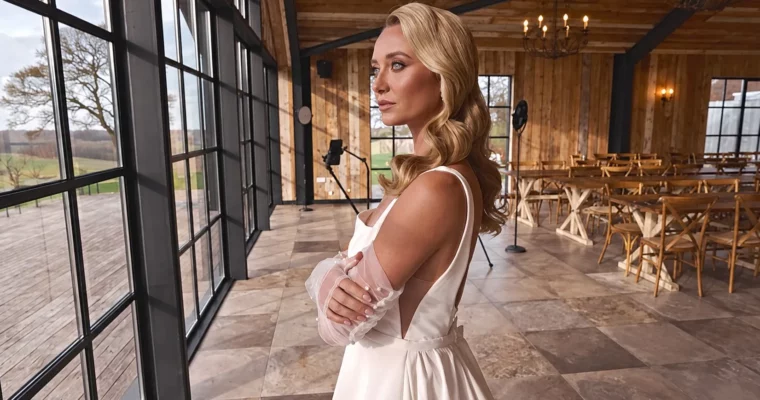
If you shoot weddings and feel slow in post, this one is for you. You will learn how to cut a full wedding day fast with DaVinci Resolve, multicam editing, and keyboard shortcuts, then grade it into that soft, fine-art look clients pay for.
🎯 What you’ll learn
- Edit wedding films fast in DaVinci Resolve with keyboard shortcuts
- Use multicam editing for ceremonies, speeches, and dance floors
- Expose and work with LOG footage correctly for weddings
- Create advanced fine-art color grades with wheels, HDR, and curves
✅ Requirements
- Skills: Basic computer skills and familiarity with video editing timelines
- Tools: DaVinci Resolve, ideally the Studio version
- Hardware: Modern PC or Mac capable of 4K editing, fast SSD storage
📝 Description
This is not a general Resolve course. It skips the documentary and feature-film stuff you will never use at a wedding and sticks to what actually pays: fast cuts, clean audio sync, and pretty color.
You start on the Edit Page with shortcuts, multicam editing, stabilization, black bars, and vertical cuts for social. The idea is simple — less mouse, more keyboard, faster delivery. You will build a repeatable timeline workflow for prep, ceremony, speeches, and party.
Then you go heavy on color. You learn scopes, white balance, primaries, LOG wheels, HDR tools, curves, and the Color Warper to shape skin tones without breaking the image. After that comes the fine-art layer: glow, halation, lens reflections, grain, and soft highlight roll-off. Plus practical fixes like exposure correction with tracking, Power Windows, Magic Mask, face refinement, and object removal.
You also get the shooting side. There is a full class on how to shoot LOG footage at weddings in harsh sun, dark churches, and mixed reception light, so your files actually grade well later. Add in LUT workflow, powergrades, and Micro Panel tips, and you have a complete wedding post pipeline from card to delivery.
🧑🎓 Who this course is for
- Wedding filmmakers who want to switch to DaVinci Resolve for editing and color
- Wedding editors who want faster cuts and better, more consistent grades
🧑🏫 About the Author
Bradley Jadir is a wedding filmmaker focused on fine-art wedding films and practical DaVinci Resolve workflows. He teaches editing speed and color grading specifically for wedding lighting conditions, from bright outdoor ceremonies to low-light receptions. His teaching style is direct and workflow-driven, built to help wedding pros deliver faster without losing the look.
🏁 Final Result
- A fully edited and color-graded fine-art wedding film with custom look, clean skin tones, and film-style finishing effects, ready for portfolio and client delivery.
 Channel