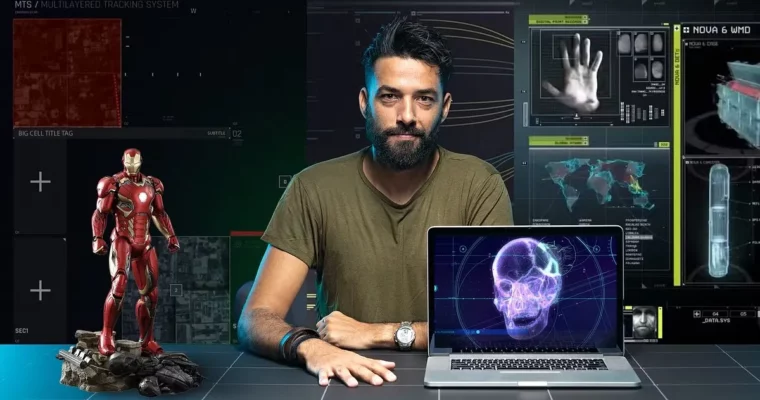
Futuristic User Interfaces for Movies and Games by Ernex

Actual Duration:17h 56m
Release date:2023, August
Publisher:Domestika
Skill level:Beginner
Language:English
Exercise files:Yes
Software:Adobe After Effects, Adobe Illustrator, Adobe Photoshop
Course URL:https://www.domestika.org/en/courses/1059-futuristic-user-interfaces-for-movies-and-games
Want to know how those crazy computer screens in Star Wars or Valorant actually get made? This course breaks down the whole FUI design process — from client brief and moodboard to final animated screen in After Effects and Illustrator.
🎯 What you’ll learn
- How to read a client brief and turn it into FUI concepts
- How to build mindmaps and moodboards for sci-fi screens
- How to define a style proposal with storyboards and style frames
- How to design backgrounds, buttons, text, and common UI elements in Illustrator
- How to create custom widgets, maps, and hero tracker elements
- How to set up an Illustrator to After Effects workflow for animation
- How to animate internal loops for widgets, trackers, and windows
- How to animate external interactions between all screen elements
- How to render and export your FUI shot for portfolio
✅ Requirements
- Skills: Basic understanding of After Effects, familiarity with layers and timeline animation
- Tools: Adobe Illustrator, Adobe Photoshop, Adobe After Effects or similar apps
- Hardware: Computer capable of running Adobe Creative Cloud smoothly
📝 Description
This isn’t about making random glowing shapes. Ernex shows you how real production FUI work gets done — you start with a brief, pull references, and lock a visual direction before you touch any final pixels. You’ll put together a mindmap and moodboard, then push that into style frames so you know exactly what you’re building.
Then you get into the actual design in Illustrator. Backgrounds first, then text systems, buttons, and all those small common elements that sell believability. After that you build widgets and your hero pieces — like an original map and tracker — the stuff the camera will actually focus on.
The second half is all motion design in After Effects. Ernex splits it in a way that just makes sense: internal animation first, so each widget, tracker, and window loops on its own, then external animation, where everything moves together in context. You learn what to animate, how much to animate, and when to hold back so the screen reads well on camera.
Finally, you render it out. Short lessons, straight to the point, no fluff. You walk away with a working method you can reuse for films, cinematics, or game UI concepts.
🧑🎓 Who this course is for
- Anyone obsessed with those futuristic computer screens in movies and video games
- Motion designers and illustrators who want to add FUI to their portfolio
- Beginners to sci-fi UI who already know a little After Effects and want a real workflow
🧑🏫 About the Author
Ernex is a FUI designer and art director who has built interfaces for Star Wars, Avengers, Call of Duty, and Valorant. He works at that weird intersection of graphic design, storytelling, and animation — making fake tech feel 100% real on screen. In this course he teaches the same process he uses on actual film and game productions.
🏁 Final Result
- A finished original FUI screen designed in Illustrator and animated in After Effects, with hero map, trackers, widgets, and full screen animation — ready for your showreel.
 Channel