Ad Clicks : Ad Views : Ad Clicks : Ad Views : Ad Clicks : Ad Views : Ad Clicks : Ad Views :
Oh Snap!

It looks like you're using an adblocker. Adblockers make us sad. We use ads to keep our content happy and free. If you like what we are doing please consider supporting us by whitelisting our website. You can report badly-behaved ads by clicking/tapping the nearby 'Advertisement' X text.

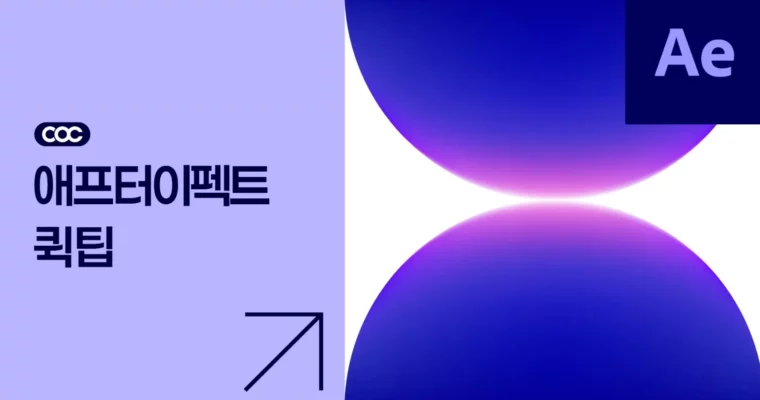
After Effects Quick Tips by Core of Creative

After Effects Quick Tips by Core of Creative

Author:Core of Creative

Duration:44 minutes

Actual Duration:40m

Release date:2025, April 29

Publisher:Core of Creative

Skill level:Beginner

Language:Korean

Exercise files:Yes

Software:After Effects

Course URL:https://coreofcreative.com/classes/212456

32 tiny lessons that solve real After Effects problems in about a minute each.

32 short videos, 44 minutes total. This is After Effects stripped down to just the useful bits — no long intros, one trick per video. You get Displacement Map, CC Particle World, chrome type, cleanup and workflow hacks you can use the same day.

🎯 What you’ll learn

  • Use distortion effects like Displacement Map, Turbulent Displace and Time Displacement with control
  • Build chrome / metallic text and break down exactly how the stack works
  • Do fast cleanup: content-aware fill, stabilizing shaky footage, and patching missing pixels with Alpha
  • Create stylized looks: CRT monitor, ASCII, kaleidoscope, heat haze, anamorphic glass fake, confetti
  • Attach layers to animated paths and fake 2D-to-3D photo moves
  • Speed up daily work with batch text editing, keyframe spacing, multi-window setup and fast previews

✅ Requirements

  • Skills: Basic familiarity with After Effects UI, layers and keyframes
  • Tools: After Effects latest release, After Effects Beta for one what’s-new lesson
  • Hardware: Desktop or laptop capable of running After Effects, minimum 16GB RAM, dedicated GPU recommended

📝 Description

This isn’t a start-to-finish course. It’s a running series of quick hits. Each video is around a minute, shows one problem and fixes it. Perfect when you don’t have time for a 40-minute tutorial.

The core of it is the Effects Encyclopedia format. Instead of guessing sliders, you see what Turbulent Displace, Motion Tile vs CC RepeTile, and blur variants actually do to pixels. Short side-by-sides, so you remember which one to grab next time.

Then it gets fun with looks. Chrome typography is broken down in three parts, so you see the full stack, not just a preset. Plus Content-Aware Fill, CRT, ASCII, heat haze and glass fakes — all built with native effects, no paid plugins needed.

🧑‍🎓 Who this course is for

  • Motion designers who know AE basics and want faster solutions for daily tasks
  • Editors and freelancers who need quick VFX fixes like stabilization, cleanup and tracking
  • Students of the After Effects Masterclass Parts 1-3 who want free bite-size extras

🧑‍🏫 About the Author

Core of Creative runs the After Effects Masterclass series from Basics to Advanced, plus this ongoing Quick Tips feed. Their thing is short, practical demos aimed at working motion designers. If you’re enrolled in Masterclass Part 1, 2 or 3, this series is included free and keeps growing toward 50 lessons.

🏁 Final Result

  • A personal library of 32 reusable mini-setups: chrome text, particle confetti, retro screens, distortion systems, cleanup and tracking recipes, plus a faster preview and batch-edit workflow
Curriculum

📋 Course content

  1. Module 1:  Effects Encyclopedia – Distortion and Blur
    • Displacement Map Effect00:01:55
    • Turbulent Displace Effect00:00:59
    • Fast Box Blur vs. Gaussian Blur00:01:03
    • Motion Tile vs CC RepeTile00:01:06
    • Time Displacement00:01:17
    • CC Bend It vs CC Bender00:01:29
  2. Module 2:  Type, Lookdev and Stylized Looks
    • Creating Text with a Metallic Taste and Chrome Texture00:02:00
    • Creating Metallic Chrome Text Part 2 – Deconstructing Effects Part 100:01:25
    • Creating Metallic Chrome Text Part 3 – Deconstructing Effects Part 200:01:25
    • Quickly and Simply Creating Confetti with CC Particle World00:01:34
    • Creating a Retro CRT Monitor Effect00:01:30
    • Creating ASCII Code Effects00:01:30
    • Applying Retro Digital Glass Vibe Effects00:01:47
    • Chewy Distorted Typography Motion00:01:14
    • Simply Making an Anvil Glass Effect Without 3D00:01:59
    • Creating a Mysterious Kaleidoscope Effect00:01:20
    • Making a Moving Tree with Turbulence Noise00:01:19
    • Adding 3D-like Band Effects00:01:32
    • Creating Heat Conduction Effects00:02:17
  3. Module 3:  Compositing, Cleanup and Tracking
    • Making 2D Photos Move in 3D00:01:12
    • Creating a Water Droplet Effect Using a Simple Choker00:01:10
    • Erasing Desired Parts Seamlessly in AE00:00:58
    • Filling in the Missing Parts with an Effect Using Alpha00:01:06
    • Attaching Layers to Animated Paths in AE00:01:05
    • Stabilizing Shaky Video with After Effects00:00:56
    • 3D Tracking Mapping to Backgrounds Using Content-Aware Fill00:02:18
  4. Module 4:  Workflow and Speed Hacks
    • How to Batch Adjust Layer and Keyframe Spacing More Easily00:00:58
    • Open N After Effects Windows – Try It When You Are in a Hurry00:00:59
    • Batch Text Editing – No Plugin Basic Function00:00:44
    • 8 Useful After Effects Features You Did Not Know About00:01:19
    • New Features in After Effects Beta Version00:00:57
    • From Beginners to Experts, How to Quickly Preview After Effects00:02:03
Watch online or Download for Free
After Effects Quick Tips by Core of Creative
NAME
SIZEDURATION

Download all Videos (29)
111.7 MB40m

Project Files (Assets, Resources)
23.1 KB

Download all

Join us on
  Channel    and      Group

Leave a Comment

Your email address will not be published. Required fields are marked *