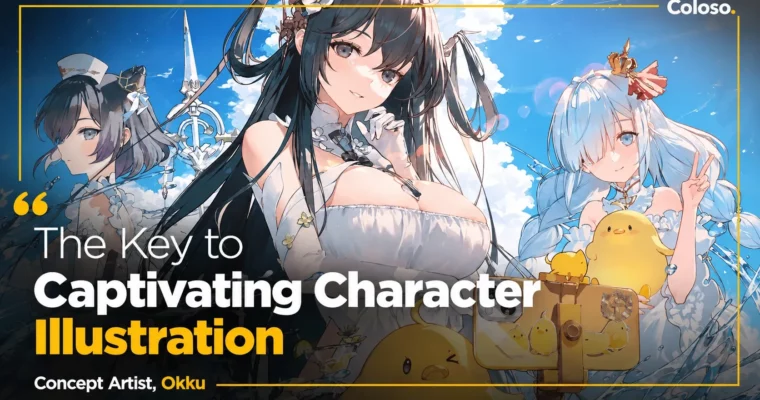
The Key to Captivating Character Illustration by Okku2

Actual Duration:37h 29m
Release date:2024, August 22
Publisher:Coloso
Skill level:Advanced
Language:Korean
Exercise files:Yes
Software:Adobe Photoshop
Course URL:https://coloso.global/en/products/conceptartist-okku2-us
Okku shows you how to stop drawing just pretty characters and start making illustrations with a clear concept, story, and color mood. You’ll go from rough idea and references to composition, lighting, and tight final rendering across two full projects.
🎯 What you’ll learn
- Plan character illustrations from identity, keywords, and references
- Stylize faces, eyes, hair, and bodies for a trendy, likable look
- Build composition and perspective that sell the story
- Compare lighting drafts to boost depth and transparency
- Refine silhouettes and clean up roughs into solid linework
- Render skin, eyes, hair, clothing, and props with texture
- Use mixer brush, gradients, and effects for soft, vivid color
- Finish two portfolio pieces: character-focused and with background
✅ Requirements
- Skills: Basic ability to draw anime-style characters, familiarity with layers and brushes
- Tools: Adobe Photoshop CC 2024
- Hardware: Drawing tablet (Wacom Intuos recommended), PC or laptop capable of running Photoshop
📝 Description
This isn’t a follow-along painting video. Okku walks through how she actually thinks — how a vague idea turns into a plan, how that plan turns into composition, and how composition gets locked with light before you waste time rendering.
You start with stylization. Realistic vs. semi-realistic vs. anime, what makes faces and hair look current, and how to pull only the useful bits from Pinterest references without copying. Then you write it down: concept, mood, props, color direction. Sounds simple, but this is what fixes that “something feels off” gap.
From there it’s all practical. Low-angle vs. high-angle framing, setting perspective that pushes the story, cleaning silhouettes after the rough color block-in, and testing two lighting drafts side by side to see how mood shifts. Okku colors with massed areas first, then refines with her mixer brush workflow and gradient sources for that soft, transparent feel.
The bulk of the class is two full demos. First, a butterfly-themed character piece — face and body rendering, natural eyes, hair flow based on light direction, props, simple background, effects, and color variations. Second, a full background illustration — overall color script, unifying tones, characters plus animals and rocks, distant background treatment, and final polish.
You also get 11 original PSD exercises for composition, lighting, silhouette, and depiction, plus Okku’s brushes and color gradients. If backgrounds scare you or your colors look muddy, this gives you a repeatable process to fix it.
🧑🎓 Who this course is for
- Artists who can draw characters but freeze when they need backgrounds, light, and story
- Beginner to intermediate illustrators who want a cleaner, more current style and faster coloring workflow
- Fans of Part 1 or Propic Academy students who want the freelance illustration side: planning to final
🧑🏫 About the Author
Okku — also credited as Okku2 — is a Korean concept artist and illustrator known for soft, luminous character work with strong storytelling. She teaches at the concept-art focused Propic Academy and shares a production-tested workflow built from real client jobs.
Her credits span major game projects including Lost Ark, Goddess of Victory: Nikke, and Azur Lane, plus work for Nexon’s Mabinogi, Seven Knights, CrossFire Mobile, Eternal City, Gran Saga, Black Survival, and Honkai Impact 3. Part 1 covered client-driven concept art; this Part 2 focuses on finishing original illustrations in your own style for commissions and collaborations.
🏁 Final Result
- Two versions of a polished character-centric illustration with butterfly theme, from composition to effects and color variations
- A complete background illustration with character, unified lighting and color tone ready for portfolio
📢 Guys, this is a Group Buy campaign, check the GBC forum thread to get access
You can find the course preview in the download section below.
 Channel