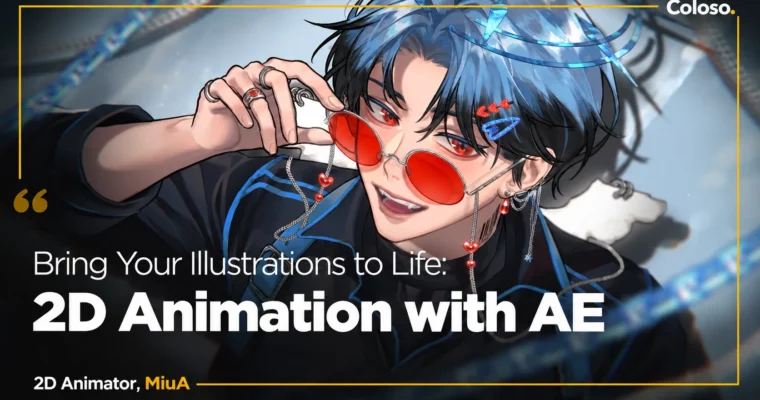
Bring Your Illustrations to Life – 2D Animation by AE by MiuA

Duration:23Hours 33Minutes
Actual Duration:47h 4m
Release date:2025
Publisher:Coloso
Skill level:Advanced
Language:English
Exercise files:Yes
Software:After Effects, Photoshop, MediBang Paint
Course URL:https://coloso.global/en/products/2danimator-miua-us
Learn how to make your drawings move like MiuA does — smooth, bouncy, and weirdly 3D even though everything stays 2D. You will go from rough thumbnail to separated PSD assets to a finished After Effects animation, using only built-in tools.
🎯 What you’ll learn
- Plan movement from a thumbnail and break down poses before you draw
- Draw and separate illustration assets for animation in Photoshop and MediBang
- Prep and organize PSD layers for a clean After Effects workflow
- Use keyframes, graph editor, parenting, masks and 3D layers with confidence
- Apply 6 deformer tools – puppet, CC Bend It, mesh warp, liquify, turbulent displace, corner pin
- Fake 3D depth with parallax, silhouette, perspective and lighting tricks
- Animate blinks, mouth, hair, clothes and accessories with overlap and follow-through
- Add reflections, glitter, flicker lights, looping and render your final video
✅ Requirements
- Skills: Basic drawing skills, familiarity with layers in Photoshop is helpful, no prior animation experience required
- Tools: Photoshop 24 or higher, After Effects 24 or higher, any drawing app like MediBang Paint
- Hardware: Capable laptop or PC for After Effects, drawing tablet or display tablet recommended
📝 Description
This is not a theory-only class. MiuA walks you through her actual job, start to finish. You sketch a thumbnail, think about how it should move, then draw with separation in mind. That part matters a lot. If your PSD layers are messy, your animation will fight you. She shows you her 8-step prep checklist so your file actually behaves in After Effects.
Then you get the basics, but in a practical order. FPS and duration, keyframes and graph editor, parenting and pivots, masks and track mattes, 3D layers and collapse toggles. Plus the two animation principles she uses constantly: squash and stretch, and overlapping with follow-through. You also get a clear demo of 6 deformers and when each one wins — puppet for limbs, CC Bend It for soft bends, mesh warp for faces, and so on.
The fun part is the fake 3D. MiuA is known for this: flat anime art that looks dimensional when it moves. She breaks it into five things you can control — parallax, silhouette, topology, perspective, and lighting. You will build a 3/4 view, lean a character forward and back, rotate hands, glasses, wings and props, and add reflections and color shift to sell the volume.
The main project is a full angel character animation. You set up the rig with nulls and parenting, block the main keypose, add in-betweens, fix timing, then layer details: blinks, mouth shapes, dangling earrings, flowing hair, glowing halo with turbulent noise and glitter. She even leaves in small mistakes and shows how she fixes them, which is honestly more useful than a perfect timelapse. You also get bonus rotations — fan, lollipop, can, wind chimes — perfect for practicing depth on simple objects.
You get 7 exclusive AE project files, 14 PSD separations, written summaries, and finished MP4s for reference. No plugins needed. Just stock After Effects pushed pretty far.
🧑🎓 Who this course is for
- Illustrators who want to see their own art move and add animation commissions to their work
- Beginners to intermediate After Effects users who want a clear, tween-based anime workflow without plugins
🧑🏫 About the Author
MiuA, also known as Miu Akatsuki, is an independent freelance artist focused on illustration, 2D animation, and merch. She built her following by animating her own drawings in After Effects, often getting asked if her work is 3D or Live2D — it’s neither. Her projects include illustrations for Iron Vertex, fanart promotions for Genshin Impact and Arknights, and collabs with XPPen, TourBox, and Vograce. Her teaching style is hands-on and honest, built from years of self-experimentation with stock AE tools.
🏁 Final Result
- One finished portfolio-ready character animation with dimensional movement, facial acting, reflections and background parallax, plus bonus looping prop animations like fan, can and wind chimes.
📢 Guys, this is a Group Buy campaign, check the GBC forum thread to get access
You can find the course preview in the download section below.
 Channel