Creative Animation in Photoshop by Dermont O Connor

Actual Duration:3h 39m
Release date:2023, April
Publisher:Lynda
Skill level:Intermediate
Language:English
Exercise files:Yes
Software:Adobe Photoshop
Course URL:https://www.linkedin.com/learning/creative-animation-in-photoshop
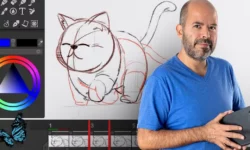
This course is for anyone who already knows Photoshop but never thought of it as an animation powerhouse. Dermot O’Connor shows you how to ditch the rigid, technical mindset and start treating Photoshop like a full animation studio. You’ll explore different visual styles—from crayon textures to cross-hatched horror—and learn how to composite live action footage with your animated elements. It’s practical, hands-on, and built around real production techniques, not just theory.
🎯 What you’ll learn
- Create frame-by-frame animations using Photoshop’s timeline and drawing tools
- Apply artistic media styles like crayon, smudge, and cross-hatching to your animations
- Animate natural effects such as smoke, water, magic dust, and volcanic eruptions
- Combine live action footage with animated overlays and special effects
- Use groups, smart objects, and blend modes to streamline your animation workflow
✅ Requirements
- Skills: Basic familiarity with Adobe Photoshop interface and drawing tools
- Tools: Drawing tablet recommended for hand-drawn animation work
- Hardware: Minimum 16GB RAM, dedicated GPU for smooth playback and rendering
📝 Description
This isn’t your typical “make a bouncing ball” tutorial. Dermot O’Connor takes you straight into the creative deep end, showing you how to use Adobe Photoshop as a full-fledged animation tool. You’ll start by setting up your workspace and customizing brushes, then move quickly into drawing and coloring a character frame by frame. The focus is on artistic freedom—you’re not locked into a single style or rigid pipeline.
The course really shines when it gets into artistic media styles. You’ll learn how to mimic crayon textures, create smudged paint effects, and even pull off a cross-hatched horror look—all inside Photoshop. These aren’t just gimmicks; they’re practical techniques for giving your animations a unique, hand-crafted feel that stands out from generic vector motion graphics.
Later modules tackle special effects like smoke, water, and magic dust. Dermot breaks down how to animate these natural phenomena using Photoshop’s blend modes, filters, and timing charts. You’ll also get into live action compositing, where you’ll import video footage and animate effects like lightning zaps or light reflections directly on top of it. By the end, you’ll have a solid grasp of how to export your animations for video, web, or social media.
🧑🎓 this course is for
- Designers and illustrators who want to add animation to their skillset without learning a new application
- Traditional animators about bringing their hand-drawn work into a digital workflow
- Motion graphics artists looking for more organic, stylized animation techniques
:teacher About the Author
Dermot O’ Connor is an award-winning animator and teacher with decades of experience in the industry. He has worked on major and is known for his expertise in a wide range of animation software, including Adobe Photoshop, Animate CC, Toon Boom Harmony, and OpenToonz. His teaching style is direct and practical, focusing on the techniques that actually matter in a production environment. He has also authored several other courses animation, including the foundational “Animating in Photoshop” that this course builds upon.
🏁 Final Result
- A portfolio-ready collection of short animation exercises showcasing different styles—from hand-drawn character motion to live action compositing
- A solid understanding of how to approach animation project inside Photoshop with confidence and creative flexibility
 Channel