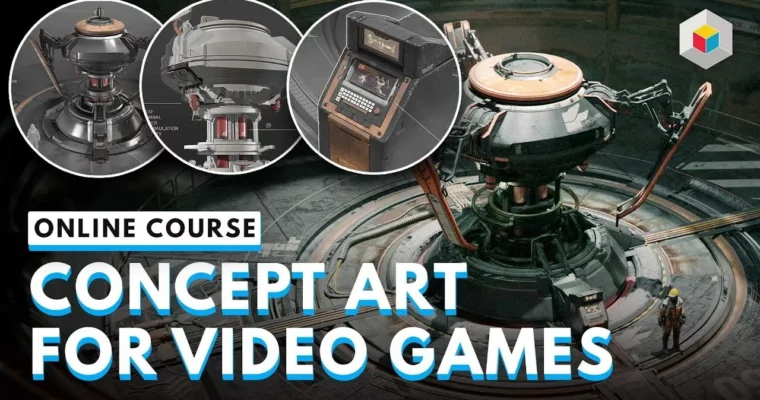
Concept Art for Video Games by Daniele Solimene

Duration:21 hours
Actual Duration:21h 53m
Release date:2024, August
Publisher:Learn Squared
Skill level:Intermediate
Language:English
Exercise files:Yes
Software:Blender, Photoshop, Gravity Sketch
Course URL:https://www.learnsquared.com/courses/concept-art-for-video-games
This course teaches you a practical, industry-tested pipeline for concept art. Instead of just drawing, you’ll learn to use Blender, Photoshop, and even Gravity Sketch to build designs that are ready for a real game production environment.
🎯 What you’ll learn
- Build a professional design brief and gather effective reference.
- Create fast 2D line sketches and 3D blockouts in VR or traditional software.
- Refine 3D models with kitbashing and detailed sculpting techniques.
- Apply materials, colors, and decals for a realistic look.
- Master two rendering workflows: one for a Photoshop paintover, one entirely in Blender.
- Present your final design with beauty shots and a polished portfolio piece.
✅ Requirements
- Skills: Intermediate understanding of 3D space and familiarity with a digital painting tool.
- Tools: A 3-button mouse, a drawing tablet, and a computer capable of running Blender.
- Hardware: Minimum 16GB RAM and a dedicated GPU are recommended for smooth 3D viewport performance.
📝 Description
This isn’t a “draw a pretty picture” course. Daniele Solimene teaches you the actual pipeline used on titles like Conan Exiles and Dune: Awakening. You’ll start by building a solid design brief and gathering reference that actually informs your work, not just fills a folder.
The real magic is in the hybrid workflow. You’ll learn to block out your ideas in 3D using Gravity Sketch (VR optional) or directly in Blender. This lets you solve perspective and proportion problems fast, leaving you more time to focus on the design itself. From there, you’ll refine the model, add materials, and then choose your path: a classic Photoshop paintover for that hand-crafted feel, or a full Blender render for a hyper-realistic finish.
The course is structured with three difficulty levels, so you can push yourself as far as you want. You’re not just learning to make one image; you’re learning a repeatable system for delivering professional concept art on a deadline.
🧑🎓 Who this course is for
- Intermediate artists who want to break into the video game industry.
- Concept artists looking to add 3D tools to their 2D workflow.
- Hobbyists who want to create professional-quality game designs.
🧑🏫 About the Author
Daniele Solimene is a AAA concept designer who has worked on high-profile titles like Conan Exiles, Dune: Awakening, and the Neill Blomkamp shooter Off The Grid. He has developed a set of intuitive styles to suit different project types, and his teaching focuses on the practical, professional deliverables you’ll need to create to land a job in the games industry.
🏁 Final Result
- A complete, game-ready concept design for a weapon, vehicle, or character.
- A portfolio-worthy set of final presentation images, including beauty shots and a paintover.
 Channel