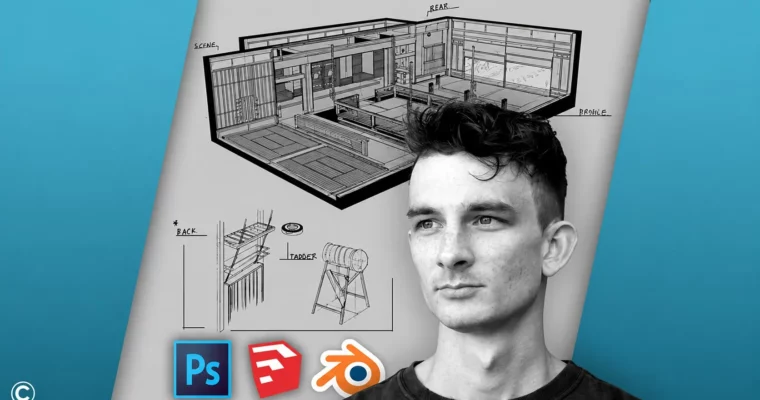
Game Design Concept Art Intro – Digital Environment Drawing by Class Creatives

Duration:3.5 hours on-demand video
Actual Duration:3h 32m
Release date:2025, November
Publisher:Udemy
Skill level:Beginner
Language:English
Exercise files:Yes
Software:Photoshop, SketchUp, Blender
Course URL:https://www.udemy.com/course/game-design-concept-art-intro-digital-environment-drawing/
This course is a straight-up introduction to environment concept art for games, focusing on the 3/4 cutaway view. You’ll learn how to generate ideas, research references, and build a believable interior space from scratch. The instructor, a working pro at Sony, shows you his actual workflow using Photoshop, SketchUp, and Blender to hack perspective and get your ideas down fast. No fluff, just a practical pipeline for creating design sketches that communicate a clear sense of space.
🎯 What you’ll learn
- Project setup and best practices before starting your sketch
- Photoshop walkthrough for drawing and painting, including tools, brushes, hotkeys, and settings
- Perspective grids using SketchUp and Blender
- Informative sketching techniques and design workflows
- Understanding space layout and the purpose of 3/4 cutout designs
- Modular designs and breakouts
- How to refine sketches
- Basic perspective overviews: 1-point, 2-point, and 3-point
- Setting up environment perspective
- Generating interior layout in perspective
✅ Requirements
- Skills: No prior knowledge of Photoshop, Blender, SketchUp, or drawing needed.
- Tools: A computer with internet access.
- Hardware: A drawing tablet is highly recommended for digital sketching.
📝 Description
This isn’t a course about rendering a photorealistic scene. It’s about design thinking and getting your ideas out of your head and onto the screen. The core focus is the 3/4 cutaway – a classic concept art view that lets you show the inside of a space, its layout, and its purpose all at once.
The instructor, Reide Perigo, works as an environment concept artist at Sony. He shares the exact shortcuts and “hacks” he uses on the job to solve perspective problems fast. You’ll learn how to use SketchUp and Blender not as full modeling tools, but as quick perspective grid generators. Then you’ll take those grids into Photoshop to sketch over them, adding details, modular elements, and a sense of story.
The course covers the full pre-production pipeline: from reading a design brief and doing a mindmap, to researching references, applying basic design rules (like the B, M, S golden ratio), and finally producing a polished layout sketch. It’s practical, hands-on, and focused on the foundational skills that matter for game environment art.
🧑🎓 Who this course is for
- Beginners who want to learn the fundamentals of concept art and what it takes to work in the industry.
- Hobbyist artists looking to add environment design to their skillset.
- Anyone who loves to draw or sketch and wants to apply those skills to game development.
- Professional concept artists who want to reinforce their fundamental design knowledge.
🧑🏫 About the Author
Class Creatives is a group of industry professionals with over 25 years of combined experience at top-tier studios. Their instructors have worked at companies like Walt Disney Animation, Naughty Dog, Sony Computer Entertainment, Insomniac Games, and Guerrilla Games. This course is taught by Reide Perigo, an environment concept artist for Sony Interactive Entertainment (SIE) as part of the Visual Arts Service Group. He has worked on titles like Death Stranding and Firewall: Zero Hour, and has also done concept art for Family Entertainment Centers, graphic design for Salesforce, and illustration for board games.
🏁 Final Result
- A finished 3/4 cutaway environment concept sketch, demonstrating a clear understanding of perspective, space layout, and design principles.
 Channel