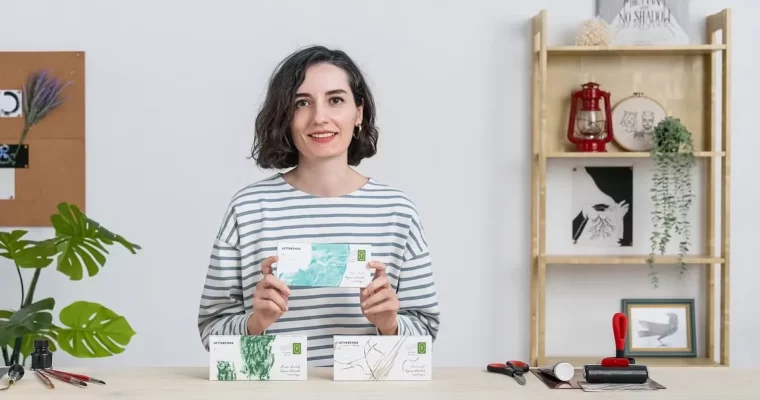
Packaging Design through Analogue Experimentation by Pata Studio

Actual Duration:2h 47m
Release date:2023, May
Publisher:Domestika
Skill level:Beginner
Language:English
Exercise files:Yes
Software:Adobe Photoshop, Adobe Illustrator
Course URL:https://www.domestika.org/en/courses/4111-packaging-design-through-analogue-experimentation
This course is about ditching the mouse and getting your hands dirty. Zeynep Başay from Pata Studio shows you how to build a packaging design from scratch using real-world materials like ink, charcoal, and linocut. You’ll then bring those textures into Photoshop and Illustrator to polish them into a professional, client-ready piece. It’s a practical, hands-on approach for anyone tired of sterile, all-digital workflows.
🎯 What you’ll learn
- Build a visual concept from a client brief using mood boards and mind maps.
- Create custom textures and typography with analogue tools like brush and ink.
- Digitize and refine hand-made elements in Photoshop and Illustrator.
- Prepare a final packaging mock-up for client presentation.
✅ Requirements
- Skills: Basic knowledge of Photoshop and Illustrator is helpful.
- Tools: Drawing, painting, or art materials of your choice (ink, charcoal, brushes, linocut tools).
- Hardware: A scanner or camera to digitize your artwork.
📝 Description
This isn’t a typical “click-this” course. Zeynep starts by showing you how to decode a client brief and build a visual language using mood boards and mind maps. You’ll make real design decisions about logo, typography, and color palette before you even touch a computer.
The core of the course is the analogue experimentation. You’ll learn specific techniques like playing with brush and ink, experimenting with charcoal, and exploring linocut to generate unique, tactile textures. Zeynep walks you through the messy, creative process of getting those textures just right.
Then comes the digital part. You’ll scan your best work and bring it into Adobe Photoshop for cleaning up and editing. Finally, you’ll jump into Adobe Illustrator to build a proper cutter guide and layout your design for print. The course wraps up with printing a mock-up and preparing a professional client presentation. It’s a complete, end-to-end pipeline that values craft over shortcuts.
🧑🎓 Who this course is for
- Aspiring designers who want to break out of purely digital workflows.
- Creative professionals looking to add handcrafted, unique textures to their packaging projects.
- Anyone interested in the full process of packaging design, from brief to mock-up.
🧑🏫 About the Author
Pata Studio is an award-winning graphic design studio co-founded by Zeynep Başay. Based in London, the studio specializes in branding, packaging design, and illustration. Their work is known for its timeless, handcrafted feel and has been featured in numerous design publications. Zeynep brings a deep passion for analogue tools and eco-friendly practices, blending old-world charm with modern design thinking.
🏁 Final Result
- A fully designed packaging box for a chocolate bar (or a product of your choice), complete with hand-made textures and a professional digital layout ready for presentation.
 Channel