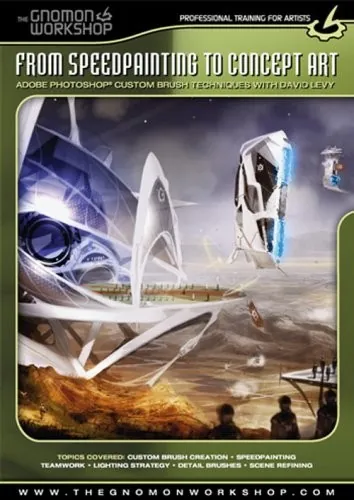
From Speedpainting to Concept Art Adobe Photoshop Custom Brush Techniques by David Levy

Actual Duration:3h 7m
Release date:2025
Publisher:Amazon
Skill level:Intermediate
Language:English
Exercise files:Yes
Software:Adobe Photoshop
Course URL:https://www.amazon.com/Speedpainting-Concept-Art-Photoshop-Techniques/dp/B000NQRRDO
Want to paint faster and better in Photoshop? This course dives into the custom brush techniques used by top artists in Montreal to create stunning concept art for the entertainment industry. You’ll go from basic brushes to a whole custom library, making your speedpainting process way more efficient.
🎯 What you’ll learn
- Create a personal library of custom Photoshop brushes.
- Speed up your speedpainting workflow.
- Develop environments, vehicles, and characters.
- Refine paintings using texture brushes without losing dynamism.
- Understand concept art creation from sketch to final piece.
✅ Requirements
- Skills: Familiarity with Adobe Photoshop basics.
- Tools: Adobe Photoshop.
- Hardware: A computer capable of running Adobe Photoshop smoothly.
📝 Description
David Levy, a seasoned artist in the entertainment industry, shares his personal workflow for creating concept art using Adobe Photoshop. This isn’t just about using existing brushes; it’s about mastering the creation of your own custom brushes. You’ll learn how a select group of artists in Montreal have developed unique brush sets to significantly boost their speed and efficiency. The course covers everything from initial rough sketches to a polished final piece, including environments, vehicles, and characters. You’ll also discover how to use texture brushes to add detail and polish without sacrificing the energy of your original sketch. The DVD comes with the exact brushes created during the lessons and the layered PSD files for you to study.
🧑🎓 Who this course is for
- Concept artists looking to improve their speed and efficiency.
- Digital painters wanting to expand their Photoshop toolkit.
- Artists interested in entertainment industry art pipelines.
- Anyone who wants to create custom brushes for faster workflows.
🧑🏫 About the Author
David Levy is an artist who creates environments for the entertainment industry. He has been developing innovative digital painting techniques with his colleagues for years. Scott Robertson, Founder of Design Studio Press, has personally endorsed Levy’s techniques, noting their impact on his own work and expressing excitement about sharing them through this DVD.
🏁 Final Result
- A portfolio-ready concept art painting featuring environments, vehicles, and characters, created using custom Photoshop brushes and advanced speedpainting techniques.
- A personal library of custom Photoshop brushes to enhance future projects.
 Channel