Create a Vivid Iridescent Artwork Using Cinema4D and Photoshop

Duration:00:32:00
Actual Duration:32m
Release date:2018
Skill level:Beginner
Language:English
Exercise files:Yes
Course URL:https://www.skillshare.com/classes/Create-a-Vivid-Iridescent-Artwork-Using-Cinema4D-and-Photoshop/739891277
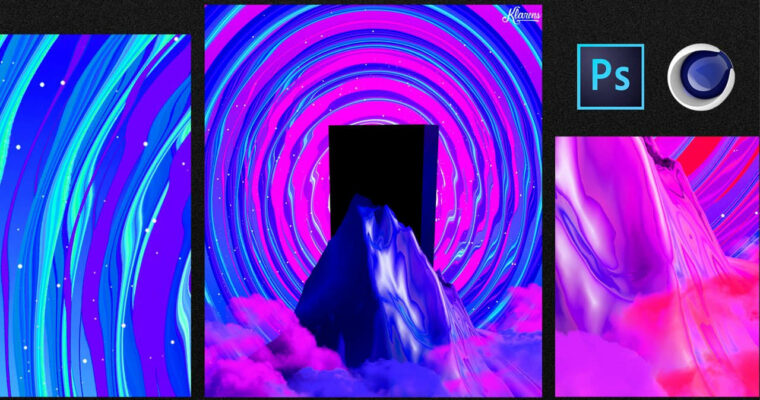
On this class you are going to learn how to first Create a model landscape on cinema4D and then go to photoshop to add more stuff and make it more vivid .
What do you need to create the artwork:
Cinema 4D
Adobe Photoshop
We are going to learn how to create this exact poster as shown below
Create a Vivid Iridescent Artwork Using Cinema4D and Photoshop (1)
Create a Vivid Iridescent Artwork Using Cinema4D and Photoshop (2)
Create a Vivid Iridescent Artwork Using Cinema4D and Photoshop (3)
Create a Vivid Iridescent Artwork Using Cinema4D and Photoshop (4)
Create a Vivid Iridescent Artwork Using Cinema4D and Photoshop.rar
AVC, 1280×720, 16:9, 25.000 fps, 71.8 Kbps ~ 560 Kbps
AAC, 48.0 KHz, 64.1 Kbps, 2 channels
 Channel