

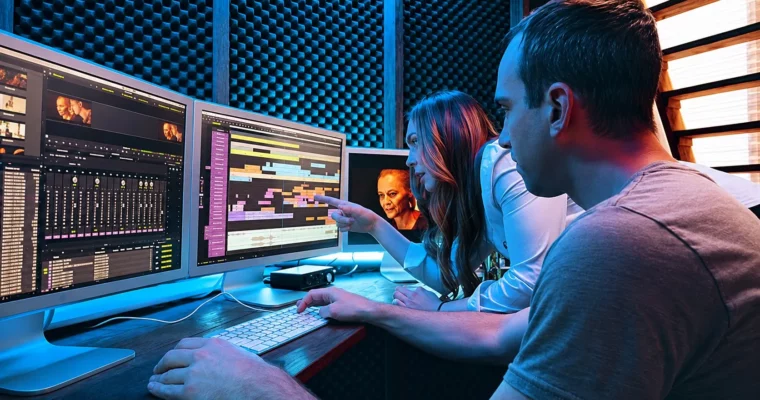
The Art Of Music Editing by Chris Macdonald
Duration:Over 14 Hours of Training
Actual Duration:15h 0m
Release date:2025
Publisher:FIlm Editing Pro
Skill level:Advanced
Language:English
Exercise files:Yes
Software:Premiere Pro, DaVinci Resolve, Avid Media Composer, Final Cut Pro
Course URL:https://www.theartofmusicediting.com/
Stop just laying a track under your cut and hoping it works. This course shows you how to pick the right cue, take it apart, and rebuild it so it actually fits your story.
🎯 What you’ll learn
- Understand the 4 main functions of music in film and when to use each one
- Find, analyze, and prep music cues before you make a single cut
- Place clean music edits with crossfades, loops, and repeating elements
- Accent dramatic moments, build variety, and use tones and drones
- Start and stop cues naturally with ringouts and reverses
- Mix music to picture with levels, keyframes, auto ducking, and EQ notching
- Cut :05 to 2:00 versions of the same spot and score full scenes with stems
✅ Requirements
- Skills: Basic understanding of video editing and timeline trimming
- Tools: Any NLE – Premiere Pro, DaVinci Resolve, Avid, or Final Cut Pro, plus headphones or studio monitors
- Hardware: Computer capable of HD video playback, 16GB RAM recommended, external drive for practice footage
📝 Description
Most editors treat music like wallpaper. Drop it in, fade it out, done. Problem is, viewers feel when it’s off, even if they can’t explain why. This course fixes that. You learn how to listen like an editor — break down structure, tempo, and energy, then rebuild the cue around your cut.
You start with the basics that actually matter: what music is supposed to do in a scene, how to pick cues that fit, and how to prep them. Then you get into the hands-on stuff — crossfades, spotting, and clean edit points. No guesswork. You’ll know exactly where music should start, where it should get out of the way, and how to join two pieces without that awkward bump.
Then it gets fun. You’ll work with loops, accents, variety edits, and tones and drones to stretch a 30-second library track into a two-minute scene without it sounding looped to death. You’ll also learn ringouts and reverses to get in and out of cues like you meant it.
Mixing gets its own full section, because a great edit dies with a bad mix. You’ll set levels that leave room for dialogue, ride volume with keyframes, record live automation, use auto ducking when you’re in a hurry, and carve space with EQ notching. Practical stuff you can use tomorrow.
The best part is you don’t just watch — you cut. Four workshops walk you through real jobs: cutting a promo down from 2:00 to :05, scoring a full short film scene by scene, and working PRO-level stems for a dramatic finale. Plus 50+ assignments and breakdowns of pro edits, including what to do when you’re stuck with a bad edit and have to save it.
🧑🎓 Who this course is for
- Video editors who want music to feel intentional, not temp and hopeful
- Filmmakers cutting shorts, docs, and features on tight deadlines with library music
- Freelancers cutting ads, promos, and online content who need fast, clean cutdowns
- Assistants and junior editors who want a real, hireable music editing skill
🧑🏫 About the Author
Chris Macdonald is an editor and educator and founder of Film Editing Pro. He’s spent years breaking down what working editors actually do day-to-day and turning it into straight, no-fluff training. His courses focus on story, pacing, and sound — the stuff that gets you hired again. With The Art of Music Editing, he teaches the exact spotting, cutting, and mixing workflow he uses to make library music sound custom-scored.
🏁 Final Result
- A fully scored short film sequence plus commercial cutdowns from 2:00 to :05, cut, accented, and mixed to broadcast-ready levels — ready to show how you handle music from spotting to final mix.
 Channel