Editorial Design Specialization – Magazine Creation and Layout by Diego Areso

Duration:14h 12m
Actual Duration:14h 35m
Release date:2026, June
Publisher:Domestika
Skill level:Beginner
Language:English
Exercise files:Yes
Software:Adobe InDesign, Affinity Publisher
Course URL:https://www.domestika.org/en/courses/6388-editorial-design-specialization-magazine-creation-and-layout
This specialization takes you through the whole magazine pipeline, from spark of an idea to finished publication. You get 6 modules and 75 lessons taught by five working pros, with a focus on grids, type, and covers that actually hold a reader.
🎯 What you’ll learn
- Build flexible grid systems and clear content hierarchy for multi-page reads
- Design article layouts that balance text, image, and white space
- Create typographic systems for headlines, body copy, and captions
- Plan color, imagery, and composition for cohesive storytelling
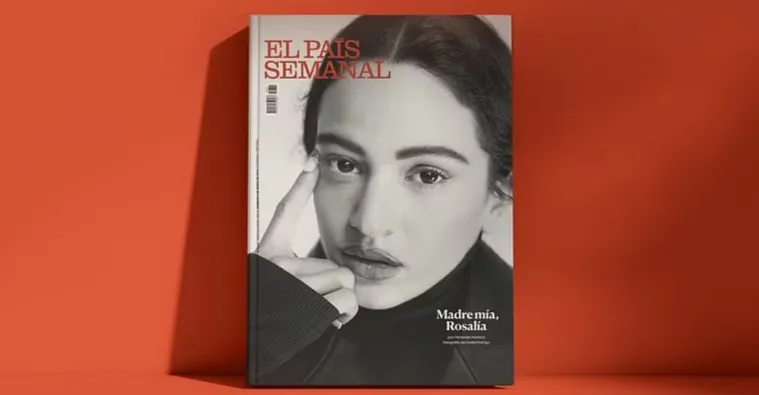
- Design magazine covers that communicate the concept fast
- Prepare files for print and build a portfolio-ready publication
✅ Requirements
- Skills: Basic understanding of graphic design principles
- Tools: Adobe InDesign or Affinity Publisher, internet connection
- Hardware: Standard computer capable of running layout software
📝 Description
This is not theory-only. You start with the bones — grid systems, page structure, and hierarchy — then move into the stuff that makes a magazine feel alive: pace, rhythm, and visual storytelling. Each instructor shows how they work, so you see different approaches to the same problem instead of one fixed formula.
You will work through the full process. Concept first, then flatplan, then spreads. You will set up typographic systems that hold across features, interviews, and front-of-book pages. You will test cover directions, refine layouts, and learn how color and imagery change the read. It is practical, page by page.
By the end, you are thinking like an editor and a designer at once. What goes on the cover? What carries the feature? What can you cut? You finish with a complete magazine concept plus a style guide that documents your decisions, so someone else could pick it up and keep it consistent.
🧑🎓 Who this course is for
- Graphic designers who want to get into editorial work
- Marketing pros tasked with making publications and lookbooks
- Independent publishers and zine makers doing it themselves
- Content creators and design students in communication fields
- Creatives moving from digital into print media
🧑🏫 About the Author
Diego Areso leads this specialization alongside four other working practitioners: Stephano Cipolla, Chris Vickers from Extract Studio, Lars Harmsen — founder and editor of Slanted Publishers — and François Havegeer and Sacha Léopold from Syndicat. Together they cover magazines from different angles: art direction, independent publishing, typography, and cover design. You learn from people who ship real issues, not just mockups.
🏁 Final Result
- A professional magazine concept developed from idea to final layouts
- A series of magazine covers exploring different visual directions
- An impactful feature article layout with finished typography and imagery
- A style guide documenting grids, type choices, and design decisions
 Channel