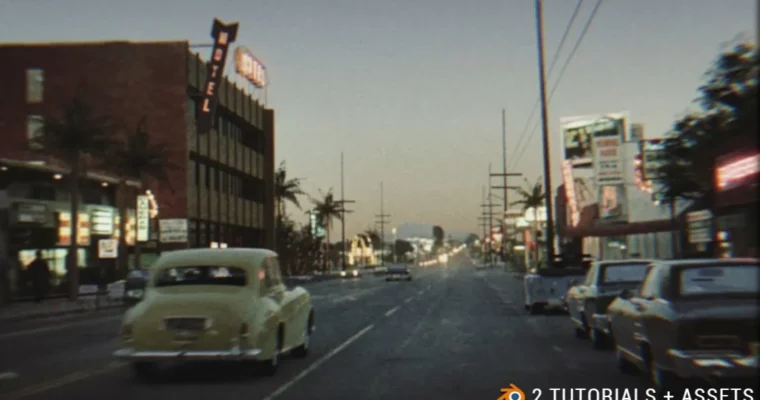
Blender Mastery – 1950s City & Car Animation Workshop by Sime Bugarija

Actual Duration:2h 50m
Release date:2024
Publisher:Blender Master
Skill level:Intermediate
Language:English
Exercise files:Yes
Software:Blender
Course URL:https://superhivemarket.com/products/complete-blender-course---city-environment-and-car-2-courses-in-one--assets
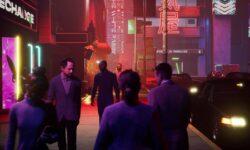
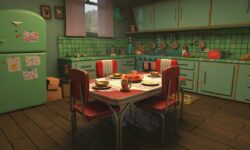
Two full projects, one workflow. Sime Bugarija walks you through building a 1950s street with a car twice: first fast and asset-driven, then slow and step-by-step from a reference photo. You model, texture, light, frame the camera and push it all out as a finished animation, with the project files and asset packs included.
🎯 What you’ll learn
- Model and kitbash a believable 1950s street and car in Blender without starting from zero
- Turn a reference photograph into both a modeling guide and a source of usable textures
- Light a retro night/evening scene and control the mood through color correction
- Animate the camera and finalize the shot inside the Blender compositor
- Work two different ways: quick asset-based blocking versus strict reference matching
- Finish a render-ready scene using modifiers and post-processing
✅ Requirements
- Skills: Comfortable navigating the Blender viewport and basic 3D space understanding
- Tools: Blender installed, plus a reference photo of your own to work from
- Hardware: A machine with a dedicated GPU for animation rendering and enough storage for the included asset packs
📝 Description
This is not a gentle tour of the Blender interface. Sime opens up the exact workflow he uses and builds two complete period scenes in front of you, from empty viewport to final animation. In the first scene he stays loose with the reference image and leans on assets he already has or finds online, which is how you get a convincing result in roughly an hour instead of a week. In the second scene the rules change: everything is step-by-step, and the reference photo becomes the boss.
What makes the second half interesting is how the photo gets reused. It is not just something you glance at while modeling. Sime shows how to pull textures straight out of it so the geometry lands closer to the reference and the realism arrives faster. You also get a look at how modest tools carry a lot of weight here, modifiers, camera handling, color correction, the Blender compositor, and simple post-processing passes.
The clear files are included, along with the two asset packs used in the lessons. So you can follow along shot for shot, or take the methods and run them on your own street, your own era, your own car.
🧑🎓 Who this course is for
- Blender users who can model single objects but freeze when it comes to a full environment
- 3D artists who want a faster, asset-based route to finished renders instead of a from-scratch grind
- Anyone into retro and period scenes, from 1950s Americana to moody nighttime streets
- Intermediate artists looking to tighten up lighting, composition and compositing in Blender
🧑🏫 About the Author
Sime Bugarija is a Blender artist and instructor with five years of hands-on experience in the software. He builds and renders environment and vehicle scenes, and this workshop is essentially his own production pipeline laid out on the table: assets, reference photos, modifiers, lighting and the compositor, in the order he actually uses them. He teaches through the work itself rather than theory, and adds a bonus scene on top of the main build so you can see the same methods applied a second time at a faster pace.
🏁 Final Result
- Two finished 1950s street-and-car scenes in Blender, both lit, framed and animated
- A rendered animation plus the still frames that go with it
- The complete .blend project files and the two asset packs used during the course
 Channel