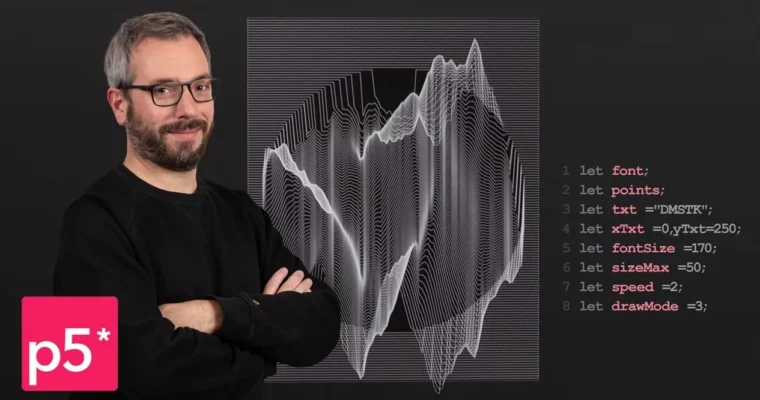
Intro to Creative Coding: Create Graphic Objects by Julien Gachadoat

Actual Duration:5h 39m
Release date:2022, November
Publisher:Domestika
Skill level:Beginner
Language:English
Exercise files:Yes
Software:Processing, p5.js
Course URL:https://www.domestika.org/en/courses/4034-intro-to-creative-coding-create-graphic-objects
Want to make art with code instead of pushing pixels by hand? This course gets you from zero to building your own animated letters and patterns with p5.js and Processing.
🎯 What you’ll learn
- Set up and work in the p5.js editor with confidence
- Draw basic and compound geometric shapes with code
- Use variables, loops, and conditionals for visual composition
- Build grids of animated patterns and combine them
- Create spirograph-style shapes and flow fields
- Model particle systems that move across the screen
- Draw and animate letters with time propagation and mouse interaction
✅ Requirements
- Skills: No prior programming experience needed, basic computer skills
- Tools: Web browser and free p5.js editor, Processing
- Hardware: Standard computer with internet connection
📝 Description
Julien starts simple. No heavy theory, no math lecture. You open p5.js, draw a circle, then a square, then you break things. You learn what an error actually means and how to fix it fast. That’s the whole vibe — learn by typing, running, and tweaking.
Then it gets fun. You take classic generative design algorithms — grids, repetition, randomness, monochromes — and turn them into living patterns. You’ll stack shapes into combinations, build spirograph-like forms, and play with flow fields to get that organic, drifting motion. It’s all about small code changes that give big visual differences.
The second half is about motion and type. You’ll model particles that wander around the screen, draw letters as shapes, and then animate a full word. Julien shows you how to use time-based propagation so the animation ripples through letters, plus mouse interaction so your piece reacts to the viewer. Practical stuff you can reuse in posters, titles, installations, or web experiments.
You get 24 lessons and 30 downloads to follow along, so you’re not just watching — you’re coding every step. By the end you’re not a “Processing expert,” you’re someone who can think in systems and sketch ideas directly in code.
🧑🎓 Who this course is for
- Designers and illustrators who want to add code to their toolkit without a CS degree
- Beginners curious about creative coding, generative art, and animated typography
- Anyone who wants to make interactive visuals for web, motion, or installations
🧑🏫 About the Author
Julien Gachadoat is a French creative coder and educator working where code meets visual play. He’s spent years making interactive pieces, teaching programming for artists, and exploring systems inspired by pioneers like Michael Noll and Georg Nees. His teaching style is direct and hands-on — less talk, more sketching with p5.js.
🏁 Final Result
- An animated font generated entirely by code, with time-based motion and mouse interactivity — plus a series of practice sketches including an interactive pattern grid, spirographs, and a particle system
 Channel