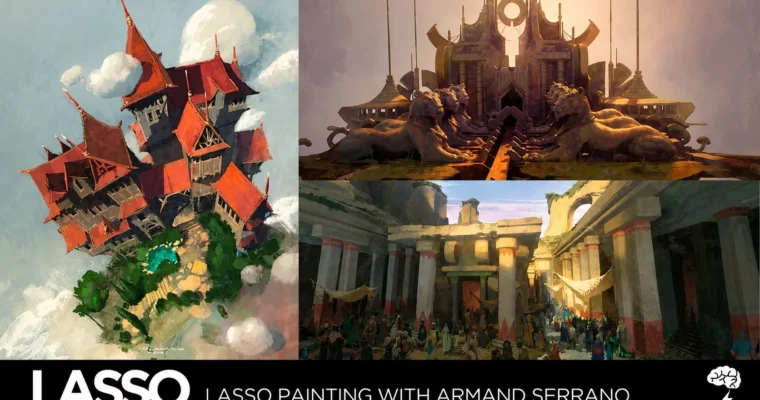
LASSO – Lasso Painting by Armand Serrano

Duration:5 weeks
Actual Duration:16h 52m
Release date:2021, March
Publisher:Brainstorm School
Skill level:Intermediate
Language:English
Exercise files:Yes
Software:Photoshop
Course URL:https://brainstormschool.com/lasso
dA purely practical, technical course that redefines how you use the Lasso Tool in Photoshop. Forget just selecting areas—this class turns it into a primary painting tool for creating crisp, graphic, and highly polished concept art at speed.
🎯 What you’ll learn
- Use the lasso tool for hard-edge control and graphic quality
- Paint from silhouette and mass instead of line sketches
- Apply precise lighting and value studies using selections
- Combine lasso painting with textured brushes and photobashing
- Eliminate muddy finishes and deliver clean, industry-standard art
✅ Requirements
- Skills: Basic familiarity with Photoshop and digital painting
- Tools: Drawing tablet, 3-button mouse
- Hardware: Minimum 8GB RAM, dedicated GPU recommended
📝 Description
This course is all about speed and precision. The Lasso Tool is often underrated, but Armand Serrano shows you how to use it to outpace traditional brush rendering by miles. You’ll start with edge control—learning to create perfectly crisp shapes while using a large soft brush inside selections for smooth volumetric gradients.
From there, you move into painting from silhouette and mass. Instead of sketching lines, you’ll carve out the shape of a monster, robot, or cliffside and block it in with base values. This approach forces you to think in terms of graphic design and form, not just rendering.
The real magic happens in weeks three through five. You’ll use selections to precisely apply light and shadow, illuminating exact planes without worrying about bleeding over edges. Then you’ll combine this technique with textured brushes and photobashing to create complex, clean concept art in a fraction of the usual time. The result? No more muddy or blurry finishes—just crisp, polished work that meets studio production deadlines.
🧑🎓 Who this course is for
- Digital artists who want to speed up their painting workflow
- Concept artists looking for cleaner, more graphic finishes
- Anyone tired of muddy or blurry digital paintings
🧑🏫 About the Author
Armand Serrano is a veteran concept artist and instructor at Brainstorm School. With years of industry experience, he has worked on major film and game projects, specializing in environment and hard-surface design. His practical, no-nonsense teaching style focuses on techniques that deliver results in a studio pipeline.
🏁 Final Result
- A portfolio-ready speedpainting demonstrating crisp edges, precise lighting, and efficient use of the lasso tool for concept art.
📢 Guys, this is a Group Buy campaign, check the GBC forum thread to get access
You can find the course preview in the download section below.
 Channel