Beginner to Advanced Architectural Drawings AutoCAD 2026 by Jordan Keech

Duration:2.5 hours
Actual Duration:2h 41m
Release date:2026, February
Publisher:Udemy
Skill level:Beginner
Language:English
Exercise files:Yes
Software:AutoCAD 2026
Course URL:https://www.udemy.com/course/master-architectural-floorplans-elevations-in-autocad
Master floor plans and elevations by creating a full example property from scratch. This course walks you through a real project, from setting up your file to printing a complete drawing package.
🎯 What you’ll learn
- Read floor plans with confidence – understand walls, openings, dimensions, symbols, and room relationships.
- Use architectural scale properly – measure real dimensions and understand scaled drawings (1:100).
- Sketch simple, accurate layouts – turn ideas into clear plans suitable for early-stage proposals and feasibility checks.
- Spot development potential from drawings – identify constraints, opportunities, and layout improvements.
- Communicate design ideas clearly – mark up drawings, speak confidently with architects, and understand key terminology.
✅ Requirements
- Skills: Very basic AutoCAD skills – such as opening files, panning/zooming, and using simple commands.
- Tools: A computer with AutoCAD (or similar CAD software) – free trials or student versions are fine.
- Hardware: Basic computer skills – navigating folders, clicking/dragging, and typing commands.
📝 Description
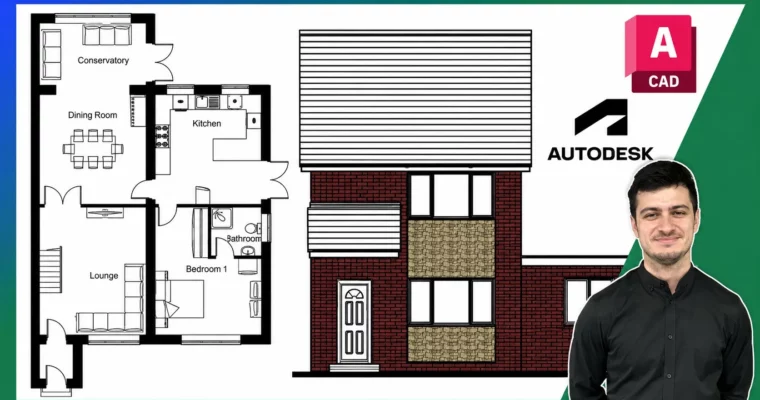
This isn’t a theory-heavy lecture series. You’ll open AutoCAD and start drawing a real property from day one. The course is built around a single project: an existing house with a ground floor, first floor, and all four elevations. You’ll then design a proposed extension, creating new plans and elevations to match.
The workflow is practical and direct. You’ll learn how to set up your file with the right scale and units, draw walls accurately, insert pre-made blocks for doors, windows, and furniture, and add dimensions and labels that make your drawings readable. The elevation section is particularly strong – you’ll take survey measurements and translate them into clean front, rear, and side views.
What sets this course apart is the focus on real-world drafting habits. You’ll learn how to lay out viewports, add title blocks, and organize your drawing sheet for printing or presentation. By the end, you’ll have a complete package that looks like it came from a professional office.
🧑🎓 Who this course is for
- People with no prior experience who want to learn how to read and produce architectural drawings.
- Students exploring architecture, interior design, or construction careers.
- Individuals wanting foundational drawing skills before applying to apprenticeships, junior roles, or university courses.
- People interested in home design, extensions, or renovation projects who want accurate, industry-standard drawing skills.
- Early-stage developers or investors who want to interpret architectural drawings or sketch basic layouts for proposals.
🧑🏫 About the Author
Jordan Keech is a CAD designer with over 12 years of experience in the engineering and architectural drafting industry. He started learning CAD at age 14 after a work experience placement at an architecture practice. Since then, he has studied multiple CAD software packages and developed a deep understanding of how each program works. Jordan has trained many colleagues over his career, focusing on getting them up and running quickly with practical, project-based methods.
🏁 Final Result
- A complete set of existing floor plans (ground and first floor) and elevations (front, rear, side).
- A proposed design with new floor plans and elevations for an extension.
- A fully formatted drawing package with viewports, notes, title blocks, and dimensions, ready to print or present.
 Channel