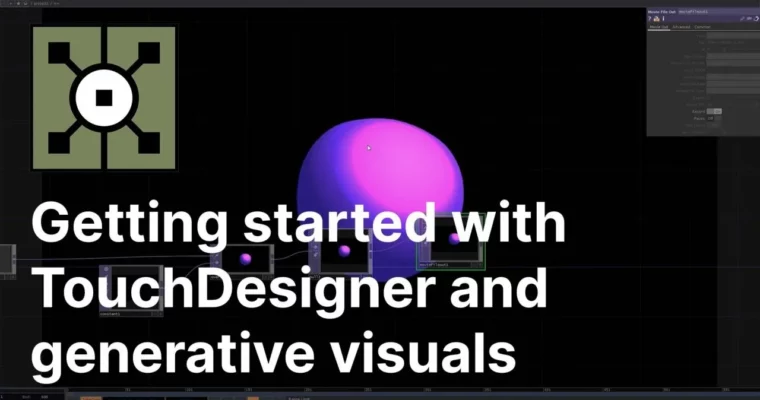
Getting started TouchDesigner and generative visuals by Benjamin Carrier

Duration:1h 12m
Actual Duration:1h 12m
Release date:2023, November
Publisher:Skillshare
Skill level:Beginner
Language:English
Exercise files:Yes
Software:TouchDesigner
Course URL:https://www.skillshare.com/en/classes/getting-started-with-touchdesigner-and-generative-visuals
A short, hands-on class for absolute beginners. You’ll go from a blank screen to a working interactive generative visual in TouchDesigner, learning the core interface and operators along the way.
🎯 What you’ll learn
- Navigate the TouchDesigner interface and basic operators
- Set up a 3D render and apply materials
- Build a generative sphere with noise and color
- Add mouse and microphone interactivity
- Export your project for sharing
✅ Requirements
- Skills: No prior TouchDesigner experience needed. Basic computer literacy.
- Tools: A mouse (3-button recommended).
- Hardware: A computer capable of running TouchDesigner (Windows or macOS).
📝 Description
This class cuts the fluff and gets you straight into building something real. You won’t just watch someone click around—you’ll follow along to create a generative sphere that reacts to your mouse and even your voice via the microphone.
Benjamin starts by walking you through the TouchDesigner interface and its core building blocks: the operators. You’ll learn how to connect them to generate noise, color, and geometry. Then, you’ll dive into the 3D render pipeline, setting up materials and compositing to make your sphere look polished.
The real fun starts when you add interactivity. By the end, you’ll have a playable visual that responds in real-time. It’s a perfect foundation for anyone curious about generative art, interactive installations, or live visuals.
🧑🎓 Who this course is for
- Complete beginners who want to learn TouchDesigner without getting overwhelmed.
- Artists and designers curious about generative visuals and real-time interaction.
- Anyone looking to build a simple, portfolio-ready interactive project quickly.
🧑🏫 About the Author
Benjamin Carrier is an interaction designer at Piko Studio and a generative artist. He has spent years using TouchDesigner to create generative visuals and interactive installations. His practical, project-based teaching style helps beginners get comfortable with the software fast.
🏁 Final Result
- A fully interactive generative sphere that responds to mouse movement and microphone input, ready to export and share.
 Channel