Ad Clicks : Ad Views : Ad Clicks : Ad Views : Ad Clicks : Ad Views : Ad Clicks : Ad Views :
Oh Snap!

It looks like you're using an adblocker. Adblockers make us sad. We use ads to keep our content happy and free. If you like what we are doing please consider supporting us by whitelisting our website. You can report badly-behaved ads by clicking/tapping the nearby 'Advertisement' X text.

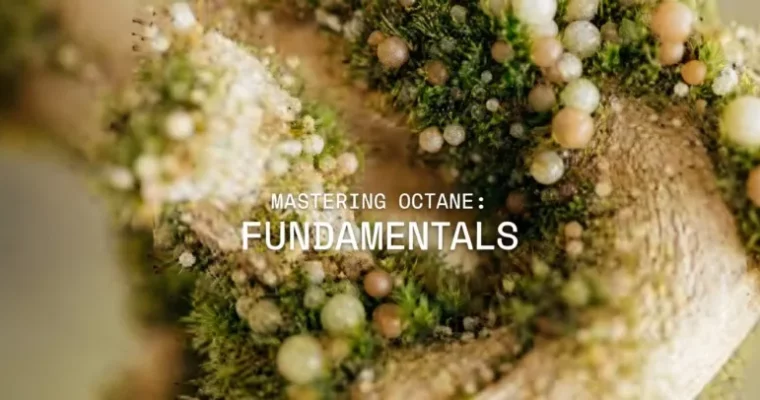
Mastering Octane – Fundamentals (2025) by Thanos Kagkalos

Mastering Octane – Fundamentals (2025) by Thanos Kagkalos

Author:Thanos Kagkalos

Actual Duration:8h 51m

Release date:2025, September

Publisher:Motion Punk

Skill level:Beginner

Language:English

Exercise files:Yes

Software:Cinema4D, Octane Renderer

Course URL:https://motionpunk.teachable.com/p/octane-fundamentals

Learn the core principles of Octane Renderer and optimize your scenes for efficient, high-quality renders.

Ready to dive into the world of Octane Renderer? This course is your perfect starting point, whether you’re completely new to Octane or looking to sharpen your existing skills. It’s designed to get you up to speed quickly, focusing on the essential workflows and settings that make a real difference in your daily rendering tasks. Forget endless button-by-button tutorials; this is about understanding the core concepts so you can spend more time being creative.

๐ŸŽฏ What you’ll learn

  • Efficient scene optimization for stability and speed.
  • Fundamentals of Octane materials and node-based workflows.
  • Practical application of ACES color workflow.
  • Mastering the Live Viewer for real-time feedback.
  • Understanding different Octane kernels and their uses.
  • Effective lighting techniques using Area lights, HDRIs, and Daylight systems.
  • Utilizing Octane object tags for scene control.
  • UVW mapping and its importance in texturing.
  • Setting up network rendering for faster results.
  • Managing project assets efficiently.
  • Exploring basic and advanced Octane material types.
  • Understanding and implementing displacement techniques.
  • Leveraging Mograph and Octane Scatter for complex scenes.
  • Working with fog and volumes, including VDBs.
  • Comprehensive understanding of AOVs (render passes) and Cryptomatte.
  • Technical subtleties for reducing VRAM and removing noise.
  • Utilizing Octane Proxies (ORBX) for scene optimization.
  • Exploring new features in Octane 2023 and Octane 2025.

โœ… Requirements

  • Skills: No prior Octane Renderer experience needed. Familiarity with Cinema4D is beneficial.
  • Tools: Cinema4D and Octane Renderer.
  • Hardware: A computer capable of running Cinema4D and Octane Renderer.

๐Ÿ“ Description

This course is your essential guide to mastering the fundamentals of Octane Renderer, a powerful GPU-accelerated rendering engine. Instructor Thanos Kagkalos shares his personal, efficient workflows, focusing on practical techniques rather than just a feature list. You’ll learn how to optimize your scenes for stability and speed, understand the core principles of Octane materials and nodes, and implement advanced workflows like ACES. The curriculum covers everything from basic setup and camera settings to complex lighting, displacement, volumes, and render passes. Kagkalos emphasizes a “to the point” approach, ensuring you grasp the technical aspects quickly so you can focus on the creative side of 3D art. Project files are included to help you practice and apply what you learn.

๐Ÿง‘โ€๐ŸŽ“ Who this course is for

  • Beginners who have never used Octane Renderer before.
  • Intermediate users looking for workflow tips and scene optimization strategies.
  • 3D artists in Cinema4D who want to transition to or improve their rendering quality.
  • Anyone interested in achieving photorealistic renders efficiently.

๐Ÿง‘โ€๐Ÿซ About the Author

Thanos Kagkalos is a seasoned professional in the 3D design and animation industry, known for his expertise in rendering and lighting. He shares his extensive knowledge through online courses, focusing on practical, efficient workflows. His teaching style is direct and results-oriented, helping students quickly master complex software like Octane Renderer and Cinema4D. Thanos also maintains a comprehensive index of tutorials on his Patreon, covering design, animation, VFX, and procedural setups, often incorporating Houdini alongside his primary tools.

๐Ÿ Final Result

By the end of this course, you will have a solid understanding of Octane Renderer’s core functionalities and a personal workflow for creating efficient, high-quality renders. You’ll be equipped to tackle complex scenes, optimize your settings, and confidently use Octane for your personal or professional projects, ready to explore more advanced topics in rendering and lighting.

Curriculum

๐Ÿ“‹ Course content

  1. Introduction
    • Why I use Octane6:21
    • Resources and project files
  2. Getting started with Octane
    • Installation0:52
    • Basic Settings and personal preferences9:13
  3. ACES workflow
    • New ACES workflow1:55
    • Legacy ACES workflow (for older Octane versions)4:53
  4. Export and file formats
    • Exporting ACES4:18
    • Compositing_ACES_in_AfterFX3:08
    • Choosing image formats3:12
    • Cinema4D’s render queue2:31
  5. Live Viewer (IPR)
    • Live Viewer / Tips and tricks8:19
  6. Cameras
    • Camera imager / Glow / Depth of field5:20
    • Universal Camera1:49
    • Motion Blur2:56
    • Parallel camera1:25
  7. Octane kernels
    • Pathtracing13:17
    • Denoiser2:55
    • Light bounces6:02
  8. Octane object tag
    • SDS / Splines / Visibility4:00
  9. Let there be light
    • Area lights9:25
    • Gobos4:59
    • HDRIs3:02
    • Daylight systems6:07
    • Light linking (old and new way)4:34
    • Rayswitch2:32
    • Ray epsilon and scene scale7:39
  10. UVW and Octane
    • UVW mapping in Cinema4D3:01
    • UVW mapping in Octane3:56
  11. Network rendering
    • Setting up network rendering8:44
  12. Asset management
    • Project asset inspector (Cinema4D)5:35
    • Octane texture manager2:46
    • Asset browser and databases2:40
  13. Node editor
    • Node editor / Settings1:16
    • Node editor / Tips and Tricks4:29
  14. Basic material types
    • Keeping Octane crash-less (read this please)
    • Universal and Standard2:24
    • Diffuse3:34
    • Layers (coating)1:51
    • Glossy3:09
    • Specular3:13
    • Composite3:16
  15. Basic nodes
    • Color correction / Triplanar2:54
    • Noises / Gradients4:25
    • Falloff / Mix / Float / Add / Multiply3:25
    • Dirt / Curvature2:16
    • Vertex maps1:39
  16. Advanced material types
    • SSS (Subsurface Scattering)4:54
    • Emission (self illumination)2:50
    • Anisotropy6:44
    • What are BRDFs?1:30
    • Hair6:11
    • Texturing hair (2023.1.3 R4)8:04
    • Caustics8:07
  17. Advanced nodes
    • Side node0:52
    • Mixing normal maps2:54
    • Chaos texture2:56
    • What is OSL?1:55
    • Favorite OSL types6:38
    • Bump / Normal / Vertex maps (how to use them properly)4:11
  18. Understanding Displacement types in Octane
    • Texture displacement2:59
    • Vertex displacement2:09
    • Mixing displacements2:30
  19. Nested Dielectrics
    • What are Nested Dielectrics and how to utilise them3:47
  20. Mastering Mograph
    • Mograph Color vs Random Color1:57
    • Randomising textures4:08
    • Jittered Color1:15
    • ColorKey2:42
    • Highlight Instance1:51
    • Channel Picker (RGB split)1:18
    • Instance Range1:19
    • Random UV offsetting2:37
    • Color data from splines6:06
  21. Octane Scatter
    • Basic parameters6:32
    • Combining with Effectors3:34
    • Color Data from Scatter3:55
    • Using the Matrix Object2:48
  22. X-particles
    • XP color1:47
    • XP groups1:50
    • Particles to Trails color transfer3:24
  23. Fog and Volumes
    • Simple fog3:31
    • Volume fog9:19
    • VDBs lookdev and optimisations9:58
    • Texturing VDBs3:13
    • VDBs and mograph3:41
    • Standard vs volume material6:21
    • Cinema4D’s Pyro4:16
    • Volume displacement10:02
  24. AOVs (render passes)
    • An intro to AOVs0:37
    • Back to beauty5:20
    • Z pass1:53
    • AOVs and mattes5:46
    • Lighting passes2:09
    • Global textures1:39
    • Custom textures3:31
  25. Cryptomatte
    • Stable Cryptomatte modes in Octane6:23
  26. Technical subtleties
    • Reducing VRAM overhead3:50
    • Cinema4D’s layers workflow3:58
    • Color vs float sliders2:30
    • Removing fireflies3:21
  27. Octane’s Proxies (ORBX)
    • Optimising heavy scenes2:00
    • ORBX (single frame)5:17
    • ORBX (animated geometry)2:35
    • RNDR network (DEPRECIATED)0:50
  28. RNDR Network (2025 update)
    • RNDR Intro & Installation2:50
    • RNDR Cinema4D Wizard9:40
    • RNDR Using the browser interface (deprecated)11:53
    • RNDR Using the “Download Manager” (preferred way)13:06
    • RNDR Beta features10:24
  29. New features Octane 2023
    • Splines as render instances2:18
    • Analytic and direct lights4:53
    • Post fog and null material4:48
    • Camera effects4:51
    • Bump height (breaks previous projects)3:10
  30. New features Octane 2025
    • Octane installer3:56
    • HDR drag and drop1:41
    • Render network for PC and Mac0:48
    • Rest position2:40
    • Decals (basic setup)1:58
    • Decals (advanced setup)8:24
    • Fix older scenes (compatibility mode)3:13
    • VDB updates (basic setup)4:34
    • VDB updates (advanced setups + displacement)7:15
    • Compositing AOVs10:39
    • Parallel samples update2:43
    • Realistic camera lenses3:41
    • Octane fields (proximal shader)4:33
  31. What’s next?
    • Next steps / Resources4:01
Watch online or Download for Free
Mastering Octane – Fundamentals (2025) by Thanos Kagkalos
NAME
SIZEDURATION
00. Introduction
103.7 MB6m
01. Getting Started with Octane
10.8 MB10m
03. Live Viewer (IPR)
33.1 MB8m
05. Octane Kernels
105.8 MB22m
06. Octane Object Tag
7.4 MB4m
08. UVW and Octane
14.5 MB6m
09. Network Rendering
22.4 MB8m
12. Basic Material Types
50.9 MB17m
16. Understanding Displacement Types in Octane
47.7 MB7m
17. Nested Dielectrics
5.5 MB3m
20. X-particles
29.6 MB7m
22. AOVs (Render Passes)
75.1 MB20m
23. Cryptomatte
12.3 MB6m
25. Octane's Proxies (ORBX)
39.9 MB10m
29. What's Next
29.5 MB4m


Join us on
  Channel    and      Group

Leave a Comment

Your email address will not be published. Required fields are marked *