It looks like you're using an adblocker.
Adblockers make us sad. We use ads to keep our content happy and free. If you like what we are doing please consider supporting us by whitelisting our website. You can report badly-behaved ads by clicking/tapping the nearby 'Advertisement' X text.
21 Days to Master Digital Drawing by Erika Wiseman
Go from frustrated to fluent in Procreate, drawing naturally and finishing pieces you're proud to share.
Ready to ditch the frustration and actually enjoy drawing on your iPad? This course is your express ticket to becoming confident with Procreate. You’ll learn to sketch like you’re drawing on paper, fix mistakes in a flash, and end up with art you’ll be stoked to show off. It’s all about making digital art feel natural and fun.
🎯 What you’ll learn
Get comfortable with Procreate tools to speed up your workflow.
Sketch digitally in a way that feels natural and intuitive.
Learn Erika’s go-to methods for drawing eyes, mouths, and noses.
Turn basic sketches into dynamic, lively character art.
Draw perfectly proportioned faces using simple construction lines.
Master quick fixes for mistakes without the hassle.
Blend colors smoothly for professional-looking transitions.
Use non-destructive drawing techniques to save time and effort.
Understand hue and saturation to pick winning color palettes.
Add depth to your art using clipping masks and smart shading.
Develop a consistent warm-up routine for confident linework.
Bring line art to life with vibrant, harmonious colors.
Illuminate your artwork with realistic and stylized lighting effects.
✅ Requirements
Skills: Some drawing experience recommended.
Tools: Digital drawing software such as Procreate or similar. A drawing tablet is highly recommended.
Hardware: iPad.
📝 Description
These proven methods are your shortcut to digital art success, giving you the confidence to pick the right brushes, sketch comfortably, and shade your art with ease. If you ever felt frustrated that your digital drawings didn’t match the vision in your head, Erika is here to help. She’ll share with you everything she wished SHE knew when starting out.
Embrace the joy of creating digital art the easy way! No more guessing or struggling. You’ll learn how to use Procreate like a pro, develop a clear art workflow, use layers expertly, and color with confidence. She’ll show you expert tricks to fix mistakes easily, pick gorgeous colors, master tools to speed up your workflow, and add stunning lighting to your artwork. At every stage, you’ll get homework exercises to help you cement what you’ve learned, giving you a solid base for the next lesson. Whether you’re a total beginner or just need a confidence boost, this course gives you the foundation to create art you love. Say goodbye to frustration—start drawing stress-free today!
🧑🎓 Who this course is for
Absolute beginners to digital art with little/no experience.
Those eager to learn digital art fundamentals and techniques.
Traditional artists transitioning to digital art.
Artists seeking a structured digital workflow.
🧑🏫 About the Author
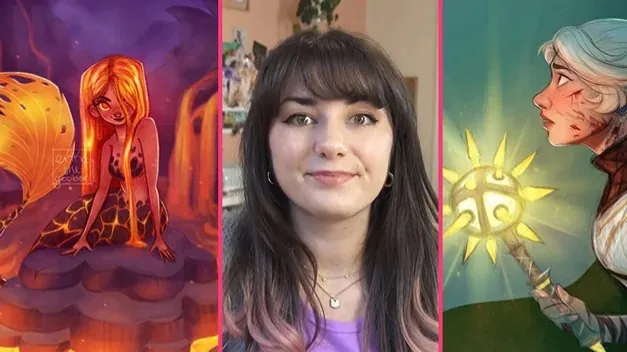
Erika Wiseman is a freelance digital artist with a Bachelor’s in Fine Arts. She has been creating art for over 15 years and made a name for herself on Instagram. Her practical approach and clear explanations make complex digital art concepts accessible to everyone.
🏁 Final Result
A portfolio-ready digital character illustration, showcasing skills in sketching, coloring, and lighting.
Curriculum
📋 Course content
Introduction by Erika
Join Erika Wiseman in this beginner-friendly course where you’ll master essential Procreate tools, build a flexible workflow, and draw awesome characters.
Packed with custom brushes, worksheets, and insider tips, this course helps you ditch perfectionism and embrace the joy of creating digital art—YOUR way!
Brushing up on Procreate(14:46)
Get started in Procreate on the right foot! This lesson delves into your setup—custom canvases, ergonomic tips, pressure-sensitive pens, and essential shortcuts—so you can draw comfortably, naturally, and efficiently.
You’ll master layers to experiment freely and fix mistakes easily and wield brushes, the Smudge and Eraser tools like a boss! PLUS, snag Erika’s personal brushes to boost your creativity. Let’s go!
Day 1 – Setting Up08:00
Day 2 – Layers03:22
Day 3 – The Brush Tool03:24
Digital Drawing Tools & Techniques(32:15)
Time for some fun warm-up drills to train your hand-eye coordination, like stretching before a workout! This helps your drawing be smoother and more natural.
You’ll discover Erika’s layered sketching method to give your lines energy. She also shows you how to practice pressure control and blending techniques to dramatically level up your artwork.
Day 4 – Choosing Your Brushes07:15
Day 5 – Warm Ups Part 107:13
Day 5 – Warm Ups Part 206:25
Day 5 – Warm Ups Part 305:13
Day 6 – Digital Sketching Techniques06:09
Drawing a Character Portrait(01:03:33)
Let’s make drawing faces fun, starting with simple shapes and rough ‘construction’ lines to nail the proportions and moving on to expressive eyes, noses, and mouths.
Then, we’ll build the whole body using easy shapes, layering on clothes and fun details, like textured hair and accessories. Erika shares her best tips for keeping the energy of the rough sketch in your final drawings!
You’ll also discover the power of Layer Masks (the Eraser’s more versatile cousin) to hide parts of your art that you aren’t sure about but might need later.
Day 7 – Construction Lines06:25
Day 7 – Proportions04:45
Day 8 – Eyes05:34
Day 8 – Nose02:49
Day 8 – Mouth02:31
Day 9 – Drawing Features on your Character Part 105:02
Day 9 – Drawing Features on your Character Part 207:07
Day 9 – Drawing Facial Details02:33
Day 10 – Body04:21
Day 10 – Clothing03:42
Day 10 – Hair04:57
Day 10 – Hat04:59
Day 11 – Layer Mask03:02
Day 11 – Cleaning Up Lines with Layer Masks05:46
Coloring your Character(01:00:49)
Say goodbye to guesswork and hello to confident color picking. Erika will show you how to break down hue, saturation, and brightness like an artist so that colors finally make sense!
You’ll also unlock the power of clipping masks and alpha lock, keeping colors within the lines while adding gradients and textures. Plus, discover how to replace drab black lines with soft, colored ones to give your art a more harmonious look.
By the end, you’ll be painting faster, smarter, and with way more creative freedom!
Day 12 – Understanding Digital Color06:04
Day 12 – Practical Use of Digital Color04:01
Day 13 – Choosing Colors05:11
Day 13 – Practical Choosing of Colors04:36
Day 14 – Coloring in Layers03:37
Day 14 – Coloring your Character Part 104:37
Day 14 – Coloring your Character Part 204:16
Day 15 – Color Adjustments05:23
Day 16 – Blending05:33
Day 16 – Character Color Variations07:01
Day 16 – Finishing Up02:02
Day 17 – Coloring Your Lines08:28
Lighting + Final Touches(37:15)
Blend modescan instantly transform your art into a completely different vibe—with glows, shadows, and vibrant lighting. You’ll learn which blend modes work best for different effects and how to use them without permanently changing your hard work.
We’ll also explore finishing touches like atmospheric lighting and subtle textures that take your artwork from good to “WOW!” You’ll learn to break free from perfection and rediscover the joy of creating—because digital art should be fun!
Day 18 – Blending Modes05:05
Day 19 – Lighting Effects: Daylight07:50
Day 19 – Lighting Effects: Nighttime09:25
Day 20 – Final Touches07:29
Day 21 – The Journey Ahead07:26
Watch online or Download for Free
21 Days to Master Digital Drawing by Erika Wiseman




 Channel