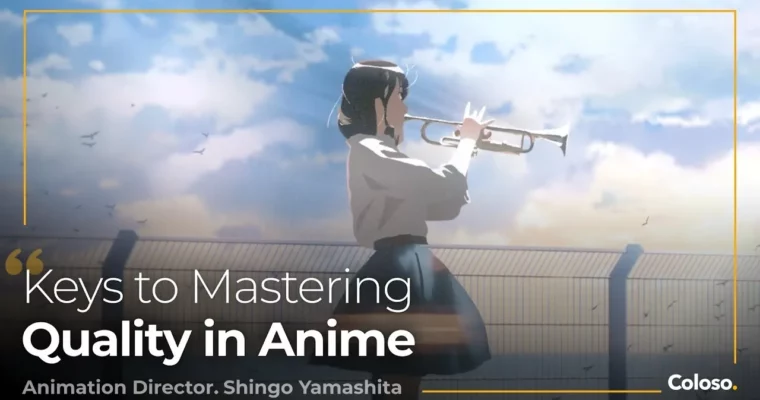
From Workflow to Production – A Complete Guide to Anime Creation by Shingo Yamashita

Duration:63Hours 30Minutes
Actual Duration:124h 31m
Release date:2024, December 26
Publisher:Coloso
Skill level:Advanced
Language:Japanese
Exercise files:Yes
Software:PaintTool SAI, Photoshop, After Effects, Cinema 4D, Adobe Flash
Course URL:https://coloso.global/en/products/animationdirector-yamashita-us
Shingo Yamashita breaks down how real commercial anime actually gets made, from planning and storyboarding to animation, backgrounds, and edit. You’ll see his hybrid 2D/3D workflow in action and then make your own short piece step by step.
🎯 What you’ll learn
- How commercial anime is divided from planning to editing and what each role needs
- How to write scripts and draw storyboards that don’t break in production
- How to design characters built for dynamic motion and acting
- How to build previz and 3D stages in Cinema 4D for layouts and camerawork
- Hand-drawn animation basics: timing, fabric, effects, action and acting
- Backgrounds, camera mapping, color design, inbetweens, filming and editing in After Effects
✅ Requirements
- Skills: Basic drawing skills, basic understanding of 2D animation and timelines
- Tools: PaintTool SAI ver2, Photoshop 25.5.1, After Effects 23.0.0, Cinema 4D 2024.3.2, Flash CS6, drawing tablet
- Hardware: PC capable of running Cinema 4D and After Effects, minimum 16GB RAM, dedicated GPU
📝 Description
This isn’t theory-only. Yamashita walks you through the whole chain — planning, script, character design, storyboard, movement, backgrounds, inbetweens, color design, filming, edit — and shows where productions usually fall apart. You’ll learn why a cool idea dies between script and storyboard, and how to fix it before you waste weeks animating the wrong thing.
A big part of the class is time vs. result. Commercial work lives on deadlines. He shows how to set quality targets, what to push and what to let go, and how decisions in early stages save or kill later stages. That includes practical stuff like building a simple 3D stage in Cinema 4D, placing cameras, testing moves, then locking a layout that actually works for hand-drawn animation.
Then you make one. You’ll go from your own plan and script to character sheets, storyboards, previz, rough and second keyframes, background with camera mapping, color, inbetweens, and final filming and editing in After Effects. Project files include FLA animation sources, C4D stages and cameras, AEP filming files, and PSD backgrounds, so you can pull everything apart and see how it’s built.
🧑🎓 Who this course is for
- Animators and illustrators who want to understand commercial TV / PV pipelines and work like a director
- Indie creators stuck on shorts who want a repeatable workflow from script to final edit
🧑🏫 About the Author
Hi, I’m Shingo Yamashita — animation director and CEO of Studio Cromato. I’ve spent 15+ years in commercial anime as animator, stager, and director on Naruto: Shippuden, Frieren: Beyond Journey’s End, Fate/Grand Order 4th Anniversary PV, and openings for Jujutsu Kaisen, Chainsaw Man, Urusei Yatsura, and Pokémon: Twilight Wings.
My thing is hybrid work that mixes hand-drawn animation with Cinema 4D and After Effects. I bounced between Flash, PaintTool SAI, Photoshop, and 3D tools for years to find a fast, flexible process. In this class I share that exact process — what I check, what I skip, and how I keep quality up under real production pressure.
🏁 Final Result
- A finished original anime cut produced end-to-end: from plan, script, character design and storyboard through previz, keyframes, background, color, inbetweens, filming and edit — ready to use as portfolio work
📢 Guys, this is a Group Buy campaign, check the GBC forum thread to get access
You can find the course preview in the download section below.
 Channel