It looks like you're using an adblocker.
Adblockers make us sad. We use ads to keep our content happy and free. If you like what we are doing please consider supporting us by whitelisting our website. You can report badly-behaved ads by clicking/tapping the nearby 'Advertisement' X text.
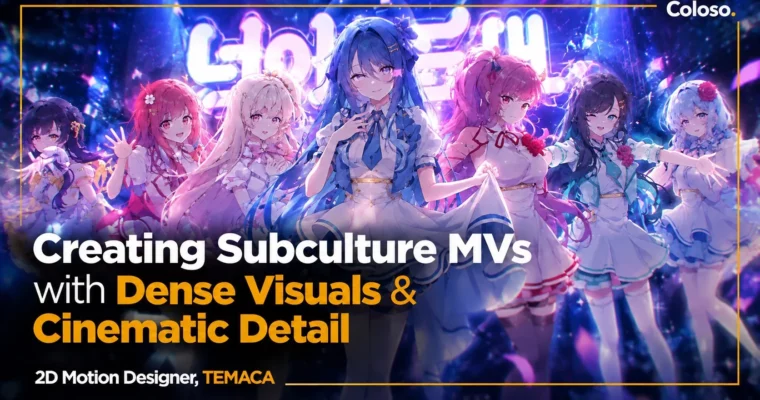
Creating Subculture MVs by Dense Visuals & Cinematic Detail by TEMACA
Learn TEMACA's full pipeline to turn a single illustration into a dense, cinematic subculture MV.
If you want to make subculture MVs that actually feel professional, this is the full pipeline. TEMACA walks you through planning, motion, rigging, camera, look dev, and final edit using one real workflow, not scattered tips.
🎯 What you’ll learn
Plan a full subculture MV from song analysis to storyboard and style frames
Create dense, dynamic motion with graph editor control and free scripts
Design kinetic typography layouts that carry mood and rhythm
Rig and animate characters with Puppet Pin and Duik Angela, including hair and cloth
Build cinematic 2.5D spaces and direct with camera movement and angles
Finish shots with light-based look dev, color grading, and post-processing
Apply 9 practical directing tricks for transitions, pacing, and musical hits
Manage freelance work with pricing, client communication, and portfolio tips
✅ Requirements
Skills: Basic familiarity with After Effects UI and timelines is helpful, no pro experience required
Tools: Adobe After Effects 2025, Adobe Media Encoder 2025, free scripts covered in class
Hardware: Desktop or laptop capable of After Effects with 16GB+ RAM, multi-core CPU, dedicated GPU recommended for multi-frame rendering
📝 Description
This class is built like a real job, not a tool demo. You start with music analysis, storyboards, and style frames, then move shot by shot into production. TEMACA shows how he breaks down a track, reads an illustration for lighting and mood, and locks a plan before touching keyframes. That pre-production habit is what keeps dense MVs from falling apart halfway.
Motion is where the density comes from. You will get solid on the graph editor, learn how speed and value graphs change feel, and stack layered motion so scenes stay busy without looking messy. Then typography gets the same treatment — font choice, Text Animator tricks, and layout systems that let text drive the composition instead of just sitting on top.
For characters, it is all about making a still image breathe. You will rig with Puppet Pin, fix common mesh issues, then add hair, cloth, and breathing with Duik Angela. After that, you take those flat layers into space. The 2.5D camera section covers Z-axis placement, null rigs, shot sizes, handheld shake, and angle changes that make one illustration feel like a full set.
The finish is pure look dev with built-in tools. No expensive plugin stack. You use layer styles for rim light and glow, color grading with Lumetri, Tritone, Levels and Curves, then post tricks like diffusion, edge blur, vignette, and grain. On top of that, TEMACA breaks down his 9 go-to directing moves — cuts, drops, inserts, transitions — and closes with real freelance talk on pricing and clients.
🧑🎓 Who this course is for
Beginners who want to learn After Effects by making their own subculture-style project
Hobby editors stuck making repetitive cuts who want denser motion and stronger visuals
Working motion and video designers who want to raise quality and charge more
🧑🏫 About the Author
Hi, I’m TEMACA, a 2D motion designer and lead director at Studio.Amulse. I work freelance with teams like StelLive and Nijisanji on subculture music videos, and I care less about flashy effects and more about visuals that support the song and the art.
My credits include MVs for Kakao Games, Sandbox, DJMAX RESPECT V and EZ2ON, plus VTuber projects for StelLive and Nijisanji, album art, and package design. I have also taught motion graphics at Yerim Design High School and mentored 27 private students through to graduation. In this class I packed in the pipeline, theory, and freelance lessons I actually use on client jobs.
🏁 Final Result
A complete subculture MV built from intro to outro — planned, animated, composited, and graded by you, ready to use as a portfolio centerpiece with style frames and project files (.aep) to show your process.
Curriculum
📋 Course content
Module 1:Orientation
Orientation – Instructor introduction and portfolio, class goals, curriculum roadmap, what makes a great MV
Module 2:Optimizing Your After Effects Workspace
Essential Programs, Plugins, and Scripts – Installation guide for Windows and Mac
After Effects Setup and Optimization – Script permissions, memory leaks, renderer and GPU settings, multi-frame rendering
Interface and Workflow Basics – Understanding the interface and custom workspace setup




 Channel