

Create a Complete Grid-Based Puzzle Game in Godot 4 with C by Firebelley Games

Duration:24h 45m
Release date:2024, October
Publisher:Udemy
Skill level:Intermediate
Language:English
Exercise files:Yes
Software:Godot 4.3+, C#, Visual Studio Code
Course URL:https://www.udemy.com/course/create-a-complete-grid-based-puzzle-game-godot-4-c-sharp
Build a real, playable village puzzle game in Godot 4 with C# — placement, resources, levels, save data, and export included.
🎯 What you’ll learn
- Build grid-based placement, query grid state, and validate building rules
- Use Godot fundamentals – scenes, signals, custom resources, and export variables
- Work with Godot 4.3+ TileSet and TileMapLayer – y-sorting, animated tiles, custom data, and autotiling
- Write practical C# in Godot – HashSets, Dictionaries, LINQ queries, and extension methods
- Create game UI with containers, custom themes, theme variations, and nine-slice
- Save and load progress with JSON to a custom user directory
- Add sound effects and music, plus options and pause menus
- Export your game for distribution
✅ Requirements
- Skills: Some programming experience with statically-typed languages, basic familiarity with game dev concepts
- Tools: Godot 4.3+, Visual Studio Code with C# extension, 3-button mouse
- Hardware: Modern PC or Mac capable of running Godot 4
📝 Description
This is not a toy demo. You start empty and finish with a shipped puzzle game. Every system earns its place in the pipeline.
You will build the core loop first: place buildings on a grid, track occupied tiles, and query state to allow or block placement. We use C# HashSets and Dictionaries for that, plus LINQ to filter tiles fast. No spaghetti checks. Just clean data you can debug.
Then we get into the look of the game with the new TileMapLayer workflow. Stacked layers, y-sorting for correct draw order, animated tree and water tiles, autotiling for terrain, and custom tile data to mark buildable vs blocked. You will also handle multi-tile buildings, circular radius, and elevation rules — the stuff that breaks grid games if you skip it.
From there it’s all the glue that makes it feel complete. Placement ghost with valid/invalid feedback, Tweens and AnimationPlayer for pop-in and destruction, particles, camera pan and shake, custom cursor, and error messages. UI is built with containers and custom themes, so menus, level select, and resource counters actually scale.
Last stretch covers real production tasks: level definitions as custom resources, JSON save/load for completion state, NuGet packages in Godot, sound effects and music mix, options and escape menus, and export. By the end you have a repeatable process for starting and finishing small 2D games in Godot with C#.
🧑🎓 Who this course is for
- Beginner game developers with programming experience who want to finish a full Godot project
- Unity C# devs who want to transfer their skills to Godot 4
- Intermediate programmers who want a practical guide to 2D grid systems, UI, and saving
🧑🏫 About the Author
Firebelley Games builds project-based courses focused on Godot 4 and C# scripting. The teaching style is straight to the point: build systems step by step, refactor when it hurts, and fix bugs on camera. That approach gives you a solid look at real decision-making — from grid management to level flow to polish — so you can reuse the same patterns in your own games.
🏁 Final Result
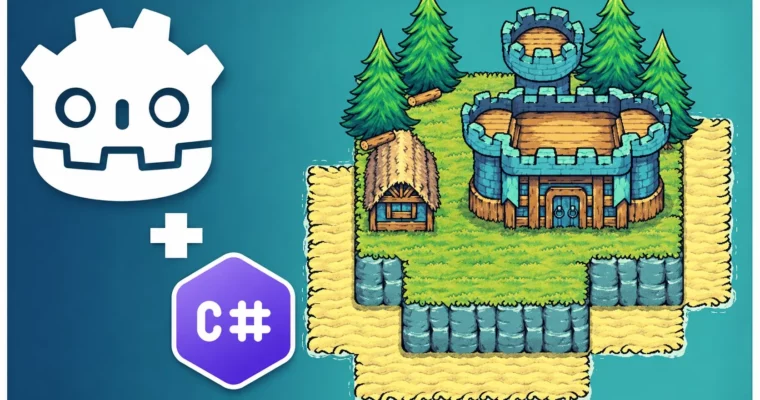
- A complete, portfolio-ready 2D grid-based puzzle game with multiple levels, village and combat buildings, animated tiles and particles, main menu / level select / options UI, JSON save system, audio, and an exported playable build.
 Channel