It looks like you're using an adblocker.
Adblockers make us sad. We use ads to keep our content happy and free. If you like what we are doing please consider supporting us by whitelisting our website. You can report badly-behaved ads by clicking/tapping the nearby 'Advertisement' X text.
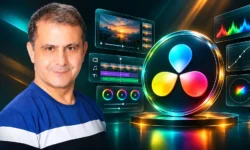
The Ultimate Color Grading Bootcamp in DaVinci Resolve by Sana Shaharyar
Learn to turn flat, lifeless footage into cinematic, client-ready grades using DaVinci Resolve from scratch.
If your footage looks flat, washed out, or just inconsistent from shot to shot, this bootcamp fixes that. You will learn how to build clean, cinematic grades in DaVinci Resolve from zero — correction, balance, look, and delivery — using real footage and a repeatable workflow.
🎯 What you’ll learn
Analyze and recreate cinematic color grades from film references using DaVinci Resolve
Match, balance, and grade multi-shot scenes with emotional consistency and professional flow
Correct white balance with dropper, offset, temperature/tint sliders, and scopes
Fix lighting and contrast with color wheels, log wheels, bars, and custom curves
Control color with hue curves, saturation curves, HSL qualifier, and ColorSlice
Create cinematic looks with and without LUTs and reuse node trees for speed
Perfect skin tones across shots using qualifiers and skin tone indicator
Finish shots with glow, halation, film grain, noise reduction, and sharpening
Export for YouTube and clients and build a portfolio of graded shots and scenes
✅ Requirements
Skills: No prior color grading experience required, basic understanding of video editing timelines will help
Tools: DaVinci Resolve Free or Studio version, mouse highly recommended for faster workflow
Hardware: Computer capable of running DaVinci Resolve, dedicated GPU recommended
📝 Description
This is not a random tips collection. It is a step-by-step system that takes you from “what is this button” to grading full scenes that hold together. You start with the Color page, scopes, and project settings, so you actually understand what you are looking at before you touch anything creative.
Then you get into the work that matters on real jobs: white balance, exposure, and contrast. You will learn dropper, offset, temperature/tint, color wheels, and log wheels, plus how to read the RGB parade instead of guessing. Short demos, then full grades — wedding film, editor shots, filmmaker shots — so you see the same tools applied to different problems.
After that, it gets fun. Hue curves, saturation curves, HSL qualifier, and ColorSlice for isolating and shaping specific colors without wrecking skin. Power Windows for directing the eye. Faded film contrast vs. punchy modern contrast. Looks built with LUTs and looks built from scratch with nodes, so you are not dependent on a pack.
The last stretch is what separates hobby grades from paid work: shot matching, saving node trees, skin tones that stay consistent, and finishing with glow, halation, film grain, and clean sharpening. You also get export settings for YouTube and clients, plus a bonus block on promoting videos and training daily with the Polymath Method.
🧑🎓 Who this course is for
Aspiring colorists who want a complete roadmap to go from beginner to pro in under a year — without going to film school
Video editors and content creators who want to create cinematic, emotionally resonant grades that match high-end productions
Self-driven learners who thrive with structure, intensity, and systems — and are ready to follow a proven daily practice method
Creatives in a career pivot — designers, animators, VFX artists, photographers — who want to add color grading as a professional skill
Anyone tired of disconnected tutorials and looking for a step-by-step training system that delivers client-ready skills
🧑🏫 About the Author
Sana Shaharyar is a working video professional focused on DaVinci Resolve, color grading, and practical client workflows. The teaching is built around real footage and real grading problems — weddings, short scenes, tricky log material — not just theory slides.
What sets the course apart is the emphasis on training like a pro. You get structured demos, reusable node trees, and the Polymath Method for daily practice, built to compress years of trial-and-error into focused reps.
🏁 Final Result
A portfolio of before/after graded shots and matched multi-shot scenes with clean skin tones, controlled contrast, and cinematic finishing — ready to show clients or attach to a colorist reel.
Curriculum
📋 Course content
Module 1:Getting Started and Resolve Basics
Introduction to the Course2:09
Important Announcements1:53
Section Intro and Content Overview0:48
Course Overview for Filmmakers & Editors1:53
Interface Guide for Color Grading Beginners1:18
Resolve Overview for Video Editing and Color Grading2:29
Module 2:Color Science, Scopes and Project Setup
Color Spaces Explained for Beginners5:23
Log Footage, Bit Depth & Bit Rate Explained3:53
The Color Page in DaVinci Resolve10:06
Project Settings: Resolution, Frame Rate & Color Space5:45
Convert Log Footage to Rec. 7099:03
How to Check Bit Depth of a Video Clip0:51
Using Scopes for Professional Color Grading12:23
Module 3:White Balance Correction
Intro to White Balance for Beginners4:15
Fix White Balance with the Dropper Tool2:07
Check White Balance Using the RGB Parade Scope2:35
Fix White Balance with the Offset Tool6:08
Fix White Balance with Temperature & Tint Sliders7:13
Fix White Balance with Combined Tools8:30
Module 4:Primary Correction – Light, Contrast and Color
How to Make Full Use of this Section0:42
Fix Lighting & Add Color Using Color Wheels15:06
Fix Lighting & Add Color with Color Bars4:41
Fix Lighting Using Log Wheels for Cinematic Look5:23
Add Contrast Using Custom Slider Adjustments12:05
Color Grade a Wedding Video – Full Demo7:00
Color Grading Demo 2 for Video Editors8:22
Color Grading Demo 3 for Filmmakers9:20
Module 5:Advanced Color Control
Boost Color & Saturation Using Sliders & Hue Tools5:54
Hue Curves for Cinematic Color Enhancement24:29
Saturation Curves for Pro Color Grading2:54
ColorSlice for Stylized Cinematic Grading6:22
Use HSL Qualifier for Targeted Color Control20:14
Color Grading Work Sample 1 – Practical Demo6:52
Color Grading Work Sample 2 – Hands-On Demo16:02
Module 6:Lighting, Contrast Looks and Shot Matching
Enhance Lighting for Visual Appeal & Mood27:20
Lighting Enhancements for Film-Style Shots22:15
Create Cinematic Contrast Using Power Windows22:49
Create Faded Contrast Look for Filmic Style15:04
Create Cinematic Looks Using Film LUTs24:29
Create Cinematic Looks Without LUTs8:46
Copy Color Grades & Intro to Shot Matching6:54
Save & Reuse Node Trees – Part 13:42
Save & Reuse Node Trees – Part 29:55
Module 7:Skin Tones, Finishing FX and Export
Match Skin Tones Across Shots for Cinematic Look11:01
Enhance Skin Tones Using HSL Qualifier & Indicator9:03
Skin Tone Indicator for Pro Color Grading – Part 26:23
Noise Reduction & Glow Effects – Part 19:54
Creative Uses of Glow Effect for Cinematic Looks2:30
Use Contrast Pop, Dehaze & Sharpen FX9:02
Halation & Film Grain FX for a Filmic Look4:49
Best Export Settings for YouTube & Clients7:58
Module 8:Real-World Footage Workflows
Manually Color Grading Footage with Unknown Camera Info20:21
Color Grade Unknown Footage Using Film LUTs18:18
Color Correction of Apple Log Footage14:15
LUT Selection & Initial Settings5:51
Lighting, Contrast and Saturation Tweaks14:33
3-Contrast, Look & Advanced FX14:50
Module 9:Promotion and Accelerated Learning System
Sign In & Schedule Ads in Meta Business Suite17:19
Track Ad Performance in Meta Business Suite4:33
Ad Frequency & Content Strategy for Filmmakers7:47
Intro to the Polymath Method for Accelerated Learning1:24
Regular vs. Hyper-Learner Polymath Method2:15
Watch online or Download for Free
The Ultimate Color Grading Bootcamp in DaVinci Resolve by Sana Shaharyar




 Channel